






Kiosk systems have become an essential part of modern self-service environments, helping businesses automate customer interactions, reduce operational costs, and improve service efficiency. They are widely used in retail, healthcare, hospitality, banking, transportation, government services, and industrial applications.
While kiosk technology offers significant advantages, every deployment also has operational limitations that should be understood before implementation. Knowing these limitations helps organizations choose appropriate hardware, software, and maintenance strategies that minimize downtime and improve user experience.
This article explains the most common limitations of kiosk systems, their causes, and practical solutions that businesses can implement.
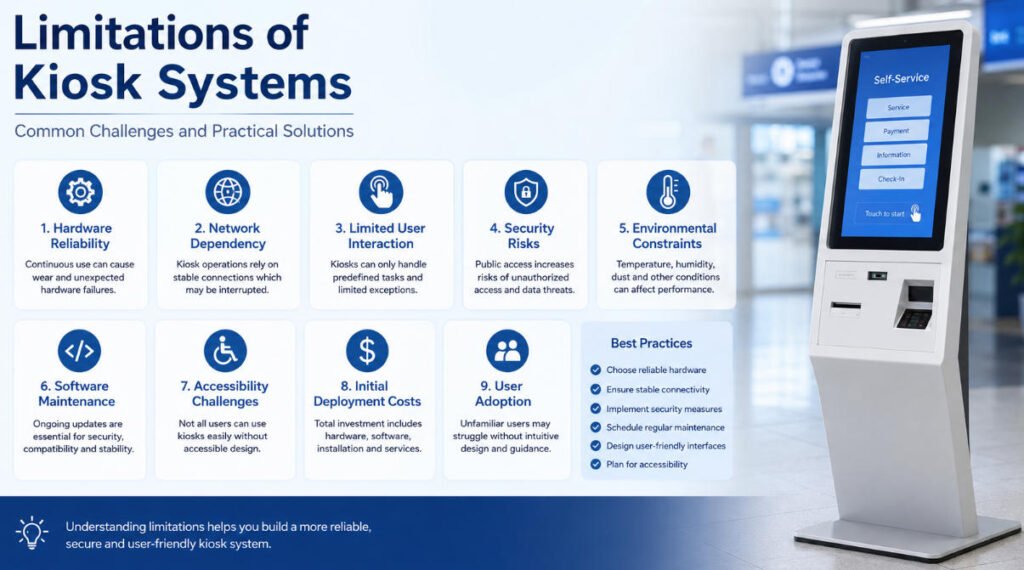
1. Hardware Reliability
Limitation
Kiosks operate continuously, often in public environments with heavy daily usage. Components such as touchscreens, printers, scanners, payment terminals, and cooling fans naturally experience wear over time.
Unexpected hardware failures may interrupt customer service until maintenance is completed.
Common Symptoms
- Touchscreen becomes unresponsive
- Receipt printer jams frequently
- Barcode scanner cannot recognize codes
- Card reader fails to detect payment cards
- Device unexpectedly restarts
Recommended Solutions
- Select industrial-grade kiosk hardware designed for 24/7 operation.
- Schedule preventive maintenance based on usage frequency.
- Replace consumable parts before end-of-life.
- Monitor hardware status remotely when supported.
- Keep spare replacement components available for critical deployments.
2. Network Dependency
Limitation
Many kiosk applications rely on stable internet or local network connectivity to access cloud services, payment gateways, databases, or authentication systems.
Network interruptions may temporarily prevent transactions from completing.
Possible Effects
- Payment processing delays
- Login failures
- Synchronization errors
- Data upload interruptions
- Slow response times
Recommended Solutions
- Use wired Ethernet whenever possible.
- Configure automatic network failover using 4G/5G backup.
- Enable offline operating modes when supported.
- Synchronize cached data automatically after connectivity returns.
3. Limited User Interaction
Limitation
Compared with human staff, kiosk systems can only respond to predefined workflows programmed into the application.
Complex customer requests may require manual assistance.
Examples
- Customized business processes
- Exceptional service requests
- Multi-step approvals
- Customer complaints
- Unusual payment situations
Recommended Solutions
- Design clear navigation with minimal user steps.
- Provide multilingual interfaces.
- Include accessible UI features for users with disabilities.
- Add “Call Staff” or remote assistance options where appropriate.
4. Security Risks
Limitation
Public-facing kiosks are exposed to both physical and cybersecurity risks.
Potential threats include unauthorized access, malware, data theft, and physical vandalism.
Recommended Security Measures
- Lock operating system access.
- Disable unnecessary USB ports.
- Encrypt sensitive data.
- Enable secure boot and BIOS protection.
- Perform regular software updates.
- Install surveillance in unattended locations.
- Use tamper-resistant kiosk enclosures.
5. Environmental Constraints
Limitation
Operating conditions directly affect kiosk performance.
Excessive heat, humidity, dust, vibration, or direct sunlight may reduce hardware lifespan.
Suitable Considerations
Indoor kiosks may not be appropriate for outdoor environments without additional protection.
Outdoor deployments typically require:
- Weatherproof enclosure
- High-brightness display
- Wide operating temperature range
- Waterproof connectors
- Enhanced cooling system
6. Software Maintenance
Limitation
Kiosk software requires ongoing updates to maintain security, compatibility, and functionality.
Delayed updates may introduce security vulnerabilities or application instability.
Recommended Practices
- Implement centralized remote management.
- Schedule software updates during off-peak hours.
- Test new software versions before deployment.
- Maintain backup system images for quick recovery.
7. Accessibility Challenges
Limitation
A kiosk may not be usable by every customer if accessibility is overlooked.
Users with visual, hearing, mobility, or cognitive impairments may experience difficulties.
Recommended Improvements
- Adjustable screen height where applicable
- Large touch targets
- High-contrast interface
- Screen reader compatibility
- Audio guidance
- Physical navigation buttons when required
- Compliance with local accessibility regulations
8. Initial Deployment Costs
Limitation
Deploying a kiosk system typically requires investment beyond the kiosk hardware itself.
Additional costs may include:
- Custom software development
- Installation
- Network infrastructure
- Payment integration
- Peripheral devices
- Maintenance services
- Ongoing software licensing
Organizations should evaluate the total cost of ownership (TCO) rather than hardware price alone.
9. User Adoption
Limitation
Some users may be unfamiliar with self-service technology, especially in industries transitioning from traditional counter service.
Without intuitive design, transaction completion rates may decrease.
Recommended Solutions
- Use simple interface layouts.
- Minimize required user inputs.
- Provide visual instructions.
- Display progress indicators.
- Offer multiple language options.
- Allow staff assistance during initial deployment.
Frequently Asked Questions
Can kiosk systems operate without internet?
Some kiosk applications support offline functionality by storing data locally. However, services such as online payments, cloud databases, and remote authentication typically require network connectivity.
How long does a commercial kiosk usually last?
The lifespan depends on hardware quality, operating environment, and maintenance. Industrial-grade kiosk hardware is generally designed for long-term commercial operation with replaceable components.
Are kiosk systems secure?
Modern kiosk systems can provide a high level of security when configured correctly. Security depends on operating system protection, encrypted communications, software updates, physical security, and proper user access controls.
What is the biggest limitation of kiosk systems?
The most common limitation is that kiosks can only perform predefined tasks. Situations requiring human judgment or complex decision-making generally require staff intervention.
Best Practices for Reducing Kiosk Limitations
Organizations can improve kiosk reliability by following these recommendations:
- Choose commercial-grade hardware.
- Design intuitive user interfaces.
- Implement remote device management.
- Schedule preventive maintenance.
- Regularly update software and firmware.
- Provide offline functionality where practical.
- Monitor hardware health continuously.
- Plan for accessibility and compliance requirements.
Conclusion
Kiosk systems are highly effective tools for automating customer service, streamlining operations, and improving efficiency. However, successful deployment requires understanding their technical and operational limitations.
By selecting appropriate hardware, maintaining secure software, planning for network reliability, and designing user-friendly interfaces, organizations can minimize downtime and deliver a consistent self-service experience.
For businesses evaluating kiosk solutions, understanding these limitations is an important step toward selecting the right system for long-term operation.






