






Self-service kiosks are rapidly transforming how businesses interact with customers across retail, hospitality, healthcare, transportation, and entertainment industries. When people search for types of kiosks, interactive kiosk types, or kiosk categories, they are usually trying to understand how different kiosk systems are used in real-world applications.
In simple terms, a kiosk is an interactive terminal that allows users to complete tasks without staff assistance. Depending on the function, interactive kiosk types can vary significantly—from ordering food to printing tickets or checking in at airports.
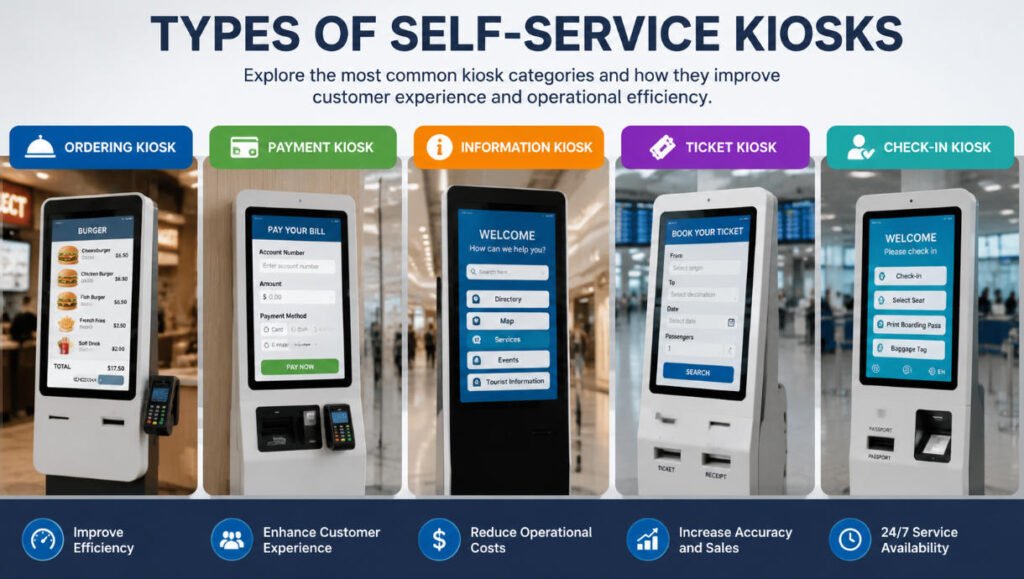
This guide breaks down the main kiosk categories and explains the five most common types of kiosks used today: ordering kiosks, payment kiosks, information kiosks, ticket kiosks, and check-in kiosks.
What Are the Main Types of Kiosks?
When analyzing kiosk categories, most modern self-service systems fall into five primary groups. These types of kiosks are defined by their core function rather than design alone. Understanding these categories helps businesses choose the right interactive kiosk types for their industry needs.
Below are the most widely used kiosk categories in 2026.
1. Ordering Kiosk
An ordering kiosk is one of the most popular interactive kiosk types, especially in the food service and retail industries. Customers can browse menus, customize products, and place orders directly on a touchscreen interface.
Key Features:
- Touchscreen menu browsing
- Product customization options
- Integrated payment systems
- Kitchen or backend order integration
Where It Is Used:
- Fast food restaurants
- Coffee shops
- Quick-service restaurants (QSR)
- Retail product ordering
Why It Matters:
The ordering kiosk improves efficiency by reducing queue time and increasing order accuracy. Among all kiosk categories, this one has the highest adoption in the food industry due to its direct impact on sales and customer experience.
2. Payment Kiosk
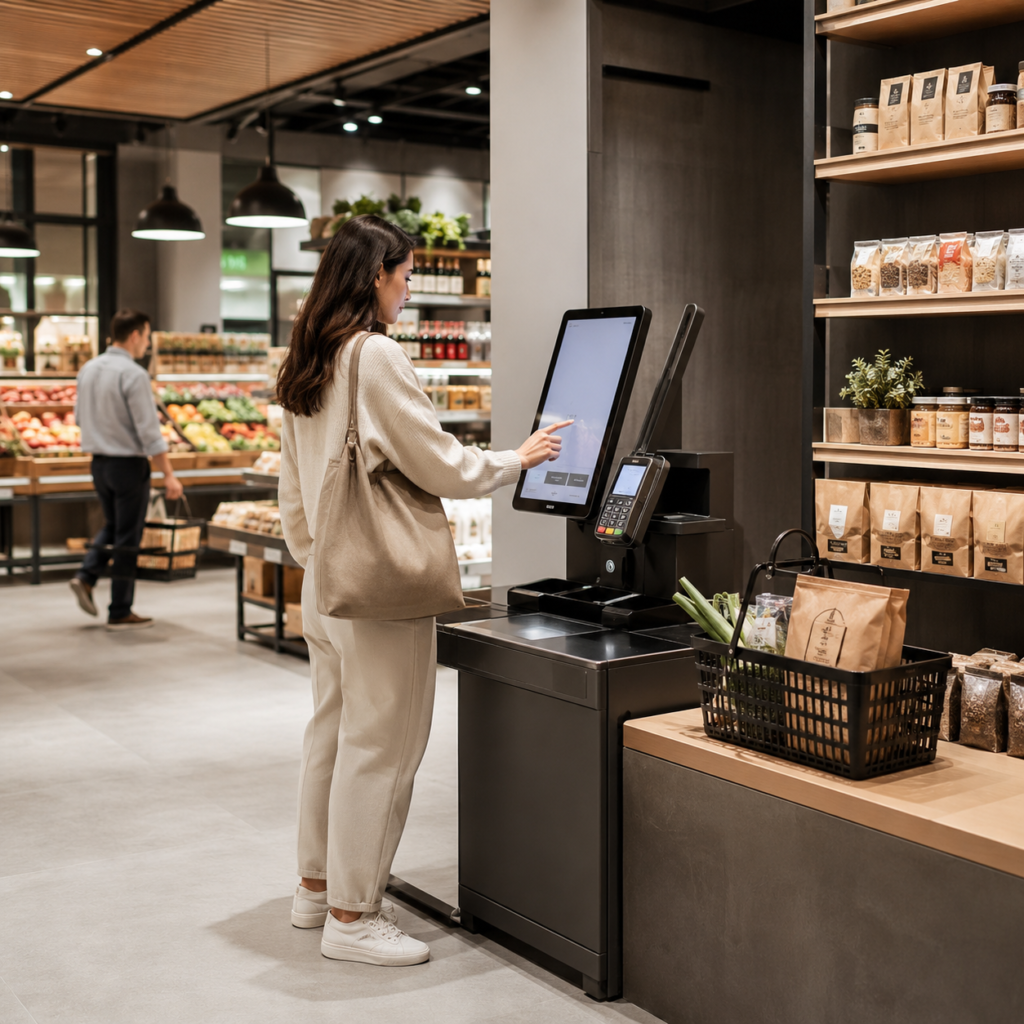
A payment kiosk is designed specifically for processing transactions. It allows users to pay bills, complete purchases, or settle accounts without cashier assistance.
Key Features:
- Cash, card, and digital wallet payments
- Secure payment processing
- Receipt printing or digital receipts
- Integration with billing systems
Where It Is Used:
- Parking lots
- Retail stores
- Utility payment centers
- Hospitals and clinics
Why It Matters:
Among all types of kiosks, payment systems are critical for automating financial transactions. These interactive kiosk types reduce human error and speed up checkout processes significantly.
3. Information Kiosk
An information kiosk is designed to provide users with access to information quickly and efficiently. It is one of the most versatile kiosk categories, widely used in public spaces.
Key Features:
- Interactive maps and directories
- Searchable databases
- Multimedia content display
- Multilingual support
Where It Is Used:
- Shopping malls
- Airports
- Museums
- Government buildings
Why It Matters:
The information kiosk enhances user experience by offering instant access to directions, services, or educational content. This makes it one of the most essential interactive kiosk types for public environments.
4. Ticket Kiosk
A ticket kiosk allows users to purchase, print, or manage tickets for transportation or events. It is a key part of modern kiosk categories in the travel and entertainment sectors.
Key Features:
- Ticket purchasing and printing
- QR code or barcode scanning
- Reservation management
- Integration with booking systems
Where It Is Used:
- Train stations
- Airports
- Cinemas
- Theme parks
- Event venues
Why It Matters:
The ticket kiosk reduces long queues and improves customer flow. Among all types of kiosks, it is one of the most widely used in transportation hubs where speed and efficiency are essential.
5. Check-In Kiosk
A check-in kiosk is used to streamline the registration process in hotels, airports, hospitals, and corporate environments. It is one of the fastest-growing interactive kiosk types in the service industry.
Key Features:
- Identity verification (ID/passport scanning)
- Booking confirmation
- Boarding pass or room key printing
- Integration with management systems
Where It Is Used:
- Airports
- Hotels
- Hospitals
- Corporate offices
Why It Matters:
The check-in kiosk significantly reduces waiting time and improves operational efficiency. Within modern kiosk categories, it plays a key role in automating customer onboarding processes.
How Interactive Kiosk Types Are Evolving
The evolution of types of kiosks is closely linked to advancements in AI, cloud computing, and touchscreen technology. Modern interactive kiosk types now include features such as:
- AI-powered recommendations
- Facial recognition
- Contactless payments
- Cloud-based data synchronization
- Remote management systems
These innovations are making kiosk categories more intelligent, scalable, and user-friendly than ever before.
Benefits of Different Kiosk Categories
Across all types of kiosks, businesses gain several key advantages:
- Faster customer service
- Reduced labor costs
- Improved order and transaction accuracy
- Enhanced customer experience
- 24/7 service availability
Whether it is an ordering kiosk or a check-in kiosk, each system contributes to operational efficiency and digital transformation.
Conclusion
Understanding the different types of kiosks is essential for businesses looking to improve automation and customer experience. From ordering kiosks and payment kiosks to information kiosks, ticket kiosks, and check-in kiosks, each category serves a unique purpose within the broader ecosystem of self-service technology.
As interactive kiosk types continue to evolve, businesses that adopt the right kiosk categories will gain a strong competitive advantage in efficiency, scalability, and customer satisfaction.






