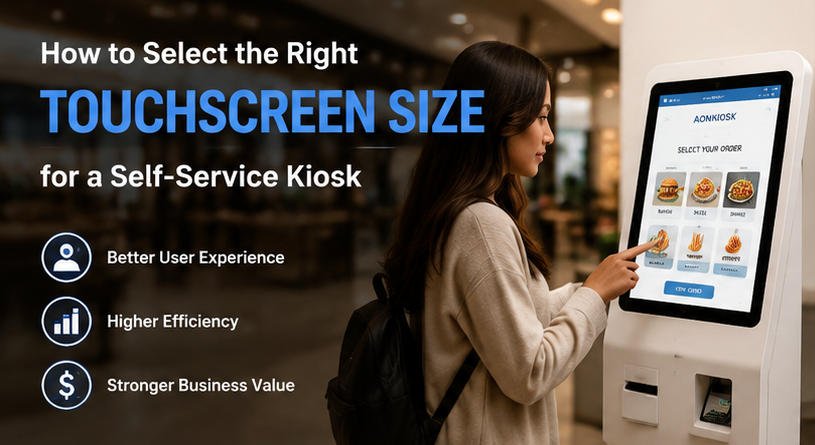
Introduction: Choosing the Right Kiosk Touchscreen Size for Better User Experience
The touchscreen is the most important interaction component of a self-service kiosk. Whether customers are ordering food, checking in at a hotel, purchasing products, or accessing public services, the display directly influences how easily users complete their tasks.
Choosing the correct kiosk touchscreen size is not simply about selecting the largest screen available. A larger display may provide better visibility and more interaction space, but it can also increase equipment cost, installation requirements, and overall kiosk dimensions. On the other hand, a smaller touchscreen may reduce costs but limit usability, especially for applications that require complex menus, product images, or multiple interaction steps.
For businesses planning to deploy self-service solutions, understanding the differences between common display sizes such as a 21.5 inch kiosk, 27 inch kiosk, et 32 inch kiosk is essential.
The ideal touchscreen size depends on multiple factors, including:
- Application environment
- User interaction process
- Installation space
- Software interface design
- Customer expectations
- Hardware configuration requirements
As an experienced kiosk hardware manufacturer, AONKIOSK provides customized kiosk solutions for restaurants, retail stores, hospitality businesses, healthcare facilities, and public service organizations. By combining application requirements with professional hardware design, AONKIOSK helps customers select the most suitable touchscreen configuration for their projects.
Why Kiosk Touchscreen Size Matters in Self-Service Applications
A self-service kiosk is different from a traditional computer or tablet. It is usually installed in public environments where users interact with the device quickly and independently.
The touchscreen size affects several important factors:
1. User Interaction Efficiency
A suitable display size allows customers to complete tasks faster.
For example, a restaurant ordering kiosk requires users to:
- Browse menu categories
- View food images
- Personnaliser les commandes
- Select payment methods
- Confirm purchases
If the screen is too small, users may need additional steps to navigate between pages, reducing ordering efficiency.
2. Content Visibility
Modern self-service systems rely heavily on visual information.
Retail kiosks need product images and prices. Restaurant kiosks need attractive food photos. Hotel kiosks need clear instructions and multilingual interfaces.
A larger touchscreen provides more space for displaying information without making the interface crowded.
3. Customer Experience
The touchscreen represents the brand experience.
A well-designed kiosk with an appropriate display size feels intuitive and professional, while an unsuitable screen can create frustration and reduce customer adoption.
Key Factors When Selecting a Kiosk Touchscreen Size
1. Consider the Kiosk Application Scenario
The first step is understanding how customers will use the kiosk.
Different industries have different requirements.
Restaurant and QSR Self Ordering Kiosks
Restaurants usually require customers to browse products visually and customize their orders.
A typical ordering process includes:
- Selecting categories
- Choosing products
- Adding options
- Reviewing orders
- Completing payment
For this type of application, medium and large displays are commonly preferred.
A 27 inch kiosk is one of the most popular choices because it provides enough space for menu images and ordering functions while maintaining a practical footprint.
For restaurants looking to improve ordering efficiency, AONKIOSK offers professional Borne de commande en libre-service pour restaurant hardware solutions designed for countertop, wall-mounted, and floor-standing installations.
Retail and Self Checkout Applications
Retail environments have different requirements compared with restaurants.
A retail kiosk may need to support:
- Product search
- Le scan de codes-barres
- Customer account access
- Le traitement des paiements
- L’impression de reçus
A larger display helps customers clearly view product information and complete transactions independently.
For supermarkets, convenience stores, and smart retail environments, a 27 inch kiosk or 32 inch kiosk is often selected because customers need better visibility during checkout.
Businesses looking for flexible hardware configurations can explore AONKIOSK’s self service kiosk solutions designed for different commercial applications.
Hospitality and Public Service Kiosks
Hotels, airports, hospitals, and government facilities often require users to read instructions and input information.
In these applications, screen size should consider:
- Average viewing distance
- L'accessibilité pour l'utilisateur
- Amount of information displayed
- Expected interaction time
A larger touchscreen can improve readability and make the system easier for a wider range of users.
2. Evaluate Installation Space and Kiosk Structure
The physical environment plays an important role when selecting the correct touchscreen size.
A kiosk installed on a countertop has different requirements compared with a large floor-standing terminal.
Common applications include:
Bornes de comptoir
Recommended sizes:
- 15.6 inch
- 21.5 inch
Suitable for:
- Restaurants with limited counter space
- Small retail stores
- Reception areas
Bornes murales
Recommended sizes:
- 21.5 inch
- 27 inch
Suitable for:
- Information displays
- Ordering systems
- Visitor management
Bornes au sol
Recommended sizes:
- 27 inch
- 32 inch
Suitable for:
- Shopping malls
- Aéroports
- Large restaurants
- Public information systems
Through professional custom kiosk manufacturing OEM ODM services, AONKIOSK can customize kiosk dimensions, screen configurations, and enclosure designs according to different installation environments.
3. Match Screen Size with Software Interface Design
The touchscreen should support the software experience rather than limit it.
A simple information inquiry system may only require a small display.
However, advanced self-service applications usually require more screen space.
For example, a restaurant ordering interface may include:
- Les images des produits
- Bannières promotionnelles
- Customization options
- Recommended products
- Shopping cart preview
A larger touchscreen allows designers to create a cleaner interface with fewer navigation steps.
This is why many commercial businesses choose a 27 inch kiosk as a balanced solution.
Comparing Common Self-Service Kiosk Screen Sizes
21.5 Inch Kiosk: Compact and Cost-Effective Choice
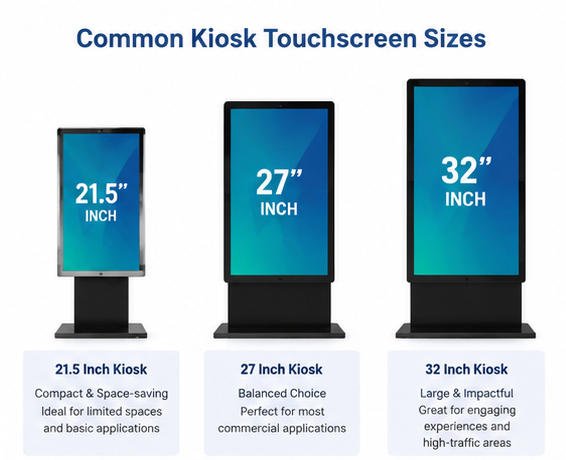
A 21.5 inch kiosk is widely used when businesses need a balance between functionality and space efficiency.
Advantages:
- Compact design
- Lower hardware cost
- Easy installation
- Suitable for limited spaces
- Good visibility for basic applications
Typical applications:
- Small restaurant ordering terminals
- Reception kiosks
- Ticket machines
- Information terminals
A 21.5-inch touchscreen is especially suitable for businesses deploying multiple kiosks where controlling equipment size and investment is important.
However, businesses should consider whether future software expansion may require a larger display.
27 Inch Kiosk: The Most Flexible Commercial Option
Le 27 inch kiosk is currently one of the most widely adopted sizes for commercial self-service applications.
It provides an excellent balance between:
- User experience
- Hardware cost
- Installation requirements
- Interface flexibility
Advantages include:
- Larger product display area
- Comfortable customer interaction
- Better visibility
- Support for complex interfaces
Les applications incluent :
- Restaurant ordering systems
- Retail self-service
- Enregistrement à l'hôtel
- Healthcare terminals
For many businesses, the 27-inch size provides the best overall value because it improves customer experience without significantly increasing deployment complexity.
32 Inch Kiosk: Premium Interactive Experience
A 32 inch kiosk is designed for applications where visibility and engagement are priorities.
Advantages include:
- Large viewing area
- Strong visual impact
- Better accessibility
- More information display capacity
Common applications:
- Shopping mall kiosks
- Large restaurants
- Digital information systems
- Interactive customer experience terminals
The larger display allows businesses to create immersive experiences with detailed graphics and multiple interface elements.
However, larger screens also increase:
- Manufacturing cost
- Shipping requirements
- Installation space
Therefore, businesses should evaluate whether the additional screen size creates measurable value.
21.5 Inch vs 27 Inch vs 32 Inch Kiosk Comparison
| Caractéristique | 21.5 Inch Kiosk | 27 Inch Kiosk | 32 Inch Kiosk |
|---|---|---|---|
| Taille de l'écran | Compact | Medium | Large |
| Space Requirement | Faible | Medium | Élevée |
| Cost | Lower | Moderate | Plus élevé |
| User Experience | Good | Excellent | Premium |
| Interface Complexity | Basic to Medium | Medium to Advanced | Advanced |
| Best Applications | Small spaces, simple tasks | Most commercial applications | High-impact environments |
Other Technical Factors Beyond Touchscreen Size
Although screen size is important, businesses should also evaluate other hardware specifications.
Technologie tactile
Modern kiosks commonly use:
- Projected capacitive touch (PCAP)
- Infrared touch technology
PCAP touchscreens are widely preferred because they provide smooth operation and support multi-touch interaction.
Screen Resolution
A larger touchscreen should also provide appropriate resolution.
Higher resolution improves:
- Image quality
- Product presentation
- User readability
This is especially important for restaurant menus and retail product displays.
Brightness and Durability
Commercial kiosks often operate for long hours.
Les considérations importantes incluent :
- High brightness display
- Anti-glare surface
- Industrial-grade components
- Long operating lifespan
These factors directly influence reliability and maintenance costs.

How AONKIOSK Helps Businesses Select the Right Touchscreen Configuration
Selecting the correct kiosk touchscreen size requires more than choosing a display panel.
A successful kiosk solution should consider:
- Flux de travail métier
- User behavior
- Physical environment
- Software requirements
- Future scalability
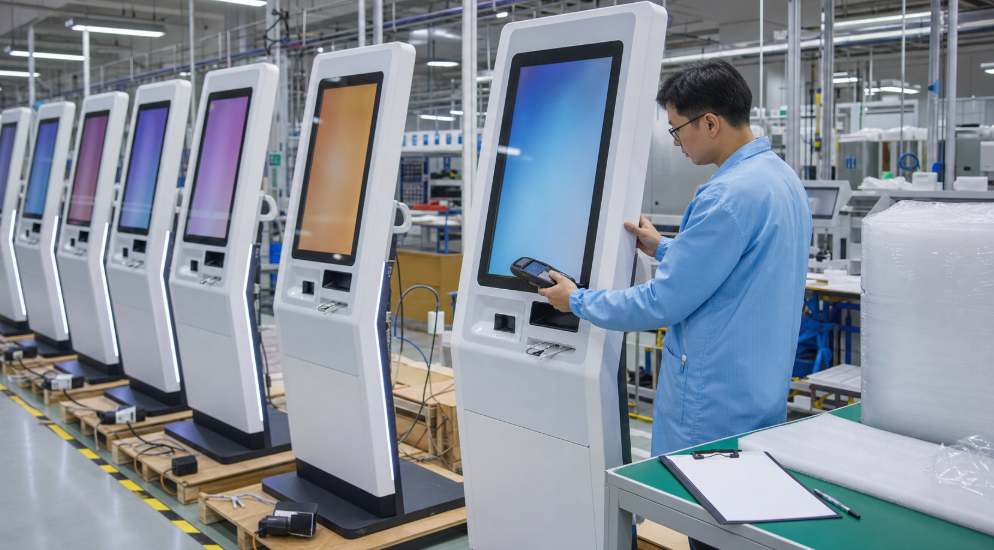
AONKIOSK specializes in kiosk hardware manufacturing and customization, helping global customers develop reliable self-service solutions.
With flexible OEM and ODM capabilities, AONKIOSK supports:
- Custom kiosk enclosure design
- Different touchscreen sizes
- Intégration périphérique
- Small-batch customization
- Production de masse
Whether customers need a compact 21.5 inch kiosk, a versatile 27 inch kiosk, or a large-format 32 inch kiosk, AONKIOSK can provide suitable hardware solutions.
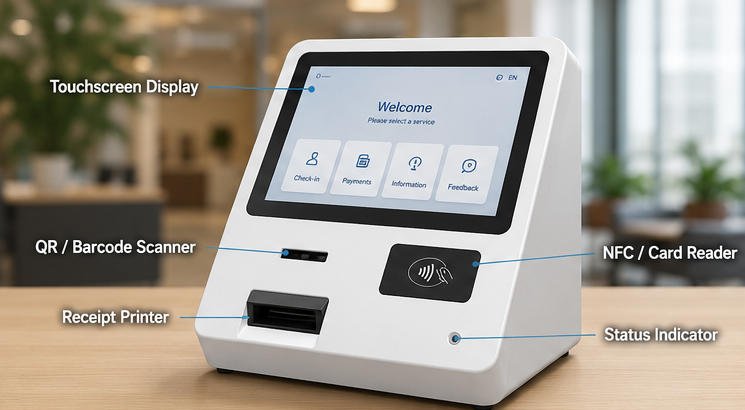
Learn more about kiosk design considerations through the main components of a kiosk guide and understand how display modules, computing hardware, and structural design work together.
Conclusion: Selecting the Best Kiosk Touchscreen Size
Choosing the right touchscreen size is a critical decision when developing a self-service kiosk system.
A 21.5 inch kiosk is suitable for compact environments where space efficiency and cost control are important.
A 27 inch kiosk offers the best balance between usability, flexibility, and investment, making it suitable for most commercial applications.
A 32 inch kiosk provides a premium interactive experience for businesses that require maximum visibility and customer engagement.
The best choice depends on the application scenario, user interaction requirements, and long-term business goals.
With professional manufacturing experience and customizable hardware capabilities, AONKIOSK helps businesses worldwide create reliable and user-friendly self-service kiosk solutions.