Outdoor kiosks operate under conditions that are significantly more demanding than those faced by indoor self-service terminals. Rain, dust, direct sunlight, temperature variation, condensation, vandalism, unstable power, insects, and poor network coverage can all affect system reliability.
An indoor kiosk should not be converted into an outdoor kiosk simply by adding a roof or applying waterproof sealant. A reliable outdoor self-service kiosk must be designed as a complete environmental system in which the enclosure, display, touchscreen, computer, peripherals, ventilation, electrical protection, software, and installation method work together.
This guide explains the main outdoor kiosk requirements for project owners, software companies, system integrators, and equipment distributors. It also provides practical inspection and troubleshooting guidance for outdoor ticketing kiosks, payment kiosks, information terminals, parking kiosks, check-in machines, and other unattended self-service equipment.
1. Define the Outdoor Operating Environment First
“Outdoor” is not a single technical condition. Two kiosks installed outdoors may face completely different risks.
Before selecting hardware, document the actual deployment environment:
- Fully exposed or installed under a canopy
- Maximum and minimum ambient temperatures
- Direct sunlight duration
- Average and peak humidity
- Rainfall and wind-driven rain exposure
- Dust, sand, salt spray, or industrial pollution
- Snow, ice, or freezing conditions
- Public access level and vandalism risk
- Available power and network infrastructure
- Expected daily operating hours
- Required service interval
- Local electrical and accessibility regulations
A semi-outdoor kiosk installed under a shopping-center entrance may not require the same configuration as a parking payment kiosk exposed to rain, sunlight, road dust, and winter temperatures.
The environmental specification should therefore be confirmed before enclosure design, display selection, thermal simulation, or peripheral integration begins.
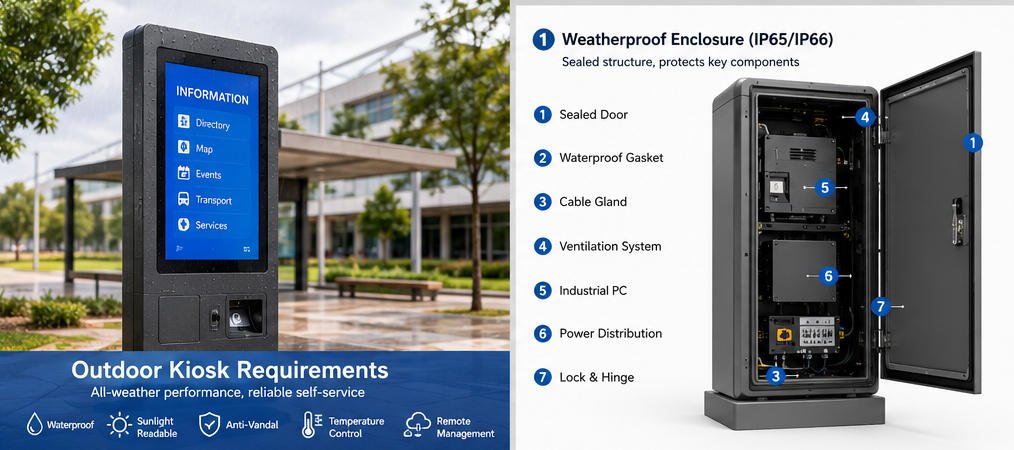
2. Weatherproof Enclosure and IP Protection
The kiosk enclosure is the first barrier against water, dust, debris, and unauthorized access.
Ingress protection is commonly described using an IP rating under IEC 60529. The first digit indicates protection against solid objects and dust, while the second digit indicates protection against water. The rating applies to a tested enclosure configuration rather than to an individual material or marketing description.
For many outdoor kiosk projects, IP54, IP55, IP65, or IP66 may be considered depending on the installation environment. However, a higher number is not automatically necessary for every project.
Typical interpretations include:
- IP54: Limited dust ingress protection and protection against water splashes
- IP55: Dust-protected enclosure with protection against water jets
- IP65: Dust-tight enclosure with protection against water jets
- IP66: Dust-tight enclosure with protection against powerful water jets
The required rating should be determined by the actual exposure level, local project specification, and applicable certification requirements.
Enclosure Design Details
A weather-resistant outdoor kiosk normally requires:
- Sealed access doors
- Compression gaskets
- Waterproof cable glands
- Protected ventilation paths
- Drip edges around doors and openings
- Internal water channels
- Corrosion-resistant fasteners
- Sealed display mounting
- Protected speaker, scanner, and printer openings
- Lockable maintenance compartments
- Raised internal electronics
- Water-resistant external connectors
Door seals should maintain consistent compression after repeated servicing. Hinges, locks, and cable entries should not create unprotected paths into the cabinet.
The complete kiosk should be evaluated after all peripherals have been installed. A nominally sealed cabinet can lose its intended protection when a printer slot, payment terminal, cooling vent, scanner window, antenna, or maintenance door is added.
AONKIOSK supports configurable IP65/IP66 enclosure engineering and environmental validation for suitable projects. Additional information about enclosure testing, impact resistance, aging tests, and manufacturing controls is available on the AONKIOSK Quality and Certifications page.

3. Outdoor Display Requirements
An outdoor display must remain readable in bright ambient light and operate within the expected temperature range.
A standard indoor LCD may appear acceptable in a factory but become difficult to read once installed in direct sunlight.
Brightness
Display brightness is measured in nits, or candela per square meter.
Typical project ranges may include:
- 500–700 nits for shaded or semi-outdoor locations
- 1,000–1,500 nits for bright outdoor environments
- 2,000 nits or more for demanding direct-sunlight applications
Brightness should not be selected by specification alone. Screen orientation, protective glass, anti-glare treatment, user viewing angle, local sunlight conditions, and interface color design all affect actual readability.
An automatic brightness sensor can reduce power consumption and eye discomfort by lowering brightness at night.
Optical Treatment
Outdoor display assemblies may require:
- Anti-glare or anti-reflective glass
- Optical bonding
- UV-resistant materials
- Wide viewing angles
- Polarizer compatibility
- High-contrast interface design
- Automatic brightness control
Optical bonding reduces the air gap between the LCD and cover glass. This can improve outdoor visibility, reduce internal reflections, limit condensation within the display stack, and increase mechanical strength.
Sunlight and Heat
High-brightness displays generate more heat than standard indoor screens. Direct sunlight can also heat the LCD surface and internal cabinet well above the surrounding air temperature.
The display should therefore be evaluated together with the enclosure cooling system. Installing a high-brightness screen without sufficient thermal management may cause:
- Reduced brightness
- Image distortion
- Temporary LCD blackening
- Touchscreen instability
- Shortened backlight life
- Automatic system shutdown
4. Touchscreen Performance in Rain and Cold Weather
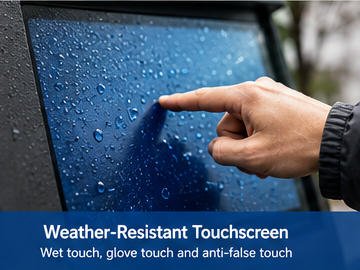
Projected capacitive touchscreens are widely used because they support accurate multi-touch operation and a familiar user experience. However, water droplets, gloves, thick cover glass, and low temperatures can affect touch performance.
Outdoor touchscreen requirements may include:
- Water rejection or wet-touch tuning
- Glove-touch support
- Correct controller calibration
- Thick-glass compatibility
- Palm and false-touch rejection
- Wide-temperature controller operation
- UV-resistant cover glass
- Impact-resistant laminated glass
Capacitive touch sensitivity must be adjusted after the final glass thickness, bonding method, bezel design, grounding, and display assembly have been confirmed.
Infrared touch technology may be suitable for some large-screen outdoor information kiosks because it can support gloved operation. However, the infrared frame must be protected from water, dirt, insects, and physical obstruction.
The choice between capacitive and infrared touch should be based on user behavior, screen size, maintenance conditions, climate, and required visual design—not price alone.
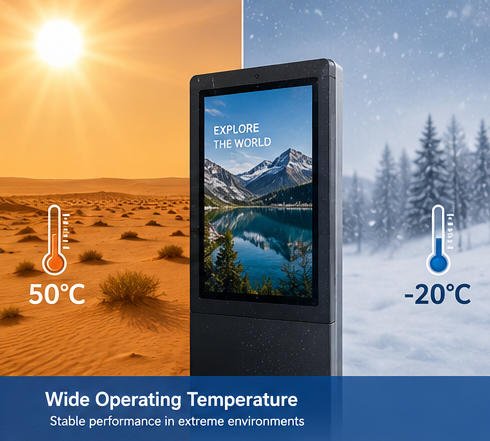
5. Thermal Management
Temperature control is one of the most important outdoor kiosk requirements.
Heat is generated by:
- LCD backlights
- Industrial computers
- Power supplies
- Payment devices
- Printers
- Batteries
- Network equipment
- Solar radiation
A sealed enclosure prevents water and dust entry but also restricts natural airflow. Thermal design must therefore balance environmental sealing with heat removal.
Common Cooling Methods
Outdoor kiosk cooling systems may use:
- Internal circulation fans
- Filtered air exchange
- Heat sinks
- Heat exchangers
- Thermoelectric cooling
- Compressor-based air conditioning
- Automatic fan control
- Cabinet insulation
- Solar shields or double-wall structures
Fans alone do not reduce air temperature. They only move heat from one area to another. If the internal air is already too hot, additional heat-exchange or air-conditioning capacity may be required.
Cold-Climate Requirements
Low-temperature installations may require:
- Cabinet heaters
- Display heating films
- Low-temperature power supplies
- Industrial SSDs
- Low-temperature batteries
- Printer and paper-path heating
- Thermostatic heater control
- Anti-condensation logic
Thermal control should be automatic. Temperature sensors can activate fans, heaters, or cooling devices based on defined thresholds.
For a detailed explanation of internal kiosk components, cooling options, security parts, and peripheral modules, refer to Main Components of a Self-Service Kiosk.
6. Condensation Control
A kiosk may remain sealed against rain and still fail because of condensation.
Condensation occurs when humid air contacts a surface below the local dew point. It is especially common when:
- The temperature changes rapidly between day and night
- A cold kiosk is heated too quickly
- Moist air enters during maintenance
- The cabinet is opened during rain
- Cooling equipment creates cold internal surfaces
- Cable glands or door seals are damaged
Condensation can cause corrosion, connector failure, display fogging, electrical leakage, and intermittent computer faults.
Recommended controls include:
- Internal humidity sensors
- Controlled heating
- Conformal coating where appropriate
- Desiccant during shipping and commissioning
- Breathable waterproof vents
- Proper drainage paths
- Corrosion-resistant connectors
- Separated wet and electronic zones
- Maintenance procedures that limit moisture entry
A pressure-equalization vent can reduce pressure differences caused by temperature changes while limiting water and dust entry. The vent must be correctly rated and positioned for the application.
7. Corrosion and Material Selection
Outdoor cabinets are commonly manufactured from powder-coated steel, stainless steel, aluminum, or a combination of materials.
Material selection should consider:
- Rain and humidity
- Coastal salt exposure
- Cleaning chemicals
- Industrial pollution
- UV exposure
- Scratching and vandalism
- Required service life
- Project cost
Powder-coated steel is suitable for many standard outdoor applications when the surface preparation, coating thickness, edges, welds, and drainage design are properly controlled.
Stainless steel may be preferred for coastal, high-humidity, food-service, or corrosive environments. However, stainless steel is not completely maintenance-free, and the correct grade and surface treatment should be selected.
Avoid unprotected dissimilar-metal contact, as galvanic corrosion may develop when moisture is present.
8. Impact Resistance and Physical Security
Outdoor kiosks are often installed in unattended public locations. The structure must protect both the equipment and the user.
Physical security measures may include:
- Reinforced steel construction
- Laminated or tempered cover glass
- IK-rated impact protection
- Concealed hinges
- Anti-pry door design
- Security locks
- Tamper-resistant screws
- Internal cable protection
- Anchored floor mounting
- Tamper switches
- Door-open sensors
- Security cameras
- Alarm integration
The IEC IK classification is used to describe an enclosure’s resistance to external mechanical impact. The required impact level should be specified according to the installation risk and verified for the relevant assembly.
Security design must also provide safe maintenance access. Technicians should be able to replace printers, computers, displays, filters, and payment devices without dismantling the entire kiosk or exposing live electrical parts.
9. Electrical Power and Surge Protection
Outdoor power quality can be less stable than indoor commercial power. Long cable runs, lightning activity, utility fluctuations, and shared circuits can create electrical risks.
An outdoor kiosk electrical system may require:
- Correct input-voltage configuration
- Circuit breaker or fused input
- Residual-current protection where required
- Surge protection device
- EMI filtering
- Proper protective earth connection
- Industrial power supply
- Power distribution terminal blocks
- Uninterruptible power supply
- Controlled shutdown function
- Separate power paths for high-load devices
- Waterproof external power entry
Grounding is particularly important for metal kiosks, capacitive touchscreens, communication devices, and payment equipment.
Electrical design and installation should be reviewed by qualified professionals according to local codes. CE, FCC, RoHS, UL, or other compliance requirements should be confirmed for the destination market rather than assumed from a component-level certificate.
10. Outdoor Peripheral Integration
Peripheral openings are common failure points in an outdoor kiosk.
Receipt and Ticket Printers
Printers may require:
- Protected output chutes
- Rain shields
- Paper-present sensors
- Paper-jam access
- Heated compartments
- Moisture-resistant paper storage
- Automatic paper cutting
- Retract-and-retain mechanisms
The paper exit should prevent rainwater from traveling into the printer compartment. In exposed locations, a recessed or downward-facing output path is generally safer than a flat opening.
Payment Terminals
Outdoor payment devices should be selected according to the payment provider’s requirements and environmental specifications.
Consider:
- Device operating temperature
- Contactless payment performance
- Payment-industry certification
- Waterproof mounting
- PIN privacy
- Cable security
- Remote diagnostics
- User reach and viewing angle
- Drainage around the terminal
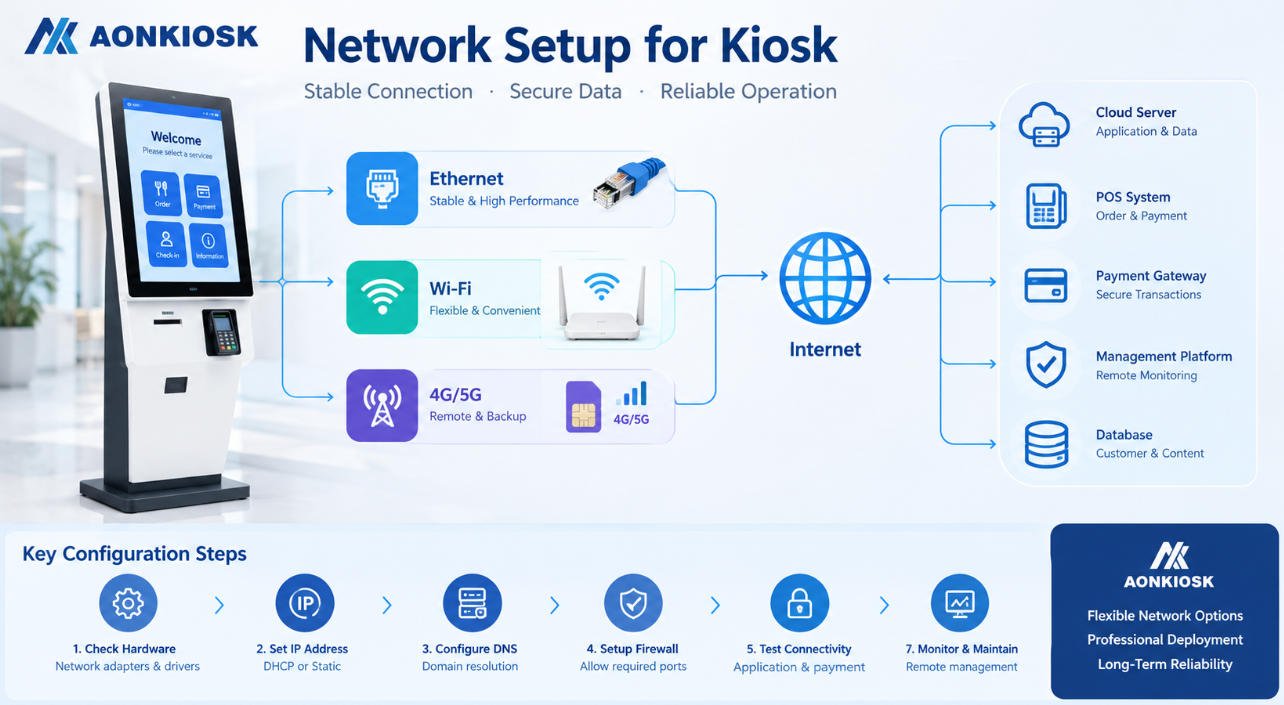
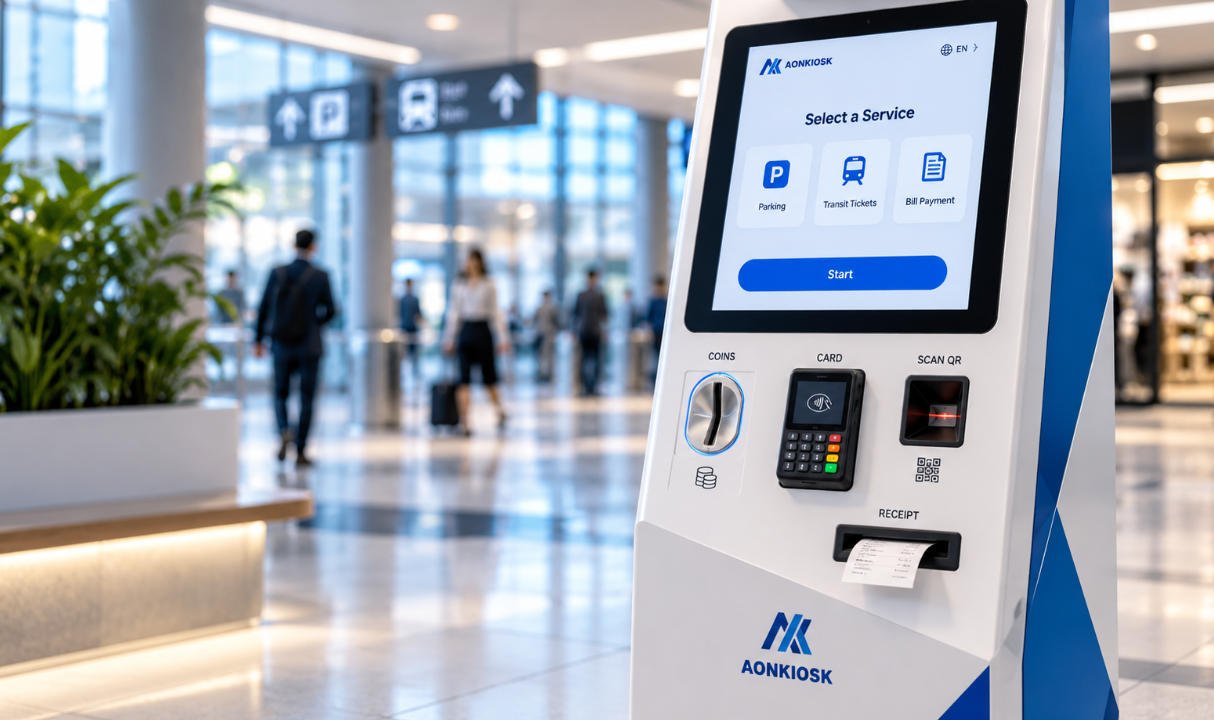
AONKIOSK’s Retail and Payment Kiosks demonstrate modular hardware architectures that can integrate card, NFC, QR-code, receipt-printing, and scanning functions for different transaction workflows.
Scanners and Cameras
Scanner and camera windows should use optically suitable, scratch-resistant, and UV-resistant material. Condensation, glare, water droplets, and dirt can reduce barcode or image-recognition performance.
The mounting angle should also prevent direct sunlight from overwhelming the sensor.
11. Network Connectivity and Remote Management
Outdoor kiosks may connect through Ethernet, Wi-Fi, 4G, or 5G. The primary network should be selected according to location, bandwidth, cost, and service availability.
Recommended functions include:
- Automatic network reconnection
- Dual-network failover
- VPN support
- Signal-strength monitoring
- Offline transaction rules
- Local data caching
- Remote device management
- Application watchdog
- Remote restart
- Hardware health monitoring
- Log collection
- Software update control
External antennas must be weather-resistant and securely mounted. Antenna position should be confirmed after the final metal enclosure has been assembled because the cabinet can affect wireless performance.
Remote monitoring should track more than online/offline status. Useful data includes internal temperature, humidity, door status, printer paper, fan condition, storage usage, payment-device state, application health, and recent restart history.
12. Accessibility and User-Safety Requirements
Outdoor self-service kiosks must be usable by the intended user population.
Accessibility planning may involve:
- Clear approach space
- Accessible route to the kiosk
- Suitable screen and control height
- Reachable payment and receipt areas
- High-contrast interface design
- Adjustable text size
- Audio guidance
- Tactile indicators
- Headphone connection
- Voice interaction
- Adequate operating time
- Language selection
- Screen-reader-compatible workflow where applicable
In the United States, public-facing businesses and facilities may have obligations under the Americans with Disabilities Act. Applicable requirements depend on the facility, service, kiosk function, and deployment context, so accessibility should be reviewed during project planning rather than after installation.
User safety also requires:
- Rounded edges
- Stable anchoring
- No accessible sharp metal
- Protected electrical parts
- Slip-resistant surrounding surfaces
- Safe door-opening direction
- Controlled surface temperature
- Clear emergency instructions where necessary
13. Installation Requirements
Even a correctly designed outdoor kiosk may fail if it is installed incorrectly.
The installation plan should confirm:
- Concrete foundation dimensions
- Anchor-bolt positions
- Wind-load requirements
- Drainage and flood level
- Power and network entry points
- Service-door clearance
- User approach direction
- Sun orientation
- Camera field of view
- Canopy or shelter availability
- Vehicle-impact protection
- Grounding connection
- Local permits
The base should not allow standing water to collect around cable entries. Where flooding is possible, critical electronics and cable joints should be positioned above the expected water level.
For roadside, parking, or drive-through deployments, bollards may be required to protect the kiosk from vehicles.
14. Outdoor Kiosk Maintenance Checklist
Preventive maintenance should be planned before deployment.
Weekly or Routine Visual Check
- Clean the display and touch surface
- Inspect printer and scanner openings
- Remove leaves, dust, insects, or debris
- Check for visible water entry
- Confirm that locks and doors close correctly
- Test touch, payment, printing, and scanning functions
Monthly or Scheduled Inspection
- Inspect door gaskets
- Check cable glands
- Review temperature and humidity logs
- Test fans and heaters
- Clean filters and ventilation paths
- Inspect corrosion and coating damage
- Verify grounding and surge-protection indicators
- Confirm anchor bolts remain secure
- Check remote-management alerts
Seasonal Inspection
- Prepare heaters before winter
- Verify cooling capacity before summer
- Replace damaged seals
- Inspect drainage before rainy seasons
- Check UV damage and faded labels
- Review network signal after environmental changes
Maintenance frequency should be increased in coastal, dusty, high-traffic, or extreme-temperature environments.
15. Common Outdoor Kiosk Problems and Self-Service Troubleshooting
Screen Is Difficult to Read
Possible causes:
- Brightness is too low
- Automatic brightness sensor is blocked
- Anti-glare surface is dirty
- Direct sunlight exceeds display capability
- LCD temperature is too high
Actions:
- Clean the display surface.
- Check the brightness setting and sensor.
- Review internal temperature logs.
- Test the kiosk at different times of day.
- Contact technical support if brightness drops after the cabinet heats up.
Touchscreen Activates by Itself During Rain
Possible causes:
- Wet-touch rejection is not enabled
- Touch sensitivity is too high
- Grounding is incorrect
- Water accumulates on the glass or bezel
Actions:
- Dry and clean the touch surface.
- Inspect the screen edge for trapped water.
- Verify protective grounding.
- Recalibrate the touchscreen using the final enclosure configuration.
- Review controller firmware and wet-touch settings.
Kiosk Shuts Down on Hot Days
Possible causes:
- Cooling fan failure
- Blocked filter
- Insufficient cooling capacity
- Excessive solar heat
- Incorrect thermal-control threshold
Actions:
- Check fan operation and airflow.
- Clean filters and vents.
- Review temperature records.
- Confirm that the cooling device receives power.
- Evaluate whether a sun shield, heat exchanger, or air conditioner is required.
Moisture Appears Inside the Display
Possible causes:
- Damaged gasket
- Loose cable gland
- Condensation
- Poor drainage
- Cabinet opened during wet weather
Actions:
- Switch off power if electrical safety is uncertain.
- Inspect doors, glands, vents, and display seals.
- Dry the cabinet under controlled conditions.
- Check humidity and temperature history.
- Replace damaged sealing materials before returning the unit to service.
Further repair guidance and project assistance are available through AONKIOSK Technical Support.
16. Outdoor Kiosk Specification Checklist
Before approving a design, confirm the following items:
| Requirement Area | Information to Confirm |
|---|---|
| Installation | Fully outdoor, semi-outdoor, canopy, wall, or floor mounting |
| Environment | Temperature, humidity, rain, dust, snow, salt, wind, sunlight |
| Protection | Required IP and IK ratings |
| Display | Size, brightness, optical bonding, anti-glare treatment |
| Touch | Wet-touch, glove support, glass thickness, vandal resistance |
| Thermal Control | Fans, heaters, heat exchanger, or air conditioner |
| Materials | Steel, stainless steel, aluminum, coating, UV resistance |
| Power | Voltage, grounding, surge protection, UPS |
| Network | Ethernet, Wi-Fi, 4G/5G, failover |
| Peripherals | Payment terminal, printer, scanner, camera, NFC |
| Accessibility | Reach, screen height, audio, tactile and visual support |
| Security | Locks, anchors, tamper sensors, protected cables |
| Maintenance | Filter access, component replacement, remote monitoring |
| Compliance | Destination-market safety, EMC, environmental and payment rules |
| Validation | Environmental, functional, burn-in, transport and field testing |
Conclusion
Outdoor kiosk reliability depends on complete-system engineering rather than one weatherproof component.
A suitable outdoor kiosk should combine:
- An appropriately sealed enclosure
- A sunlight-readable display
- Weather-tuned touch technology
- Effective heating and cooling
- Condensation and corrosion control
- Protected peripheral openings
- Secure power and network architecture
- Accessible user interaction
- Stable installation
- Preventive maintenance and remote monitoring
Project requirements should be defined according to the real installation environment before hardware production begins.
As a custom self-service kiosk manufacturer, AONKIOSK provides enclosure design, display integration, peripheral installation, thermal engineering, prototype verification, small-batch manufacturing, and scalable production for outdoor and semi-outdoor kiosk projects. Its OEM and ODM kiosk manufacturing services can be configured around the customer’s software platform, functional modules, deployment region, and environmental requirements.