






In today’s digital-first world, automation is reshaping how businesses interact with customers. One of the most important technologies driving this transformation is the self service kiosk. But many people still search for answers like what is self service kiosk, kiosk meaning, or kiosk system explained.
This guide explains everything in simple terms, including the interactive kiosk definition, how it works, where it is used, and why it matters in 2026 and beyond.
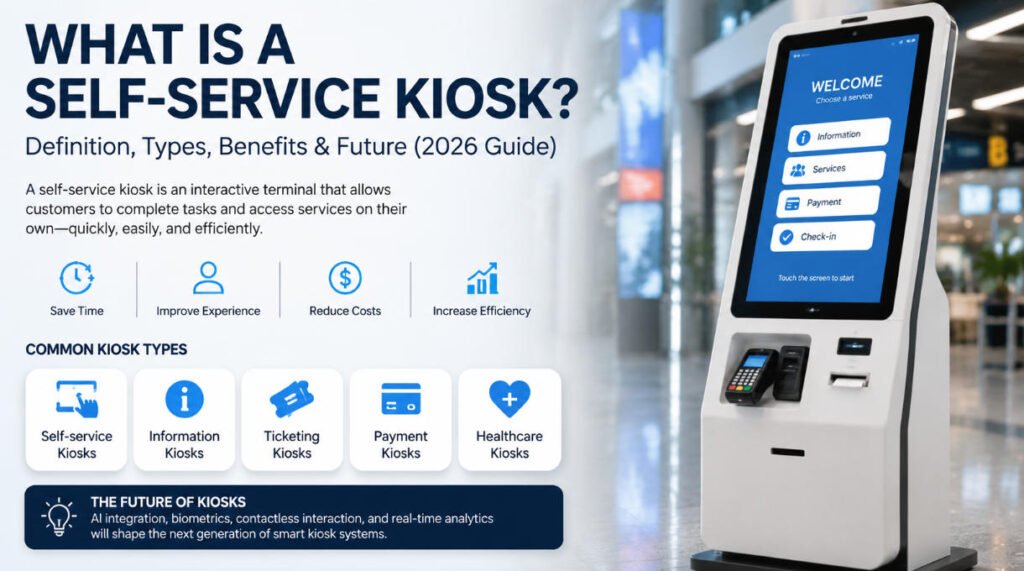
What is a kiosk?
To understand the concept of a self service kiosk, we first need a clear kiosk meaning.
A kiosk is a small, standalone digital or physical terminal that allows users to access information or complete tasks without direct human assistance. Traditionally, kiosks were simple information booths. Today, modern kiosks are interactive digital systems connected to software platforms.
Interactive kiosk definition
The interactive kiosk definition refers to a computerized terminal with a touchscreen interface that enables users to perform actions such as:
- Making payments
- Checking in for flights or hotels
- Ordering food
- Printing tickets
- Accessing product information
So when people ask what is self service kiosk, the simplest answer is:
A self service kiosk is an interactive kiosk system that allows customers to complete tasks independently without staff assistance.
The modern kiosk system explained is essentially a combination of hardware (screen, printer, scanner, payment device) and software (operating system, UI, backend integration).
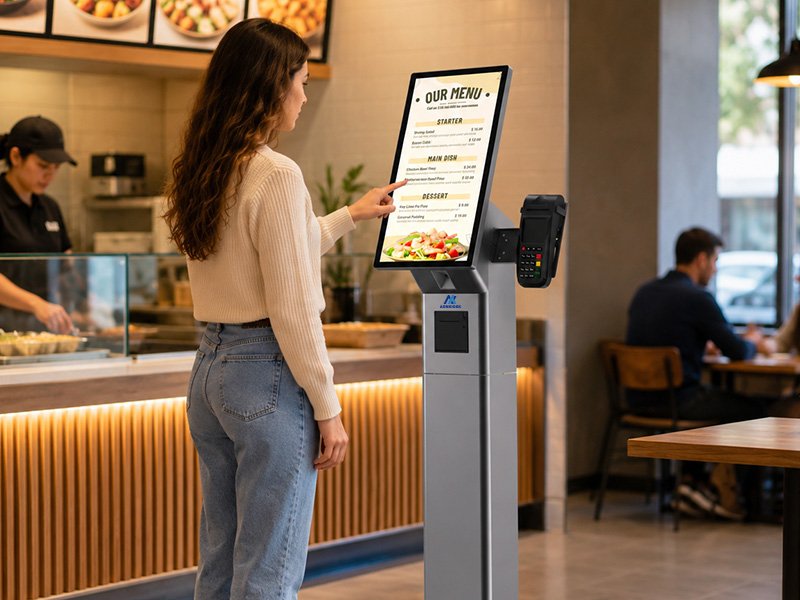
Types of kiosks
There are several types of kiosks used across industries, and understanding them helps clarify the broader kiosk meaning and applications of a self service kiosk.
1. Self-service kiosks
These are the most common today. A self service kiosk allows customers to complete transactions on their own. Examples include restaurant ordering kiosks and airport check-in machines.
2. Information kiosks
Used mainly for providing directions, maps, or general information in malls, museums, and public spaces.
3. Ticketing kiosks
These kiosks allow users to buy or print tickets for transportation, events, or entertainment.
4. Payment kiosks
Used in retail, parking lots, and utilities for bill payments and transactions.
5. Healthcare kiosks
Hospitals use kiosks for patient check-in, registration, and queue management.
Each type supports the broader concept of a kiosk system explained as a self-contained digital service point designed to reduce human dependency.
How self-service kiosks work
To fully understand what is self service kiosk, we need to look at how the system actually works.
A self service kiosk typically operates through four key layers:
1. User interface (UI)
The touchscreen interface is where users interact. It is designed to be simple, intuitive, and fast.
2. Hardware components
Most kiosks include:
- Touchscreen display
- Card reader or payment terminal
- Barcode/QR scanner
- Printer (receipts, tickets)
- Camera (for verification in some systems)
3. Software system
The kiosk system explained at the software level includes:
- Operating system (Windows, Android, Linux)
- Custom kiosk application
- Backend integration with POS, CRM, or inventory systems
4. Cloud or server integration
Modern kiosks sync real-time data with cloud systems for updates, payments, and analytics.
Workflow example:
- Customer approaches kiosk
- Selects service (e.g., ordering food)
- System processes input via UI
- Payment is completed
- Receipt is printed or digital confirmation is sent
This is the foundation of every interactive kiosk definition in real-world applications.
Industries using kiosks
The adoption of the self service kiosk has expanded across almost every major industry. Understanding real-world applications also reinforces the kiosk meaning in modern business.
1. Retail
Retail stores use kiosks for:
- Self-checkout
- Product lookup
- Inventory browsing
2. Restaurants and QSR (Quick Service Restaurants)
Food ordering kiosks reduce wait times and increase order accuracy.
3. Transportation
Airports, train stations, and bus terminals use kiosks for:
- Check-in
- Ticket printing
- Boarding passes
4. Healthcare
Hospitals use kiosks for patient registration and queue management.
5. Hospitality
Hotels use kiosks for self check-in and check-out.
6. Banking and finance
ATMs and banking kiosks provide cash withdrawal, deposits, and account services.
Each industry benefits from the same core principle of the self service kiosk: automation of customer-facing processes.
Benefits of kiosks
The growing popularity of the self service kiosk is driven by clear business advantages.
1. Improved customer experience
Customers get faster service without waiting in long queues.
2. Reduced operational costs
Businesses can reduce staffing costs by automating routine tasks.
3. Increased efficiency
A well-designed kiosk system explained allows businesses to handle more customers in less time.
4. Higher order accuracy
In food and retail, kiosks eliminate human ordering errors.
5. Data collection and analytics
Modern kiosks track user behavior, helping businesses optimize services.
6. 24/7 availability
Unlike staff, kiosks can operate continuously without downtime.
These advantages explain why the kiosk meaning has evolved from simple information stands to full-scale business automation systems.
Future of kiosk technology
The future of the self service kiosk is closely tied to advancements in AI, IoT, and digital transformation.
1. AI-powered kiosks
Future kiosks will use artificial intelligence to:
- Predict user needs
- Offer personalized recommendations
- Improve customer interactions
2. Facial recognition and biometrics
The interactive kiosk definition is expanding to include secure identity verification using facial recognition, fingerprint scanning, or QR authentication.
3. Contactless interaction
Touchless kiosks using voice control and gesture recognition are becoming more common.
4. Integration with mobile devices
Kiosks will increasingly sync with smartphones for seamless hybrid experiences.
5. Smarter analytics
Advanced kiosk systems will provide real-time business insights and predictive analytics.
The evolution of the kiosk system explained shows a clear trend: from simple machines to intelligent service platforms.
Conclusion
So, what is self service kiosk in 2026?
A self service kiosk is an advanced interactive system that enables customers to complete tasks independently through a digital interface. Understanding the kiosk meaning, interactive kiosk definition, and kiosk system explained helps businesses and users see how deeply this technology is integrated into everyday life.
From retail to healthcare, kiosks are transforming service delivery by improving speed, accuracy, and convenience. As AI and automation continue to evolve, the role of kiosks will only become more central in the global digital ecosystem.






