






Ordering a custom self-service kiosk is not the same as purchasing a standard computer or display. A kiosk combines an enclosure, touchscreen, computer, peripherals, power system, software interface, installation method, and ongoing maintenance requirements into one commercial device.
A small mistake during the specification stage can create expensive problems later. The touchscreen may be unsuitable for the user interface, the printer may be difficult to replace, the payment terminal may not fit the enclosure, or the completed kiosk may fail to meet local accessibility and electrical requirements.
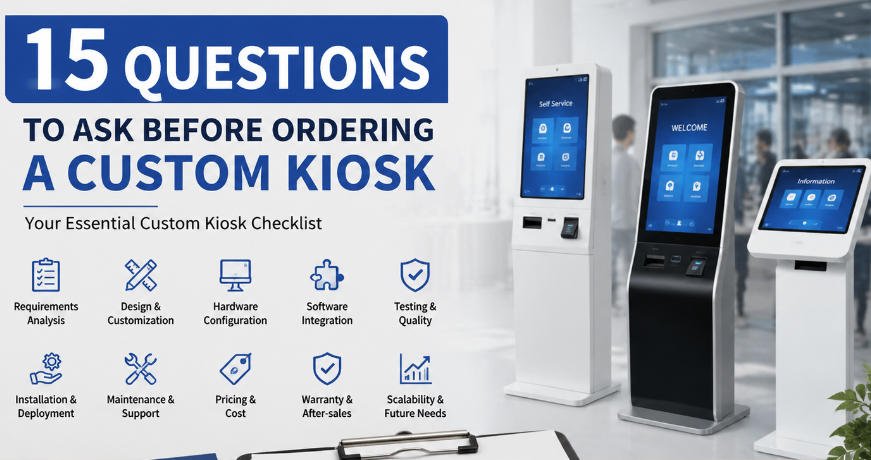
For this reason, buyers should prepare a structured list of questions before buying a kiosk. The goal is not simply to obtain a price. It is to determine whether the proposed kiosk can perform reliably in its intended environment, integrate with the required software and peripherals, and remain serviceable throughout its operating life.
This guide presents 15 essential questions that procurement teams, software companies, system integrators, distributors, and business operators should ask before placing a custom kiosk order.
Why a Custom Kiosk Checklist Matters
A kiosk quotation usually reflects the information available when the supplier prepares it. If the project brief only states “27-inch payment kiosk” or “restaurant ordering terminal,” different suppliers may make completely different assumptions.
One supplier may quote a consumer-grade computer, while another includes an industrial motherboard. One quotation may include a payment-terminal bracket but not the payment device itself. Another may omit packaging, operating-system licensing, testing, branding, spare parts, or shipping.
A detailed custom kiosk checklist makes quotations easier to compare and reduces the likelihood of specification changes after production begins.
Before requesting a formal quotation, define the intended application, installation location, user workflow, required components, expected order quantity, software environment, target market, and project schedule. Then use the following questions to evaluate each potential manufacturer.
1. What Exactly Will Users Do on the Kiosk?
The first question should focus on the user journey rather than the kiosk appearance.
Will customers use the kiosk to place food orders, check into a hotel, print tickets, make payments, register as visitors, scan products, collect cards, or access information? How many steps are involved, and how long will a typical session last?
The answers influence almost every hardware decision, including:
- Touchscreen size and orientation
- Processing performance
- Peripheral selection
- Printer capacity
- Installation height
- Enclosure dimensions
- Accessibility features
- Maintenance frequency
For example, a restaurant ordering kiosk may need a large portrait display for menu images and product customization. A visitor-registration kiosk may need a camera, document scanner, badge printer, and compact desktop structure.
The manufacturer should understand the complete workflow before recommending a configuration.
2. Where Will the Kiosk Be Installed?
One of the most important kiosk supplier questions concerns the installation environment.
An indoor kiosk installed in a climate-controlled hotel lobby has different requirements from a terminal placed near a supermarket entrance, factory floor, transportation station, or semi-outdoor ticketing area.
Tell the supplier about:
- Indoor or outdoor installation
- Temperature and humidity range
- Dust, moisture, or grease exposure
- Direct sunlight
- Expected daily usage
- Risk of impact or vandalism
- Available floor or counter space
- Local power conditions
- Network availability
Environmental information affects enclosure materials, surface treatment, cooling, screen brightness, ingress protection, cable routing, locks, and mounting design.
Do not assume that a standard indoor model can be converted into an outdoor kiosk by adding a brighter display. Outdoor equipment may require a weather-resistant enclosure, thermal management, waterproof seals, protected ventilation, sunlight-readable displays, and specialized electrical components.
3. Is an Existing Model Suitable, or Is Full Customization Necessary?
A completely new industrial design is not always the most economical solution.
Ask whether the supplier has an existing platform that can be modified for your project. Changes such as logo printing, enclosure color, touchscreen size, peripheral openings, mounting brackets, computer configuration, and internal layout may be possible without creating an entirely new structure.
Using a proven platform can reduce:
- Development cost
- Prototype time
- Engineering risk
- Tooling requirements
- Testing workload
Full customization becomes more appropriate when the project requires a unique user experience, unusual dimensions, specialized peripherals, a distinctive brand identity, or installation in a restricted space.
AONKIOSK provides OEM and ODM kiosk manufacturing for businesses that require enclosure design, hardware integration, branding, prototype production, small-batch validation, or scalable manufacturing. The correct approach should be based on functional requirements, not customization for its own sake.
4. Which Touchscreen Size and Orientation Should Be Used?
Choosing the largest available display is not necessarily the best decision.
The ideal screen depends on viewing distance, interface complexity, installation space, user demographics, product images, accessibility, and the number of options displayed on each page.
Ask the supplier to evaluate:
- Screen size
- Portrait or landscape orientation
- Touch technology
- Display resolution
- Brightness
- Viewing angle
- Cover-glass thickness
- Anti-glare treatment
- Impact resistance
A 21.5-inch screen may be sufficient for payment, registration, or simple information workflows. A 27-inch display is commonly considered for restaurant ordering and multi-step transactions. A 32-inch screen provides more visual space but also increases enclosure dimensions, weight, power consumption, and shipping cost.
Hardware selection should also be coordinated with the software designer. A user interface created for a 27-inch portrait display may not scale effectively to a smaller landscape screen.
5. What Computer Configuration Does the Application Require?
The kiosk computer should be selected according to the software workload, not simply by choosing the lowest-cost processor.
Provide the supplier with the software requirements, operating system, connected peripherals, network method, and expected service life. Ask for details about:
- Processor model and generation
- Memory capacity
- Storage type and capacity
- Available USB and serial ports
- Network interfaces
- Graphics output
- Operating temperature
- Upgrade options
- Component availability
A simple information kiosk may operate effectively with a modest configuration. Applications involving computer vision, multiple displays, video content, complex animations, or local data processing may require substantially more performance.
Buyers should also ask whether the proposed motherboard and processor will remain available during future production. A component that becomes obsolete shortly after the pilot order can force redesign work before mass deployment.
6. Which Peripherals Are Included in the Quotation?
Peripheral ambiguity is a common cause of quotation differences.
Prepare a complete list of required devices, such as:
- Receipt or ticket printer
- Barcode or QR-code scanner
- NFC or RFID reader
- Payment terminal
- Passport or ID scanner
- Camera
- Fingerprint reader
- Card dispenser
- Cash acceptor
- Coin module
- Speaker and microphone
- Status indicator
- Accessibility keypad
Ask whether each item is included as a physical device, an installation bracket, a reserved opening, or only an optional recommendation.
For payment projects, confirm whether the manufacturer supplies the payment terminal or only integrates a customer-provided device. Payment hardware often varies by acquiring bank, country, certification, and payment provider.
Every peripheral should be identified by brand, model, interface, installation position, and responsibility for software drivers.
7. Can the Hardware Integrate With Our Software?
A kiosk manufacturer may focus on hardware production while the buyer, software company, or system integrator provides the application.
Clarify this division of responsibility at the beginning of the project.
Ask the supplier:
- Which operating systems are supported?
- Are peripheral drivers available?
- What communication interfaces are used?
- Can sample devices be provided for software testing?
- Is there an SDK or integration documentation?
- Who handles payment certification?
- How will remote testing be performed?
- Who is responsible for final system validation?
AONKIOSK focuses on kiosk hardware manufacturing and integration, allowing customers to deploy their own software platforms while coordinating the required computer and peripheral compatibility. This division should be documented so that software development, hardware production, and final acceptance remain clearly separated.
8. How Will the Kiosk Be Installed and Secured?
Installation requirements should be included in the mechanical design.
A floor-standing kiosk may need anchor bolts and a reinforced base. A wall-mounted kiosk requires information about the wall structure, mounting height, cable access, and maintenance clearance. A desktop unit may need anti-theft fixing points or concealed cable exits.
Ask for:
- Overall dimensions and weight
- Base or wall-mount dimensions
- Anchor-hole positions
- Power-cable entry
- Network-cable entry
- Installation drawings
- Recommended clearances
- Locking method
- Anti-tip design
- Installation instructions
The installation team should receive drawings before the kiosks arrive. This allows the site to prepare power outlets, network connections, floor fixings, and access space in advance.
9. Is the Kiosk Easy to Maintain?
A kiosk may look attractive from the outside but still be difficult to service.
Ask the supplier to explain how technicians will access the computer, printer, power supply, payment device, scanner, and cable connections. Frequently serviced components should be reachable without removing unrelated hardware.
Evaluate:
- Door opening direction
- Lock positions
- Printer paper replacement
- Component labeling
- Cable management
- Modular replacement
- Diagnostic access
- Vent cleaning
- Availability of service manuals
Maintenance design is especially important for large deployments. Saving a few minutes during each service visit can reduce operating costs across hundreds of kiosks.
The supplier should also identify which components can be replaced locally and which require factory repair.
10. What Testing Is Performed Before Shipment?
“Quality tested” is too general. Ask for the actual inspection process.
A professional kiosk test plan may include:
- Visual inspection
- Dimensional verification
- Touchscreen testing
- Port and interface testing
- Peripheral function testing
- Power-on testing
- Network testing
- Printer testing
- Repeated startup testing
- Burn-in or aging tests
- Grounding and electrical checks
- Final configuration verification
- Packaging inspection
Request an inspection checklist or test report format. For custom projects, prepare your own acceptance criteria and ask the supplier to confirm them before production.
When possible, the approved prototype should become the reference standard for mass-production inspection.
11. Can We Approve a Prototype Before Mass Production?
A prototype is one of the most effective ways to identify problems before they affect an entire order.
Ask whether the prototype will be mechanically and functionally representative of the production version. Confirm which items may differ, such as surface finish, tooling method, internal brackets, branding, or production components.
Prototype evaluation should cover:
- Appearance and dimensions
- User interaction height
- Screen angle
- Peripheral positions
- Software compatibility
- Thermal performance
- Maintenance access
- Packaging method
- Installation procedure
Do not approve a sample based only on photographs. Whenever practical, test it with the real software, payment device, printer media, network environment, and intended workflow.
For a broader view of the development process, review the AONKIOSK self-service kiosk buying guide, which explains the progression from project definition and prototyping to pilot production and volume manufacturing.
12. What Are the MOQ, Lead Time, and Production Capacity?
Buyers should distinguish between prototype lead time, pilot-order lead time, and mass-production lead time.
Ask for separate schedules covering:
- Industrial design
- Mechanical engineering
- Drawing approval
- Prototype production
- Prototype revision
- Component procurement
- Pilot production
- Mass production
- Testing
- Packaging
- Shipping preparation
Also ask what could change the schedule. Customized glass, displays, payment components, special colors, certifications, and imported peripherals may require longer procurement periods.
The minimum order quantity should match the project stage. A lower-volume pilot allows the buyer to test user adoption, software stability, installation procedures, and maintenance requirements before committing to a large rollout.
13. What Is Included in the Total Price?
Never compare only the number at the bottom of each quotation.
Confirm whether the price includes:
- Enclosure
- Touchscreen
- Computer
- Operating-system license
- Peripheral devices
- Payment-terminal integration
- Branding
- Prototype fees
- Engineering fees
- Testing
- Spare parts
- Packaging
- Documentation
- Certification
- Shipping
- Duties and taxes
Two quotations with the same product name may represent very different technical configurations.
Use a line-by-line comparison and normalize specifications before making a decision. The article How to Compare Kiosk Quotations Without Choosing on Price Alone provides a useful framework for evaluating specifications, component quality, customization, testing, support, and total project cost.
14. What Warranty, Spare Parts, and Technical Support Are Available?
Warranty terms should explain more than the coverage period.
Ask:
- When does the warranty begin?
- Which components are covered?
- Which failures are excluded?
- Who pays international shipping for replacement parts?
- Is remote diagnosis available?
- How quickly are support requests handled?
- Are spare parts stocked?
- Can spare-part kits be ordered with the kiosks?
- How long will key components remain available?
- Are manuals and replacement instructions provided?
For international projects, shipping an entire kiosk back to the factory is rarely practical. A modular design and remote diagnostic process can allow local technicians to replace the affected component.
Buyers can review AONKIOSK’s shipping and warranty information when preparing after-sales and spare-parts requirements for a custom project.
15. Can the Supplier Support Future Scaling and Product Revisions?
The final question concerns the project after the first order.
A successful pilot may expand to new locations, countries, payment systems, or software versions. Ask whether the supplier can maintain drawings, bills of materials, color standards, branding files, inspection records, and approved component specifications.
Discuss how the supplier handles:
- Repeat orders
- Component obsolescence
- Design revisions
- New peripheral integration
- Regional configurations
- Cost-reduction engineering
- Production scaling
- Version control
A reliable manufacturing partner should help preserve product consistency while allowing controlled improvements.
AONKIOSK operates as a custom self-service kiosk manufacturer for restaurant, retail, hospitality, ticketing, information, payment, and other self-service applications. Buyers can use the company’s existing platforms as a starting point or request a customized hardware configuration based on their workflow and deployment requirements.
Final Custom Kiosk Checklist
Before issuing a purchase order, confirm that the following items are documented:
- Application and user workflow
- Installation environment
- Screen size and orientation
- Computer specification
- Complete peripheral list
- Software and driver responsibility
- Mechanical drawings
- Installation method
- Maintenance access
- Testing and acceptance criteria
- Approved prototype
- Production schedule
- Complete price scope
- Warranty and spare-parts plan
- Future production and revision process
Conclusion
The most useful questions before buying a kiosk are the ones that reveal hidden assumptions.
A professional purchasing process should examine the complete system: application, environment, hardware, software compatibility, installation, maintenance, testing, logistics, and after-sales service. Price matters, but it should only be evaluated after suppliers have quoted equivalent specifications.
By using a structured custom kiosk checklist and asking detailed kiosk supplier questions, buyers can reduce design changes, prevent integration problems, improve quotation accuracy, and build a more reliable foundation for pilot and mass production.
The objective is not simply to purchase a kiosk that looks correct when it leaves the factory. It is to develop a self-service terminal that works consistently in the real operating environment and can be supported throughout its commercial life.
Google SEO Information
SEO Title:
15 Questions to Ask Before Ordering a Custom Kiosk
Alternative SEO Title:
Questions Before Buying a Kiosk: 15-Point Custom Kiosk Checklist
Primary Keyword:
questions before buying a kiosk
Secondary Keywords:
custom kiosk checklist, kiosk supplier questions, custom kiosk manufacturer, ordering a custom kiosk, kiosk procurement checklist
Meta Description:
Discover 15 essential questions before buying a kiosk. Use this custom kiosk checklist to evaluate suppliers, specifications, testing, costs, warranty, and support.
Recommended URL Slug:/questions-before-buying-a-kiosk/
Suggested Article Category:
Blog / Kiosk Buying Guides
Suggested Image Alt Text:
Custom kiosk checklist showing questions buyers should ask before ordering a self-service kiosk






