When several kiosk suppliers submit quotations for the same project, it is tempting to arrange the offers from lowest to highest and begin negotiations with the cheapest company.
That approach may work when buying a standardized commodity. It is much less reliable when purchasing self-service kiosks.
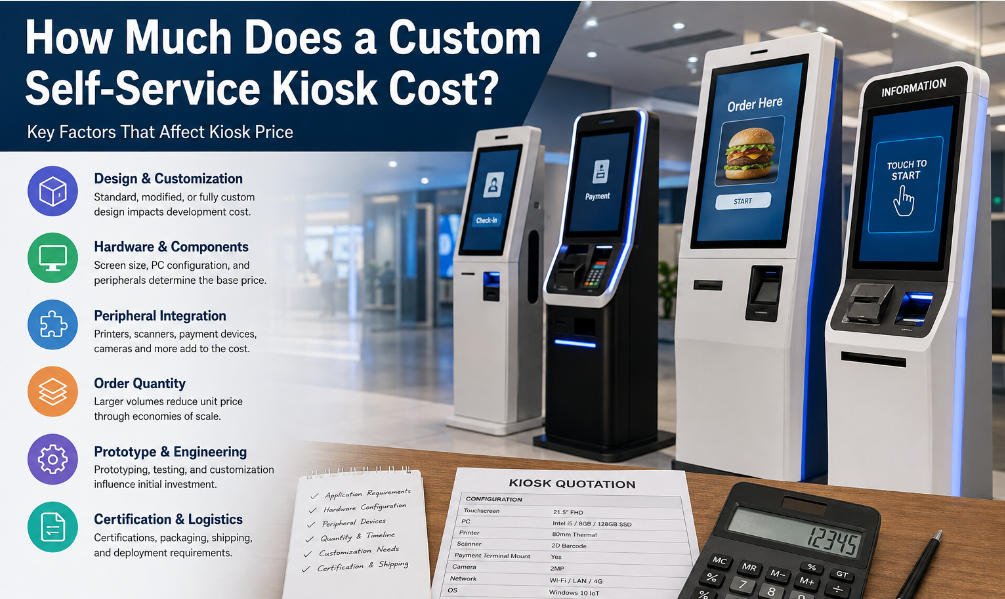
A kiosk quotation is not simply a price for a touchscreen inside a metal enclosure. It may include—or exclude—industrial design, computing hardware, peripheral modules, payment-device preparation, testing, branding, packaging, documentation, spare parts, technical support, and production engineering.
Two kiosks that look almost identical in presentation images can differ significantly in component quality, internal structure, serviceability, operating life, integration readiness, and total deployment cost.
Therefore, the correct way to compare kiosk quotations is to determine what each supplier is actually delivering, which project risks are included in the price, and how the proposed hardware will perform after deployment.
This guide explains how procurement teams, software companies, distributors, and system integrators can conduct a more reliable kiosk price comparison and complete a structured kiosk supplier evaluation without choosing on price alone.

Why Kiosk Quotations Are Difficult to Compare
Kiosk quotations are often prepared in different formats.
One supplier may provide a short quotation containing a model number and total price. Another may list the display, industrial PC, printer, scanner, payment bracket, enclosure material, surface treatment, packaging method, and warranty separately.
The first quotation may appear easier to understand, but it may hide important exclusions. The second may look more expensive because it includes components or services that the first supplier has not priced.
Differences frequently occur in the following areas:
- Touchscreen brand, brightness, and touch technology
- Processor generation and computing performance
- Memory and storage capacity
- Printer type and paper-roll diameter
- Scanner performance
- Enclosure material and sheet-metal thickness
- Payment-terminal mounting or integration
- Operating-system licensing
- Custom branding and surface finishing
- Packaging and international freight preparation
- Sample development and tooling
- Testing procedures
- Warranty coverage
- Spare parts and after-sales support
Before comparing totals, buyers should normalize the quotations so that every supplier is responding to the same technical and commercial requirements.
1. Start With a Common Kiosk Specification
A meaningful quotation comparison begins before the quotations are issued.
Prepare a written request for quotation, or RFQ, that gives every supplier the same project information. At minimum, it should define:
- Kiosk application
- Installation environment
- Indoor or outdoor use
- Screen size and orientation
- Required operating system
- Computing-performance requirements
- Peripheral modules
- Payment-terminal model
- Installation method
- Branding requirements
- Estimated order quantity
- Target market
- Compliance requirements
- Expected delivery schedule
The peripheral list should be specific. Rather than requesting “a kiosk with payment,” identify whether the unit needs a payment-terminal bracket, an integrated card reader, NFC, QR-code payment, a PIN pad, or preparation for a locally certified payment device.
Similarly, “printer included” is not precise enough. Buyers should define printer width, cutter requirements, paper-roll capacity, interface, and accessibility for paper replacement.
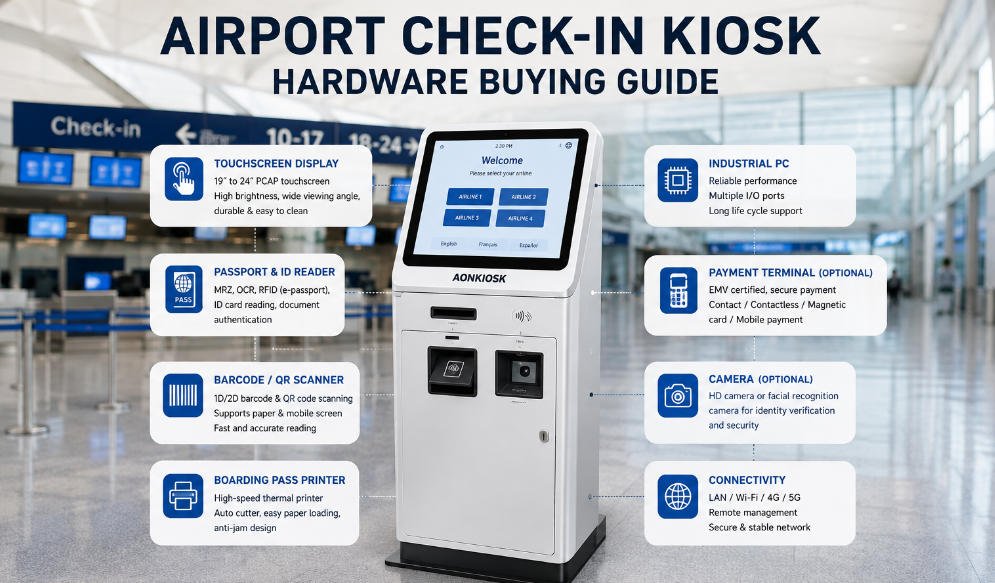
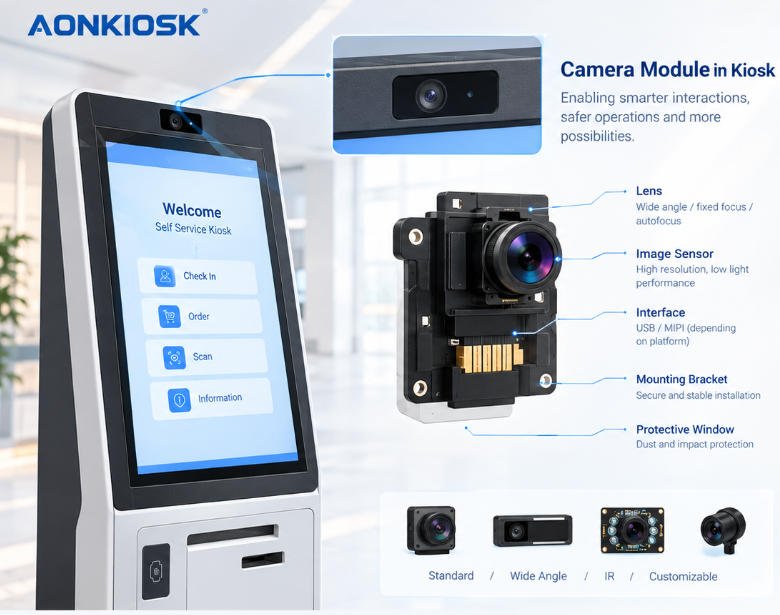
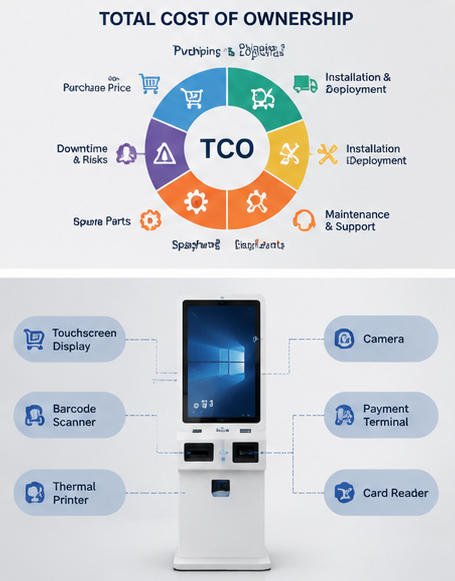
A kiosk is composed of multiple interacting hardware systems. A typical configuration may include an industrial enclosure, touchscreen, computing unit, scanner, printer, camera, NFC reader, payment-device mounting, and connectivity hardware. Reviewing the main components of a self-service kiosk can help procurement teams build a more complete RFQ before requesting prices.
Without a common specification, suppliers are not quoting the same product. The buyer is comparing assumptions rather than comparable offers.
2. Compare the Bill of Materials, Not Just the Product Name
A quotation that says “21.5-inch self-service kiosk” provides very little information about the actual hardware.
Ask each supplier to provide a bill of materials or a sufficiently detailed configuration list. The document does not always need to disclose every proprietary source, but it should identify the key technical specifications and, where relevant, component brands or quality levels.
Display and Touch Panel
Check:
- Display size and resolution
- Brightness
- Viewing angle
- Capacitive or infrared touch technology
- Touch-point support
- Cover-glass thickness
- Anti-glare or anti-fingerprint treatment
- Display operating-life rating
A low-cost commercial monitor may be acceptable for light indoor use. It may not be appropriate for a kiosk expected to operate throughout the day in a high-traffic environment.
Industrial PC
Compare:
- Processor model and generation
- RAM
- Storage type and capacity
- Number and type of interfaces
- Network connectivity
- Cooling method
- Operating-temperature range
- Upgrade accessibility
A quotation listing only “Intel CPU” is incomplete. An entry-level processor and a higher-performance processor can create a substantial price difference and may deliver very different results when running multimedia interfaces, payment services, device drivers, or remote-management applications.
Peripheral Modules
For printers, scanners, cameras, NFC readers, RFID modules, and card dispensers, compare the actual functionality—not merely whether the item appears on the list.
For example, two scanners may both read QR codes, but one may perform better with damaged codes, reflective smartphone screens, low light, or rapid repeated scanning. Two thermal printers may use the same paper width but support different roll capacities, cutting mechanisms, or operating lifetimes.
A reliable kiosk price comparison should assign a value to these technical differences instead of treating all components as interchangeable.
3. Identify Every Exclusion and Optional Cost
Some low quotations are not truly low. They are incomplete.
Ask suppliers to state clearly what is excluded from the quoted price. Common exclusions include:
- Payment terminal
- Operating-system license
- Software
- Custom logo
- Custom color
- Sample engineering fee
- Tooling
- Certification
- Export packaging
- Spare parts
- Installation
- Shipping
- Import duties
- On-site service
Software providers and system integrators should pay particular attention to the distinction between hardware supply and software development.
A hardware manufacturer may provide the enclosure, industrial computer, touchscreen, peripherals, wiring, drivers, and integration support while the buyer supplies the application software. This model can be highly effective, but responsibilities must be defined before the order.
AONKIOSK’s OEM and ODM kiosk manufacturing services focus on customizable kiosk hardware, including industrial design, enclosure development, component configuration, branding, and manufacturing. Buyers should use a similar scope breakdown when evaluating any supplier so they understand exactly which engineering and production responsibilities are included.
4. Evaluate Customization and Engineering Capability
A supplier’s standard model price does not show how effectively that supplier can support a real deployment.
Many kiosk projects require modifications such as:
- A custom payment-terminal bracket
- Relocation of the receipt outlet
- A larger printer paper roll
- Additional ventilation
- A camera at a specific height
- A barcode scanner at a specific angle
- Wheelchair-accessible controls
- Wall-mounted or countertop installation
- Custom cable routing
- Branded lighting
- Modified enclosure dimensions
Ask each supplier how it handles design changes.
Does the supplier have its own industrial designers and hardware engineers? Can it provide drawings before production? Will it evaluate internal clearance, maintenance access, cable interference, heat dissipation, and structural stability?
A low unit price can quickly lose its advantage when every modification generates unexpected engineering charges. Conversely, a slightly higher initial quotation may include design support, drawing revisions, and prototype optimization that reduce later rework.
A professional kiosk supplier evaluation should therefore include engineering responsiveness and problem-solving ability, not only manufacturing cost.
5. Review Integration Readiness
The kiosk enclosure must work with the buyer’s software, payment devices, and operational workflow.
Before selecting a supplier, confirm:
- Whether the operating system supports the planned application
- Whether the required communication ports are available
- Whether peripheral drivers can be provided
- Whether the payment terminal fits securely
- Whether cables remain accessible but protected
- Whether scanners and printers can be tested with the application
- Whether remote power control or device monitoring is required
- Whether internal components can be replaced without dismantling the whole unit
For retail deployments, the quotation may need to include barcode scanning, payment-terminal mounting, receipt printing, product-weighing preparation, cameras, or other loss-prevention peripherals. Buyers evaluating this type of project can review AONKIOSK’s retail and payment kiosk category to see how hardware configurations vary according to transaction requirements.
Restaurant projects have a different workflow. Screen angle, menu visibility, payment position, printer capacity, queue flow, and installation footprint may all affect usability. The restaurant self-ordering kiosk category provides examples of hardware designed for these environments.
The best quotation is the one that fits the intended system—not necessarily the one with the fewest listed components.
6. Compare Prototype and Sample Terms
The sample stage is one of the most important parts of a custom kiosk project.
A prototype allows the buyer to verify:
- Product appearance
- Screen position
- User ergonomics
- Peripheral operation
- Payment-terminal fit
- Software compatibility
- Internal layout
- Maintenance access
- Packaging protection
- Assembly quality
When comparing quotations, determine whether the sample is made from the proposed production design or assembled from an existing standard model.
Ask whether sample fees are refundable after a volume order, how many design revisions are included, and whether changes made after sample approval will affect the unit price.
A supplier offering the cheapest production price but an expensive or poorly controlled development process may create a higher overall project cost.
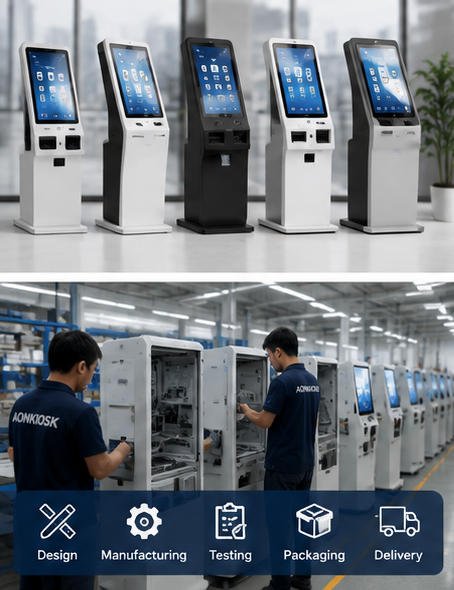
AONKIOSK presents its manufacturing model as an end-to-end process covering prototype development, customization, production, and global delivery. Buyers can review the company’s custom self-service kiosk manufacturing overview when considering the stages that should be discussed before approving a quotation.
7. Examine Quality-Control Procedures
Quality cannot be evaluated from cabinet photographs alone.
Request information about the supplier’s quality-control process, including:
- Incoming component inspection
- Sheet-metal inspection
- Assembly checks
- Electrical-safety checks
- Touchscreen testing
- Printer and scanner testing
- Port and connectivity testing
- Burn-in testing
- Final appearance inspection
- Packaging inspection
The quotation should also state the inspection standard used for the order. For custom products, a mutually approved sample, drawing set, specification sheet, and inspection checklist can become the production reference.
Ask how the supplier records serial numbers and configuration information. For multi-site deployments, traceability can simplify future maintenance and spare-parts management.
A slightly higher quotation that includes structured testing may protect the buyer from field failures, replacements, support tickets, and reputational damage.
8. Calculate Total Landed and Deployment Cost
The quoted factory price is only one part of the total project cost.
A complete comparison should include:
Total landed cost = unit price + customization fees + tooling + packaging + freight + insurance + import charges + local delivery
Deployment cost may also include:
- Software installation
- Payment certification
- On-site installation
- Network preparation
- Floor anchoring
- Staff training
- Spare-parts inventory
- Technical support
- Preventive maintenance
Dimensions and weight also matter. A kiosk with inefficient packaging may cost considerably more to ship than a well-designed flat-pack or compact unit. Weak packaging, however, can lead to transit damage and replacement costs.
Ask each supplier for packaged dimensions, gross weight, loading quantity, and recommended shipping method. This information enables a more accurate kiosk price comparison across suppliers in different locations.
9. Compare Warranty and After-Sales Support
Warranty terms should be evaluated in detail.
A quotation may say “one-year warranty,” but buyers still need to know:
- When the warranty begins
- Which components are covered
- Which failures are excluded
- Who pays shipping for replacement parts
- Whether troubleshooting is remote or on-site
- How quickly support requests are answered
- Whether replacement modules are stocked
- Whether technical documents are supplied
Remote troubleshooting can resolve many kiosk problems efficiently when the supplier provides wiring diagrams, installation instructions, configuration records, and knowledgeable technical support.
AONKIOSK’s technical support page describes hardware troubleshooting, installation documentation, wiring guidance, configuration support, and remote assistance. These are useful categories to include in a support checklist when evaluating competing suppliers.
Do not assume that warranty length alone indicates service quality. A shorter warranty with responsive engineering support and available spare parts may be more valuable than a longer warranty with unclear claim procedures.
10. Assess Production and Delivery Risk
A promised lead time should be supported by a realistic production plan.
Ask suppliers to separate:
- Design-confirmation time
- Sample-production time
- Sample-revision time
- Component procurement
- Batch-production time
- Testing and inspection
- Packaging
- Freight transit
Confirm whether the lead time begins after deposit, after drawing approval, or after sample approval.
Also investigate component availability. If the quotation depends on a processor, printer, display, or scanner with unstable supply, the supplier should identify acceptable alternatives in advance.
For projects with phased rollouts, ask whether the supplier can maintain the same component configuration across multiple orders. Unplanned component substitutions may create software, driver, certification, or maintenance problems.
11. Use a Weighted Supplier Scorecard
A weighted scorecard prevents price from dominating the decision.
An example evaluation model might be:
| Evaluation Category | Suggested Weight |
|---|---|
| Technical compliance | 25% |
| Component quality | 15% |
| Engineering and customization | 15% |
| Quality control | 10% |
| Warranty and support | 10% |
| Delivery capability | 10% |
| Total landed cost | 10% |
| Communication and documentation | 5% |
The weighting should reflect project priorities.
For a one-time indoor information kiosk, price may carry more weight. For a payment kiosk deployed across hundreds of locations, hardware reliability, configuration consistency, serviceability, and support may be more important.
After scoring suppliers, document any critical disqualifiers. A supplier should not win merely because a weighted score is high if it cannot meet a mandatory payment, safety, environmental, or integration requirement.
12. Look at Communication Quality Before Ordering
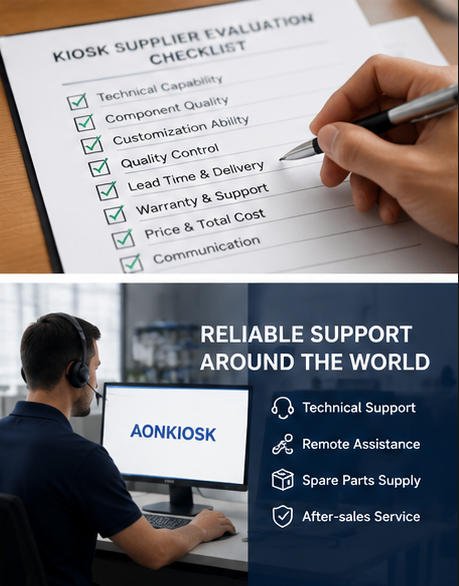
Quotation-stage communication often predicts project-stage performance.
Evaluate whether the supplier:
- Asks relevant technical questions
- Identifies missing information
- Explains alternatives clearly
- Provides organized documents
- Responds consistently
- Records agreed changes
- Distinguishes confirmed details from assumptions
A supplier that sends a low price immediately without clarifying the application, peripherals, software environment, installation location, or order quantity may not fully understand the project.
Good suppliers do not simply quote what the buyer requests. They help identify risks that could affect production, integration, shipping, installation, or maintenance.
Questions to Ask Every Kiosk Supplier
Before finalizing your kiosk supplier evaluation, ask each shortlisted company:
- Is the quotation based on our complete specification?
- Which items and services are excluded?
- Can you provide a detailed hardware configuration?
- Which component brands or equivalent standards are proposed?
- What customization and engineering work is included?
- What sample and revision costs may apply?
- What testing is performed before shipment?
- What are the packaged dimensions and weight?
- Which documents are supplied with the order?
- How are warranty claims and spare parts handled?
- Can the same configuration be maintained for future batches?
- What conditions could change the quoted price or lead time?
The answers should become part of the commercial and technical record, not remain only in informal messages.
Conclusion
The purpose of comparing quotations is not to find the cheapest kiosk. It is to identify the proposal that delivers the best combination of technical compliance, dependable hardware, engineering support, manageable risk, and total project value.
To compare kiosk quotations effectively, begin with a common specification, normalize the component lists, identify exclusions, evaluate customization and integration readiness, review testing and warranty terms, and calculate the total landed and deployment cost.
Price remains important, but it should be evaluated alongside quality, delivery, documentation, support, and long-term serviceability.
For buyers requiring customizable kiosk hardware, AONKIOSK provides OEM and ODM manufacturing for restaurant ordering, retail payment, hotel check-in, ticketing, information, and other self-service applications. Its modular approach allows project teams to configure displays, computers, scanners, printers, payment-device mounts, and enclosure structures according to their software and deployment requirements.
A well-prepared quotation comparison does more than reduce purchasing cost. It helps prevent redesigns, integration delays, inconsistent production, field failures, and unexpected expenses throughout the kiosk’s service life.