






Introduction : Kiosque vs système POS dans les entreprises modernes
Le débat entre kiosque et système POS est devenu de plus en plus important à mesure que les entreprises évoluent vers l'automatisation, le libre-service et la transformation numérique. Des restaurants et magasins de détail aux aéroports et établissements de santé, les deux systèmes sont largement utilisés — mais ils servent des objectifs différents.
Comprendre la différence entre kiosque de commande libre-service et système POS est essentiel pour choisir la solution adaptée en matière d'efficacité, d'expérience client et de coûts opérationnels.
Cet article fournit une comparaison complète des systèmes de kiosque, y compris les définitions, les fonctionnalités, les différences et des recommandations sur le système le mieux adapté à votre entreprise.
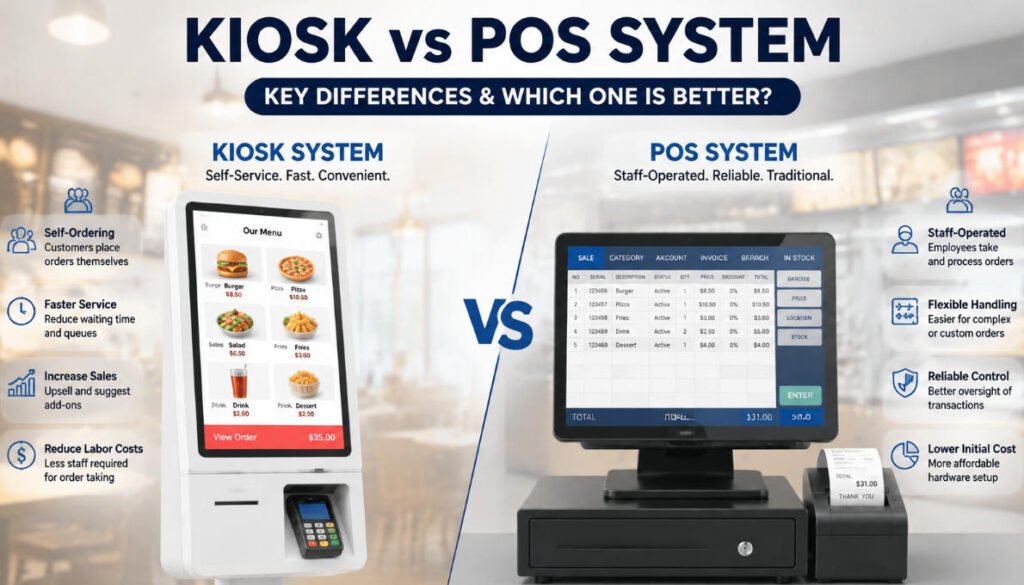
Qu'est-ce qu'un système POS ?
A Le système POS (système de point de vente) est un système traditionnel ou numérique utilisé par le personnel pour traiter les transactions clients. Il constitue le hub central des opérations de vente dans les magasins de détail, les restaurants et les entreprises de services.
Fonctions clés d'un système POS :
- Traitement des paiements (espèces, carte, paiements mobiles)
- Gestion des commandes saisies manuellement par le personnel
- Suivi des stocks et des données de vente
- Génération de reçus et de factures
- Gestion des employés et des opérations par quarts
Où les systèmes POS sont couramment utilisés :
- Les magasins de détail
- Restaurants et cafés (service au comptoir traditionnel)
- Supermarchés
- Petites et moyennes entreprises
Un système POS est opéré par le personnel, ce qui signifie que le client interagit avec les employés plutôt qu'avec le système directement.
Qu'est-ce qu'un système de kiosque ?
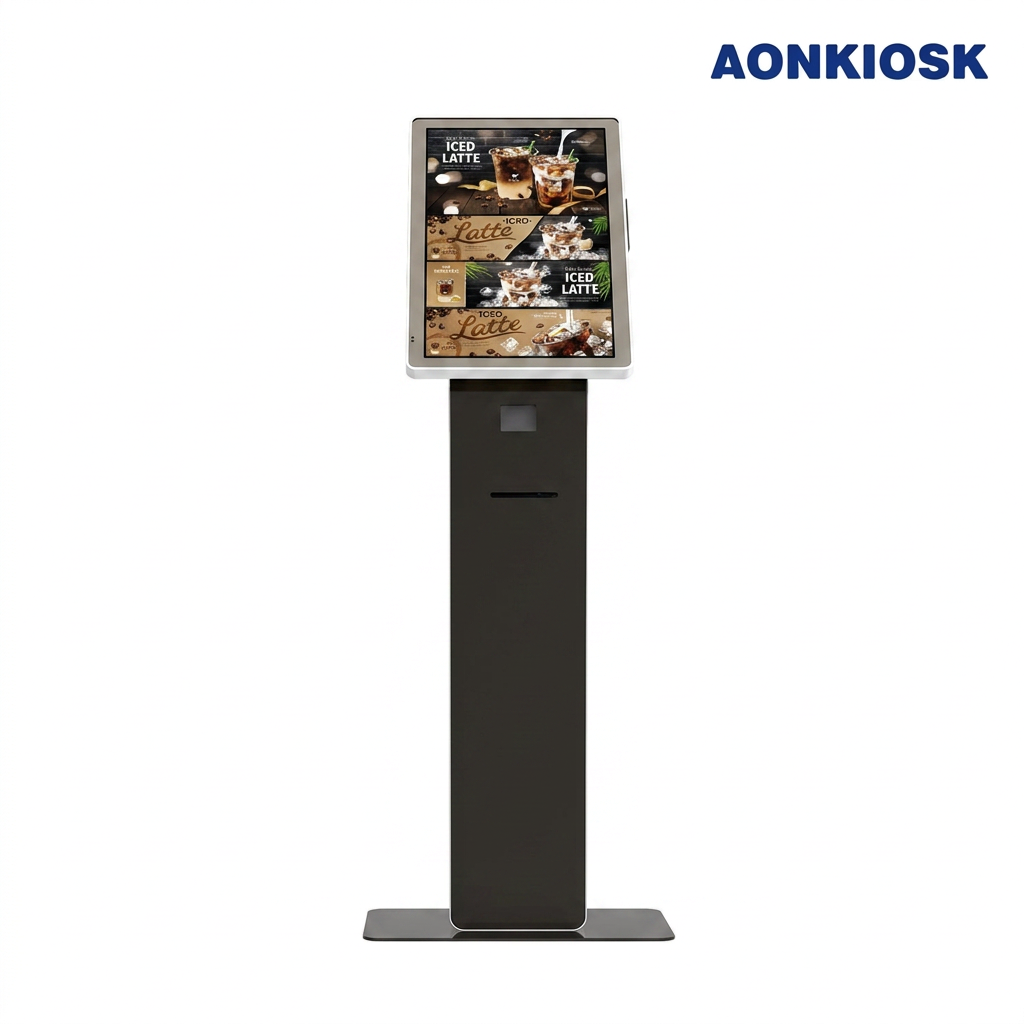
A Le système de kiosque est un terminal numérique en libre-service qui permet aux clients d'effectuer des transactions de manière autonome, sans l'assistance du personnel.
Dans les entreprises modernes, en particulier dans les restaurants et le commerce de détail, un kiosque de commande libre-service permet aux utilisateurs de parcourir les menus, de passer des commandes et d'effectuer des paiements directement sur une interface à écran tactile.
Fonctions clés d'un système de kiosque :
- Commande libre-service et auto-encaissement
- Consultation numérique des menus ou sélection de produits
- Traitement des paiements intégré
- Réduction des files d'attente et des temps d'attente
- Amélioration de l'expérience client grâce à l'automatisation
Cas d'utilisation courants :
- Restaurants de restauration rapide
- Systèmes de billetterie de cinéma
- Aéroports (bornes d'enregistrement)
- Bornes de libre-service en commerce de détail
- Systèmes d'inscription dans le secteur de la santé
Un système de kiosque est orienté client et autonome, ce qui réduit la dépendance au personnel.
Kiosque vs système POS : tableau des différences clés
Vous trouverez ci-dessous une présentation claire comparaison complète des systèmes de kiosque mettant en évidence les principales différences :
| Caractéristique | Système POS | Système de kiosque |
|---|---|---|
| Utilisateur | Exploité par le personnel | Exploité par le client |
| Objectif | Traitement des transactions par les employés | Commande et paiement en libre-service |
| Interaction client | Indirecte | Directe |
| Vitesse | Dépend de l'efficacité du personnel | Plus rapide pour les commandes répétitives ou simples |
| Exigence en main-d'œuvre | Élevée | Faible |
| Emplacement d'installation | Comptoir ou arrière-boutique | Devant le magasin ou zone publique |
| Expérience client | Service assisté | Expérience en libre-service |
| Structure des coûts | Coût matériel inférieur, coût de main-d'œuvre plus élevé | Coût initial plus élevé, coût de main-d'œuvre réduit à long terme |
| Précision des commandes | Dépend de la contribution du personnel | Précision supérieure (le client saisit la commande) |
Ce tableau montre que la kiosque et système POS comparaison ne porte pas sur ce qui est globalement meilleur, mais sur ce qui convient le mieux à votre modèle commercial.
Kiosque de commande en libre-service vs système POS : différences opérationnelles
Lors de l'analyse kiosque de commande libre-service par rapport au système POS, la plus grande différence réside dans la manière dont les commandes sont créées et traitées.
1. Méthode de saisie des commandes
- POS : Le personnel saisit manuellement les commandes des clients
- Kiosque : Les clients passent leurs commandes directement sur l'écran
2. Expérience client
- POS : Interaction via le caissier
- Kiosque : Expérience entièrement en libre-service
3. Gestion des files d'attente
- POS : Des files se forment aux heures de pointe
- Kiosque : Plusieurs kiosques réduisent considérablement le temps d'attente
4. Capacité de vente incitative
- POS : Dépend de la formation du personnel
- Kiosque : Invites de vente incitative automatisées (suppléments, combos, mises à niveau)
5. Dépendance à la main-d'œuvre
- POS : Nécessite plus de personnel aux heures de pointe
- Kiosque : Réduit la dépendance aux caissiers
Ces différences rendent les kiosques particulièrement efficaces dans les environnements à fort trafic.
Avantages des systèmes POS
Malgré l'essor des kiosques, les systèmes POS conservent des avantages solides :
1. Flexibilité pour les commandes complexes
Le personnel peut gérer plus facilement les demandes spéciales, les modifications ou les exceptions.
2. Formation plus facile
Les systèmes de caisse (POS) sont généralement plus faciles à apprendre pour les employés que les bornes en libre-service destinées aux clients.
3. Investissement initial plus faible
Le matériel de caisse (POS) est généralement moins coûteux que le déploiement de plusieurs bornes.
4. Interaction humaine
Certaines entreprises s'appuient sur un service personnalisé pour améliorer la satisfaction client.
Avantages des systèmes de bornes
La croissance de la technologie en libre-service a rendu les bornes extrêmement populaires.
1. Rapidité de service accrue
Les clients peuvent commander directement sans faire la queue.
2. Précision des commandes améliorée
Étant donné que les clients saisissent eux-mêmes leurs choix, les erreurs sont réduites.
3. Revenus plus élevés grâce à la vente incitative
Les bornes peuvent suggérer automatiquement des options complémentaires et des promotions.
4. Réduction des coûts de main-d'œuvre
Moins de caissiers sont nécessaires, ce qui améliore la rentabilité à long terme.
5. Meilleure expérience client
Les utilisateurs modernes préfèrent une commande rapide, sans contact et pratique.
Comparaison des systèmes de bornes et de caisse : lequel est le plus performant ?
Lors de l'évaluation kiosque et système POS, la réponse dépend de votre type d'activité.
Choisissez un système de caisse (POS) si :
- Vous gérez une petite entreprise à faible affluence
- Vous dépendez fortement d'un service personnalisé
- Vos commandes sont complexes et nécessitent la saisie par le personnel
- Votre budget matériel est limité
Choisissez un système de bornes si :
- Vous exploitez un restaurant rapide ou un magasin à forte affluence
- Vous souhaitez réduire les coûts de main-d'œuvre
- Vous avez besoin d'un traitement plus rapide des commandes
- Vous souhaitez augmenter la valeur moyenne des commandes
Meilleure pratique : modèle hybride
De nombreuses entreprises modernes utilisent désormais un système hybride:
- Système de caisse (POS) pour les opérations du personnel
- Système de bornes pour le libre-service client
Cette combinaison maximise l'efficacité tout en maintenant la flexibilité.
Tendance future : intégration des systèmes de bornes et de caisse (POS)
L'avenir ne consiste pas à choisir entre un système de bornes et un système de caisse (POS), mais à intégrer les deux dans un écosystème unifié.
Les solutions modernes incluent souvent :
- Synchronisation de la caisse (POS) cloud et des bornes
- Mises à jour des commandes en temps réel
- Vente incitative pilotée par l'IA
- Gestion unifiée des stocks
- Intégration de la commande mobile + bornes + caisse (POS)
Cela crée un écosystème numérique fluide qui améliore à la fois l'efficacité opérationnelle et l'expérience client.
Conclusion
Le kiosque et système POS La comparaison montre que les deux systèmes jouent des rôles importants dans les opérations commerciales modernes.
- Les systèmes de caisse (POS) sont les mieux adaptés aux modèles de service pilotés par le personnel
- Les bornes sont idéales pour les environnements en libre-service rapides et automatisés
- Une approche hybride donne souvent les meilleurs résultats
Alors que les attentes des clients continuent d'évoluer vers la rapidité et la commodité, l'adoption de kiosque de commande libre-service et système POS solutions continuera de croître rapidement dans les secteurs du commerce de détail et de l'hôtellerie-restauration.






