






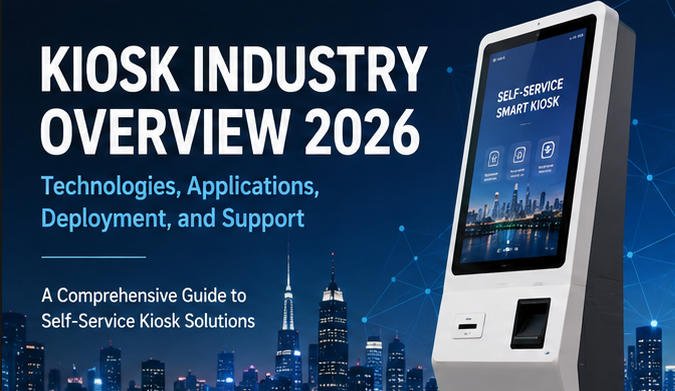
The kiosk industry in 2026 is no longer defined by standalone touchscreen machines. Modern kiosks are connected self-service endpoints that combine commercial hardware, application software, payment services, cloud platforms, peripheral devices, and backend business systems.
Kiosks are now widely used in restaurants, retail stores, hotels, transportation facilities, hospitals, government service centers, entertainment venues, offices, and other high-traffic environments.
For businesses, system integrators, software developers, and procurement teams, understanding the kiosk industry requires more than comparing display sizes or enclosure designs. A successful deployment depends on how well the kiosk hardware, software, peripherals, network, payment system, accessibility features, and operational support work together.
This AONKIOSK industry overview explains the structure of the self-service kiosk market in 2026, the technologies shaping modern kiosk systems, common deployment models, purchasing considerations, and practical support requirements.
What Is the Kiosk Industry?
The kiosk industry includes the companies, technologies, and services involved in designing, manufacturing, integrating, deploying, and maintaining interactive self-service terminals.
The industry generally includes:
- Kiosk hardware manufacturers
- Kiosk enclosure and metal fabrication suppliers
- Touchscreen and industrial display manufacturers
- Embedded computer and industrial PC suppliers
- Payment terminal and payment gateway providers
- Peripheral device manufacturers
- Kiosk software developers
- Cloud management platform providers
- System integrators
- Installation and maintenance companies
- Industry-specific solution providers
A kiosk project may involve several of these participants. For example, a restaurant self-ordering deployment may require a kiosk manufacturer, restaurant ordering software provider, payment processor, POS system provider, installation partner, and remote support platform.
AONKIOSK operates primarily as a self-service kiosk hardware manufacturer and OEM/ODM integration partner, supporting configurable kiosk platforms for different software systems and application environments.
Kiosk Industry Outlook in 2026
Industry research published for 2026 continues to forecast strong growth in self-service technology. However, market-size estimates vary significantly because research organizations use different definitions.
Some reports include only interactive self-service terminals, while others also count ATMs, vending systems, EV charging terminals, digital signage, smart lockers, or related unattended equipment.
For this reason, kiosk buyers should avoid relying on a single headline market value. The more useful industry indicators are the underlying deployment trends:
- Continued adoption of self-ordering and self-checkout systems
- Expansion of cashless and contactless payment
- Increased demand for unattended service
- Greater use of cloud-based device management
- Integration with POS, ERP, PMS, CRM, and ticketing platforms
- More emphasis on accessibility and inclusive design
- Growth of modular and application-specific kiosk hardware
- Increasing use of artificial intelligence for assistance, analytics, and monitoring
- Higher demand for remote diagnosis and preventive maintenance
The direction of the industry is clear: kiosks are evolving from individual machines into managed components of larger digital service networks.
Major Kiosk Industry Segments
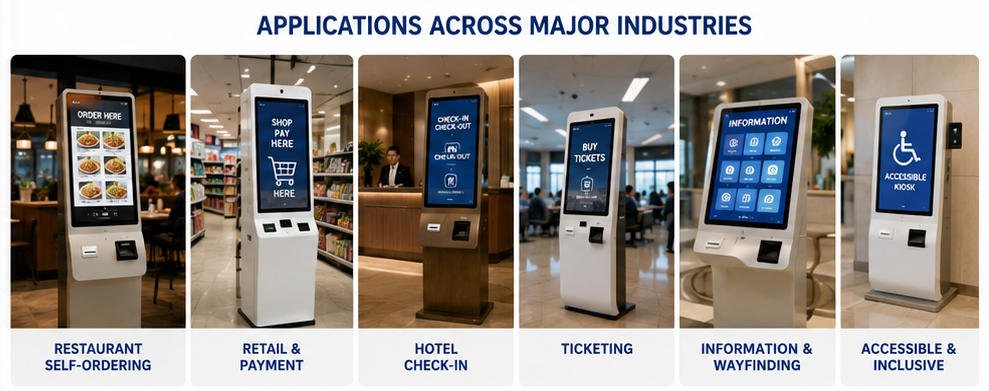
1. Restaurant Self-Ordering Kiosks
Restaurant self-ordering kiosks allow customers to browse menus, customize products, place orders, select dining options, make payments, and receive order confirmation without relying entirely on counter staff.
They are commonly deployed in:
- Quick-service restaurants
- Fast-casual restaurants
- Cafés
- Food courts
- Bakeries
- Bubble tea and beverage stores
- Chain restaurants
A typical restaurant kiosk includes a touchscreen, embedded computer, payment terminal, QR or barcode scanner, receipt printer, speaker, and optional camera.
The kiosk software must normally communicate with the restaurant POS, kitchen display system, menu database, loyalty platform, payment gateway, and order management system.
A restaurant planning this type of deployment can review AONKIOSK’s restaurant self-ordering kiosk solutions to understand common hardware configurations.
2. Retail and Payment Kiosks
Retail kiosks support activities such as product lookup, membership registration, bill payment, price checking, order pickup, returns, and customer-operated checkout.
A self-checkout system normally requires more retail-specific peripherals than a general information kiosk. These may include:
- Barcode scanners
- Payment terminals
- Receipt printers
- Bagging scales
- Customer-facing cameras
- RFID readers
- Cash acceptors
- Coin dispensers
- Cash recyclers
The correct configuration depends on whether the terminal is intended for simple payment, assisted checkout, or fully unattended retail.
AONKIOSK’s retail and payment kiosk category provides examples of modular systems designed for retail transactions and payment integration.
3. Hotel and Check-In Kiosks
Hotel check-in kiosks help guests complete registration, verify reservations, scan identity documents, process deposits, encode room cards, and print check-in information.
Depending on local regulations and hotel procedures, the kiosk may need to integrate with:
- Property management systems
- Passport or ID scanners
- Facial recognition cameras
- Payment terminals
- Signature devices
- Room card encoders
- Thermal or document printers
Hotel kiosk projects require careful software and peripheral compatibility testing. A card encoder or document scanner should not be selected until its communication protocol and software development kit have been confirmed.
4. Ticketing Kiosks
Ticketing kiosks are used in transportation, cinemas, museums, theme parks, stadiums, parking facilities, and event venues.
Their functions may include:
- Ticket search and selection
- Seat selection
- Fare calculation
- Payment processing
- QR code generation
- Ticket printing
- Reservation lookup
- Ticket validation
- Membership verification
Ticketing environments often have high transaction volumes, making printer reliability, paper access, thermal management, and network recovery especially important.
More application and configuration information is available in AONKIOSK’s ticketing kiosk solutions.
5. Information and Wayfinding Kiosks
Information kiosks provide maps, directories, service instructions, digital content, advertising, and location guidance.
They are commonly installed in:
- Shopping centers
- Hospitals
- Airports
- Campuses
- Exhibition halls
- Office buildings
- Government facilities
- Tourist attractions
These terminals may combine a touchscreen interface with one or more large-format signage displays. Some systems also integrate cameras, NFC readers, printers, QR scanners, or voice assistance.
Unlike transaction-focused kiosks, information and wayfinding kiosks are usually optimized for content visibility, navigation, remote content updates, and continuous public use.
6. Accessible and Inclusive Kiosks
Accessibility has become an important technical and procurement requirement rather than an optional feature.
An accessible kiosk may need:
- Reachable interactive controls
- Adjustable or suitable screen height
- High-contrast visual modes
- Large text
- Screen-reader compatibility
- Audio guidance
- Headphone connectivity
- Tactile controls
- Braille labels
- Physical keypads
- Alternative input methods
- Sufficient front access for wheelchair users
- Clear timeout and error recovery options
Accessibility requirements vary by country, industry, installation location, and applicable regulation. Hardware accessibility and software accessibility should therefore be evaluated together.
A physically accessible enclosure does not automatically make inaccessible software usable. Similarly, accessible software cannot compensate for a payment terminal or scanner positioned outside the user’s reach.
Core Components of a Modern Kiosk System
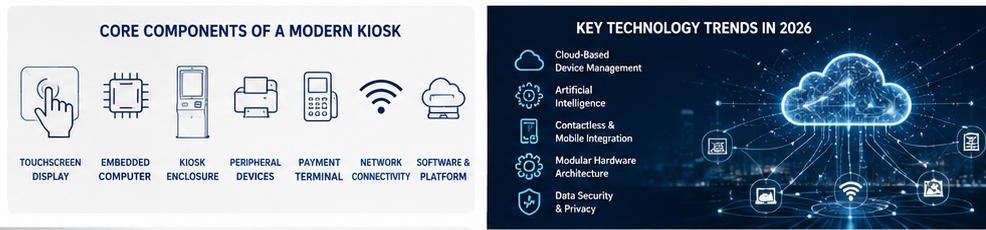
Touchscreen Display
Projected capacitive touch is widely used for modern indoor kiosks because it supports responsive multi-touch interaction. Infrared touch may be selected for certain large-format displays or specialized environments.
Important display specifications include:
- Screen size
- Resolution
- Brightness
- Viewing angle
- Touch technology
- Cover-glass thickness
- Surface treatment
- Operating temperature
- Expected daily use
Display brightness should be chosen according to the actual lighting environment. A standard indoor panel may appear difficult to read near windows or under strong overhead lighting.
Embedded Computer
The embedded computer runs the operating system and kiosk application.
Common platforms include:
- Windows-based industrial PCs
- Android mainboards
- Linux-compatible systems
- x86 embedded computers
- ARM-based computing platforms
Processor, memory, and storage should be selected based on application workload rather than kiosk appearance. Video playback, computer vision, multi-display output, local databases, and AI functions may require more computing capacity than a basic ordering interface.
Kiosk Enclosure
The enclosure protects internal components, supports user interaction, controls airflow, and provides service access.
A commercial kiosk enclosure should be evaluated for:
- Structural stability
- Material thickness
- Surface treatment
- Ventilation
- Cable management
- Component mounting
- Door and lock design
- Printer paper replacement
- Payment terminal installation
- Wall, floor, or countertop mounting
- Maintenance accessibility
Internal serviceability is particularly important. A visually attractive enclosure may still create high operating costs if technicians cannot quickly access the printer, computer, power supply, or cables.
Peripheral Devices
Peripheral selection is application-specific.
Common kiosk peripherals include:
- Thermal receipt printers
- A4 document printers
- Barcode and QR scanners
- NFC and RFID readers
- Payment terminals
- Passport scanners
- ID card readers
- Cameras
- Fingerprint readers
- Speakers
- Microphones
- Card dispensers
- Card encoders
- Cash acceptors
- Cash recyclers
Each peripheral requires mechanical space, power, cabling, driver support, and software communication.
Before production, the integrator should confirm the device model, interface type, dimensions, SDK availability, operating-system compatibility, and installation orientation.
Network Connectivity
Modern kiosks may use:
- Ethernet
- Wi-Fi
- 4G or 5G
- Local-area networks
- VPN connections
- Cloud services
- Local servers
Stable network connectivity is essential for payment, pricing updates, customer verification, order synchronization, and remote management.
Where network interruptions are possible, the software should define what the kiosk can and cannot do offline. Payment-related transactions should never be assumed to work offline unless the payment provider explicitly supports an approved offline process.
Important Kiosk Technology Trends in 2026
Cloud-Based Device Management
Remote kiosk management is becoming a standard requirement for multi-site deployments.
A remote management platform may provide:
- Online and offline status
- Application health monitoring
- Remote restart
- Software updates
- Content deployment
- Log collection
- Peripheral status monitoring
- Storage and memory alerts
- Device grouping
- User permission control
Remote management reduces unnecessary site visits but does not eliminate the need for physical maintenance. Paper replacement, component cleaning, cable repair, vandalism, and hardware replacement still require local intervention.
Artificial Intelligence
AI is increasingly used for specific kiosk functions rather than as a complete replacement for the kiosk workflow.
Possible applications include:
- Voice-based assistance
- Product recommendations
- Language support
- Computer-vision monitoring
- Fraud or anomaly detection
- Predictive maintenance
- Queue analysis
- User guidance
- Content personalization
AI features should be evaluated according to data privacy, accuracy, processing requirements, network dependency, and the consequences of incorrect output.
For transaction-critical workflows, deterministic business rules should remain available even when AI-supported functions are used.
Contactless and Mobile Integration
Kiosks increasingly interact with users’ mobile devices through:
- QR codes
- NFC
- Digital wallets
- Mobile order retrieval
- Loyalty applications
- Electronic receipts
- Remote queue registration
- Mobile identity verification
Mobile integration can shorten the time users spend at the terminal and reduce the amount of information they must enter on a public touchscreen.
Modular Hardware Architecture
Kiosk buyers increasingly require platforms that can be adapted without redesigning the entire enclosure.
A modular kiosk may support different:
- Display sizes
- Computers
- Printers
- Scanners
- Payment brackets
- Camera modules
- Mounting methods
- Branding panels
- Accessibility controls
Modularity is valuable for product families, regional payment variations, pilot projects, and future upgrades. However, “modular” does not mean every component is automatically compatible. Mechanical, electrical, thermal, driver, and software testing are still required.
Data Security and Privacy
Kiosks process information in public environments and may handle payment data, identity information, reservations, or customer accounts.
Security planning should include:
- Operating-system hardening
- Kiosk-mode restrictions
- Application allowlisting
- Encrypted communications
- Secure boot where supported
- User-session reset
- Automatic deletion of temporary data
- Role-based remote access
- Security logging
- Physical port protection
- Payment-terminal compliance
- Timely security updates
A kiosk should return to a clean starting state after every user session. Personal information, uploaded documents, account details, and transaction data should not remain visible to the next user.
Kiosk Deployment Models
Standard Product Deployment
A standard kiosk model is selected with limited changes, such as branding, computer configuration, printer type, or payment bracket.
This approach is suitable when:
- Deployment volume is relatively small
- Time to market is important
- The application matches an existing structure
- Extensive custom peripherals are not required
Semi-Custom Deployment
A standard platform is modified to support specific peripherals, branding, dimensions, mounting, or internal layouts.
This model offers a balance between development cost and customization.
Full OEM/ODM Development
A fully customized kiosk may require industrial design, mechanical engineering, prototyping, thermal testing, peripheral integration, sample validation, certification preparation, and mass-production tooling.
Full customization is appropriate when:
- The kiosk is part of a unique product line
- Large-scale deployment is planned
- Existing enclosures cannot support the workflow
- Specialized modules are required
- Brand appearance is strategically important
Businesses developing a dedicated platform can review AONKIOSK’s OEM and ODM kiosk manufacturing capabilities.
How to Select a Kiosk System
A kiosk should be selected according to the complete operational workflow.
Before requesting a quotation, define:
- What tasks will users perform?
- Which operating system will run the software?
- Which backend systems must be integrated?
- Which payment methods are required?
- Which peripheral models are mandatory?
- Will the kiosk be installed indoors, semi-outdoors, or outdoors?
- What are the accessibility requirements?
- How many hours per day will the terminal operate?
- Who will install and maintain the kiosk?
- How will software and security updates be managed?
- What happens when the network or a peripheral fails?
- What certifications are required in the target market?
A clear functional specification reduces redesign, compatibility problems, and unexpected project costs.
Pilot Testing Before Mass Deployment
A pilot should test the complete workflow rather than only confirming that the kiosk powers on.
Recommended pilot tests include:
- Touchscreen accuracy
- Application stability
- Payment authorization and cancellation
- Receipt printing
- Scanner performance
- Peripheral disconnection recovery
- Network interruption
- Power failure and restart
- Remote update procedures
- User-session reset
- Accessibility
- Thermal performance
- Installation stability
- Technician access
- Cleaning and daily maintenance
The pilot environment should resemble the final deployment location as closely as possible.
A successful laboratory test does not always predict performance in a restaurant, station, hotel lobby, or retail store with different lighting, network quality, dust, temperature, and user behavior.
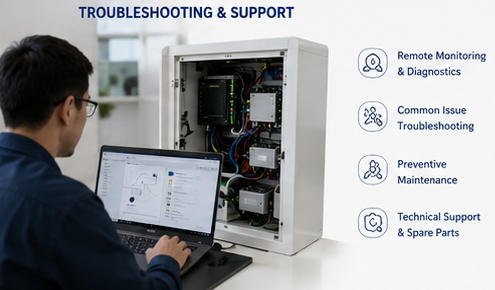
Common Kiosk Problems and Troubleshooting
The Kiosk Does Not Power On
Check:
- Wall outlet power
- Main power switch
- Power cable
- Internal power distribution
- Power adapter indicators
- Circuit breaker or fuse
- Loose internal connectors
Disconnect power before inspecting internal electrical components unless the work is being performed by a qualified technician.
The Touchscreen Does Not Respond
Check:
- USB or serial touch cable
- Touch controller driver
- Operating-system device status
- Calibration settings
- Application focus
- Cover-glass contamination
- Whether the issue affects the entire screen or only one area
Restarting the application may resolve a software issue, but repeated touch failures may indicate a cable, controller, driver, or touch-panel problem.
The Printer Does Not Print
Check:
- Paper availability
- Paper orientation
- Printer cover position
- Cutter blockage
- Status light or error code
- USB or serial connection
- Printer driver
- Print queue
- Application printer selection
Paper dust should be removed according to the printer manufacturer’s maintenance instructions.
The Scanner Cannot Read Codes
Check:
- Code quality
- Scanner window cleanliness
- Reading distance
- Scanner configuration
- Supported symbology
- USB or serial connection
- Ambient lighting
- Whether the software receives scanner input
Payment Fails
Confirm:
- Network connection
- Payment-terminal status
- Merchant account configuration
- Payment application status
- Gateway availability
- Time and date settings
- Cable connection
- Transaction logs
Payment-terminal servicing should follow the payment provider’s security and certification procedures.
The Kiosk Frequently Goes Offline
Investigate:
- Router stability
- Wi-Fi signal strength
- Ethernet cables
- DHCP or static IP settings
- Firewall rules
- DNS configuration
- VPN stability
- Mobile signal quality
- Server availability
- Application heartbeat settings
Network monitoring should distinguish between a complete device outage and an application-level communication failure.
Preventive Maintenance
Preventive maintenance improves availability and reduces emergency service calls.
A typical maintenance plan may include:
Daily or Frequent Checks
- Clean the touchscreen
- Refill printer paper
- Inspect scanner and camera windows
- Confirm payment-terminal operation
- Remove debris around ventilation openings
- Test the basic user workflow
Monthly Checks
- Review application and device logs
- Check cable connections
- Inspect locks and hinges
- Test speakers and scanners
- Verify remote management
- Check storage capacity
- Review operating-system updates
- Inspect cooling fans where applicable
Periodic Technical Service
- Clean internal dust
- Inspect power supplies
- Test backup connectivity
- Replace worn printer components
- Review security configuration
- Verify recovery procedures
- Check mounting stability
- Update maintenance records
Maintenance frequency should be adjusted according to transaction volume, operating hours, environmental conditions, and peripheral usage.
Total Cost of Ownership
The kiosk purchase price represents only one part of the total project cost.
A complete total cost of ownership calculation should include:
- Hardware
- Software development
- Software licenses
- Payment integration
- Backend integration
- Prototyping
- Certification
- Shipping
- Import duties
- Installation
- Network services
- Payment processing
- Spare parts
- Preventive maintenance
- On-site service
- Remote management
- Security updates
- Hardware replacement
- Decommissioning
A lower-cost kiosk may become more expensive over its service life if it uses difficult-to-source components, has poor internal access, or requires frequent site visits.
Role of Kiosk Manufacturers in 2026
A kiosk manufacturer’s role extends beyond assembling a touchscreen and metal enclosure.
A capable manufacturing partner should help evaluate:
- Mechanical feasibility
- Peripheral placement
- Cable routing
- Ventilation
- Internal component access
- Mounting stability
- Production consistency
- Packaging
- Spare-parts planning
- Documentation
- Sample validation
- Quality inspection
The manufacturer should also clearly define the boundary between hardware support, software support, payment support, and on-site service.
This separation is important because a kiosk fault may originate from the enclosure, computer, operating system, application, network, payment gateway, or backend system.
Frequently Asked Questions
Is a kiosk the same as a POS system?
No. A POS system is normally operated by an employee to process sales and manage business transactions. A kiosk is designed primarily for customer self-service.
The two systems may connect to the same product, pricing, payment, inventory, and order databases.
Is a kiosk the same as a self-checkout machine?
Not necessarily. A self-checkout machine is a specialized retail system for scanning products and completing purchases. A kiosk is a broader platform that may support ordering, check-in, ticketing, registration, information access, payment, or other workflows.
A detailed comparison is available in AONKIOSK’s Kiosk vs. Self-Checkout Machine knowledge-base guide.
Can a kiosk work without the internet?
Some functions can operate on a local network or in a limited offline mode, depending on the software architecture.
Cloud authentication, live inventory, remote databases, and online payment normally require network access. Offline behavior must be specifically designed and tested.
Can existing software be installed on a custom kiosk?
Usually, yes, provided that the operating system, processor architecture, drivers, display settings, and peripheral communication methods are compatible.
Software compatibility should be tested on a production-equivalent sample before volume manufacturing.
How long does a kiosk last?
Service life depends on component quality, daily operating hours, environment, maintenance, and upgrade requirements.
Commercial kiosk projects should focus on replaceable components, spare-part availability, thermal design, and long-term software support rather than relying on a single fixed lifespan estimate.
Does AONKIOSK provide kiosk software?
AONKIOSK primarily focuses on kiosk hardware manufacturing, mechanical customization, peripheral integration, and OEM/ODM production.
Software scope should be confirmed for each project. Customers may use their own software, work with a system integrator, or request compatibility assistance for a defined application environment.
Conclusion
The kiosk industry in 2026 is moving toward connected, modular, remotely managed, and application-specific self-service systems.
Successful kiosk deployment depends on more than the physical terminal. Businesses must coordinate hardware, software, payment, network connectivity, accessibility, security, installation, and long-term maintenance.
The best results come from defining the complete service workflow before selecting hardware, testing a production-equivalent pilot, documenting system responsibilities, and planning technical support throughout the kiosk lifecycle.
AONKIOSK provides configurable self-service kiosk hardware and OEM/ODM manufacturing support for restaurant ordering, retail payment, hotel check-in, ticketing, information, wayfinding, and other unattended service applications.






