ウェイファインディングキオスクの購入は、プロジェクトが見積もり段階に達するまでは簡単に見える。.
あるサプライヤーは43インチのタッチスクリーンを提案し、別のサプライヤーは55インチのディスプレイを推奨し、さらに別のサプライヤーはデュアルスクリーン構造を提案する。それらの見積もりはすべて「インタラクティブ・ウェイファインディング・キオスク」と記載されているかもしれないが、実際の機器は使いやすさ、保守性、コンピューティング性能、設置要件、長期的な運用コストにおいて大きく異なる可能性がある。.
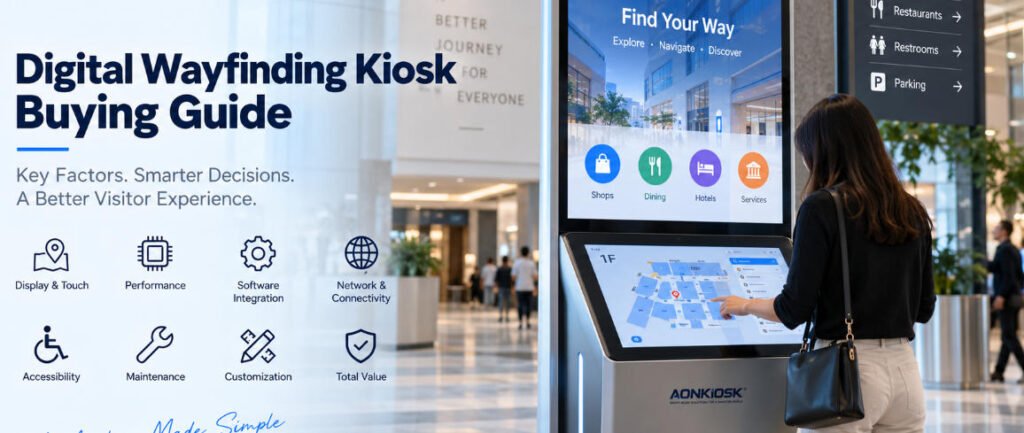
だからこそ、 デジタル・ウェイファインディング・キオスク購入ガイド は、画面サイズや筐体の外観ではなく、まず導入自体から始めるべきである。.
ショッピングモール、病院、空港、大学、オフィスビル、博物館、展示センター、政府施設、大規模商業複合施設において、ウェイファインディング端末は来訪者とデジタル情報システムの間の物理的なインターフェースとなる。ハードウェアの仕様が不適切であれば、優れたナビゲーションソフトウェアでもその問題を完全に補うことはできない。.
本ガイドでは、調達チーム、ソフトウェア企業、システムインテグレーター、施設運営者、プロジェクト開発者が、インタラクティブ・ウェイファインディング・キオスクを発注する前に評価すべき実務的な質問について説明する。.
1. キオスクの仕様ではなく、来訪者の動線から始める
見積もりを依頼する前に、来訪者がキオスクで何を達成すべきかを正確に定義する。.
単純なディレクトリであれば、テナント、部門、フロア情報、または関心のある地点を表示するだけでよい場合がある。より高度なシステムでは、ユーザーが目的地を検索し、インタラクティブマップを表示し、経路を計算し、QRコードをスキャンしてスマートフォンに案内を転送し、イベントを閲覧し、多言語情報にアクセスし、または広告コンテンツを表示できるようにする場合がある。.
これらのワークフローはハードウェア構成に影響を与える。.
例えば、ショッピングセンターに入る来訪者は、店舗を検索して徒歩経路を受け取る必要があるかもしれない。病院では、ユーザーは診療科、検査室、薬局、または受付エリアを探す必要があるかもしれない。展示会場では、同じ端末が出展者検索、ホールナビゲーション、イベントスケジュール、プロモーションコンテンツを組み合わせる場合がある。.
ハードウェアについて議論する前に、これらのタスクをRFQに記載する。.
有用な仕様書には次のように記載できる:
“「ユーザーは約500の目的地を検索し、建物マップと対話し、経路を選択し、言語を変更し、オプションでQRコードをスキャンしてモバイル端末でナビゲーションを継続できなければならない。」”
これにより、メーカーは単に「55インチ情報キオスク」を要求するよりもはるかに有用な工学的情報を得ることができる。“
2. シングルスクリーン方式とデュアルスクリーン方式のどちらにするかを決定する
最初のハードウェア決定事項の1つは、情報と操作をどのように分割するかである。.
従来の インタラクティブ・ディレクトリ・キオスク は通常、ナビゲーションとコンテンツの両方に1つの大型タッチスクリーンを使用する。この構成は、ユーザーが情報を検索するために端末に近づく用途に適している。.
デュアルスクリーンキオスクは、やや異なる目的を果たす。.
上部の大型ディスプレイは、広告、案内、ブランディング、イベント情報、デジタルサイネージ、または一般的な方向案内を継続的に表示でき、下部の小型タッチスクリーンはインタラクティブな操作面となる。.
この配置は、ショッピングモール、空港、展示ホール、ホテル、大規模公共建築物において価値がある。なぜなら、誰もナビゲーションインターフェースを積極的に使用していない場合でも、端末は通りかかる来訪者とのコミュニケーションを継続できるからである。.
AONKIOSK의 APK868デュアルスクリーン情報&ウェイファインディングキオスク は、55インチ4K情報ディスプレイと21.5インチ静電容量式タッチスクリーンを組み合わせたこのアーキテクチャを示している。このプラットフォームは、ディレクトリ閲覧、ナビゲーション、マルチメディア操作、情報照会をサポートする。.
どちらのアーキテクチャが自動的に優れているわけではない。正しい選択は、キオスクが主に能動的な検索に役立つのか、それともデジタルサイネージとインタラクティブナビゲーションの両方を実行する必要があるのかによって決まる。.
3. 視認距離と操作距離に応じて画面サイズを選択する
大きな画面が常に使いやすいとは限らない。.
純粋にインタラクティブなキオスクの場合、極端に大きな画面は、ユーザーがインターフェース全体に手を伸ばさなければならないため、人間工学的な問題を引き起こす可能性がある。また、重要なボタンが高すぎる位置にあると、操作が困難になる場合がある。.
代わりに、2つの質問を分けて考える:
情報はどの程度の距離から視認できる必要があるか?
ユーザーはインターフェースを操作する際にどの程度近づいて立つか?
ディレクトリとマップの操作では、タッチスクリーンは通常の立位距離でラベル、フロアプラン、目的地リスト、オンスクリーンキーボードを快適に視認できるようにする必要がある。.
キオスクが遠くからも注意を引く必要がある場合、大型ディスプレイはより有用になる。.
そのような設置では、デュアルディスプレイ構成がこの矛盾を解決できる:上部スクリーンが遠距離からの視認性を担い、下部タッチスクリーンは快適な操作のために適切な位置に保たれる。.
したがって、調達チームは画面寸法をキオスクの高さ、タッチスクリーンの位置、視野角、ユーザーのリーチ、ソフトウェアレイアウトとともに評価すべきである。.
4. タッチ技術を環境に適合させる
最新の屋内ディレクトリキオスクのほとんどは、スムーズな応答とスマートフォンに似た直感的な操作を提供するため、投影型静電容量式タッチを採用している。.
しかし、「静電容量式タッチスクリーン」と指定するだけでは不十分である。.
다음 사항을 문의하라:
- 保護ガラスの厚さ
- 터치 정확도
- 멀티터치 지원
- コントローラーの互換性
- 눈부심 방지 처리
- 지문 방지
- 交換方法
- 保護ガラスを通したタッチ性能
公共キオスクは通常のデスクトップディスプレイよりもはるかに頻繁な操作を受ける。したがって、タッチスクリーンアセンブリは外観のためだけでなく、商業用コンポーネントとして選択されるべきである。.
高トラフィック環境では、LCD、タッチセンサー、保護ガラス、フレーム、筐体の関係が特に重要である。機械的に不適切な設置は、タッチスクリーン自体が優れたコンポーネントであっても、圧力点、タッチの不安定性、修理の困難さ、または早期の損傷を引き起こす可能性がある。.
5. 産業用PCを過剰に指定しない
ウェイファインディングソフトウェアは、コンピューティング要件においてかなり異なる。.
ローカルに保存されたマップを表示する比較的単純なディレクトリは、控えめなAndroidプラットフォームで快適に動作する場合がある。複雑な3Dマップ、アニメーション、ビデオ、リモート管理、分析、または複数の外部デバイスを使用するWindowsベースのアプリケーションは、著しく高いCPU性能とメモリを必要とする場合がある。.
ソフトウェアプロバイダーに以下を定義してもらう:
- 운영 체제
- CPU 요구 사항
- RAM 요구 사항
- 저장 공간 요구 사항
- GPU 요구 사항
- 필요한 USB 및 직렬 포트
- 네트워크 요구 사항
- 디스플레이 출력 요구 사항
- 원격 관리 소프트웨어
- 브라우저 또는 애플리케이션 프레임워크
그런 다음 해당 요구 사항을 기준으로 컴퓨터를 선택하십시오.
애플리케이션이 필요로 하지 않는다면 가장 높은 사양의 프로세서를 구매하는 것이 의미 있는 가치를 창출하는 경우는 드뭅니다. 동시에 가장 저렴한 마더보드를 선택하면 추후 내비게이션 소프트웨어가 더 복잡해질 때 성능 문제가 발생할 수 있습니다.
최적의 구성은 합리적인 성능 여유를 확보하면서도 해당 장비를 정보 키오스크 불필요하게 고가의 워크스테이션으로 만들지 않아야 합니다.
6. 소프트웨어 및 하드웨어 책임 범위를 조기에 확정하십시오.
이는 조달 과정에서 가장 중요한 사항 중 하나입니다.
물리적 키오스크와 길찾기 플랫폼은 종종 서로 다른 업체에서 공급됩니다.
키오스크 제조사는 인클로저, 터치스크린, 산업용 컴퓨터, 배선, 네트워킹 하드웨어, 스피커, 스캐너, 카메라 및 기타 구성 요소를 제공할 수 있습니다. 소프트웨어 업체는 지도, 디렉토리 데이터베이스, 콘텐츠 관리, 내비게이션 로직, 분석 및 원격 관리 기능을 제공할 수 있습니다.
AONKIOSK는 고객의 길찾기 플랫폼 자체를 개발하기보다는 셀프서비스 키오스크 하드웨어 제조 및 하드웨어 통합에 주력합니다. 당사의 OEM/ODM 서비스는 인클로저 엔지니어링, 터치스크린 통합, 내부 구성 요소 배치, 열 설계, 주변기기 통합, 프로토타이핑 및 양산 분야를涵盖합니다.
제조가 시작되기 전에 드라이버, 운영체제 이미지, API 호환성, 애플리케이션 테스트, 장치 구성 및 최종 승인에 대한 책임 범위를 확정하십시오.
많은 통합 지연은 하드웨어 결함보다는 책임 범위의 불명확성에서 비롯됩니다.
7. 네트워크 아키텍처 평가
디렉토리 키오스크는 네트워크 연결에 크게 의존할 수 있습니다.
임차인 정보, 회의실 변경, 이벤트, 광고, 비상 공지 또는 시설 디렉토리와 같은 콘텐츠는 중앙 콘텐츠 관리 플랫폼을 통해 업데이트될 수 있습니다.
고정 배선이 가능한 환경에서는 예측 가능한 연결성을 제공하므로 일반적으로 이더넷이 더 바람직합니다.
Wi-Fi는 설치를 간소화할 수 있지만 현장 커버리지와 네트워크 정책에 더 크게 의존합니다.
4G 또는 기타 셀룰러 연결은 고정 네트워크를 사용할 수 없는 위치에서 대안 또는 백업 연결로 활용될 수 있습니다.
예를 들어 APK868 플랫폼은 이더넷, 듀얼밴드 Wi-Fi 및 선택적 4G 구성을 지원합니다.
조달에서 중요한 질문은 “키오스크에 Wi-Fi가 있습니까?”가 아닙니다. 중요한 것은 네트워크 아키텍처가 건물의 IT 인프라 및 소프트웨어의 운영 요구 사항과 일치하는지 여부입니다.
8. 실제 기능을 기준으로 옵션 하드웨어 계획
길찾기 단말기는 시간이 지남에 따라 다목적 정보 포인트로 발전하는 경우가 많습니다.
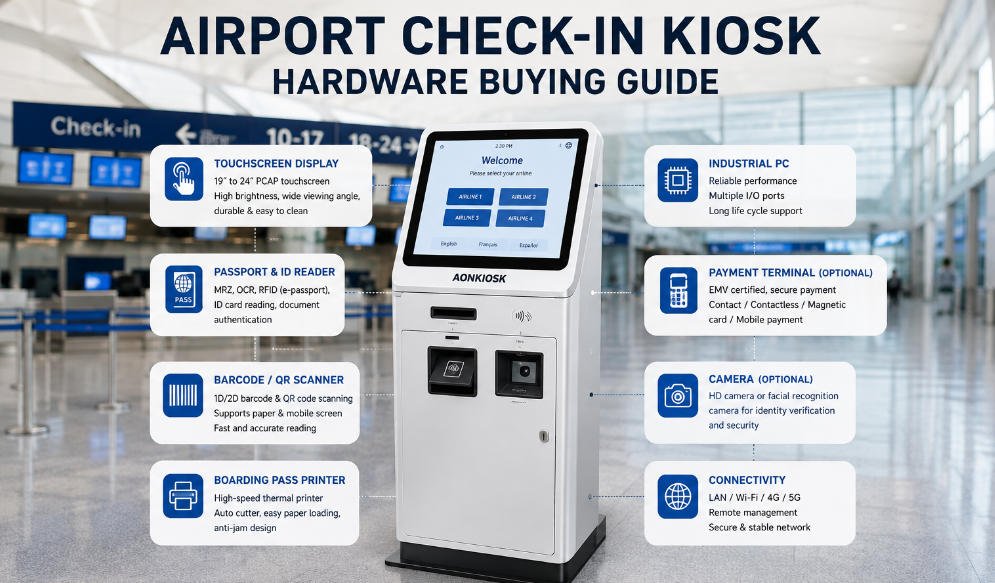
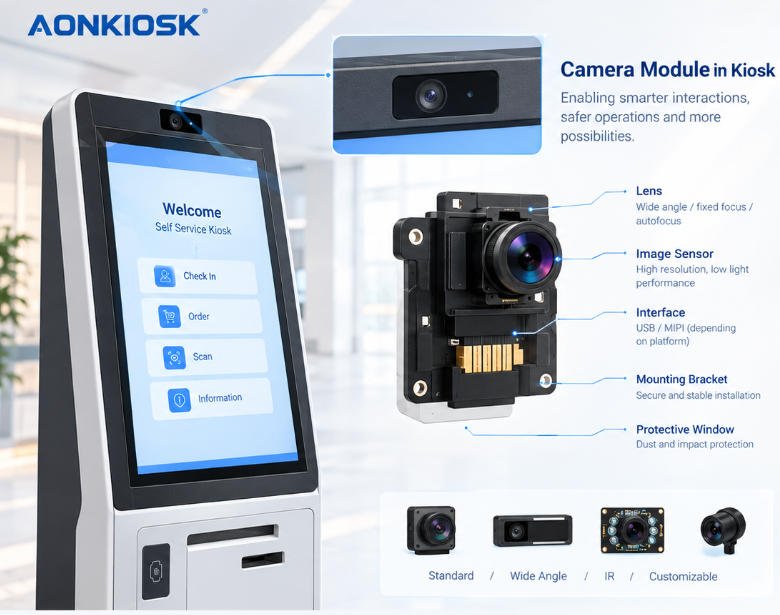
가능한 통합 기능으로는 QR 스캐너, RFID 리더기, 카메라, 스피커, 프린터, NFC 리더기, 마이크 또는 접근성 장치가 있습니다.
그러나 단순히 사용 가능하다는 이유만으로 모듈을 추가하면 비용, 배선 복잡성, 소프트웨어 통합 요구 사항 및 향후 유지보수가 증가합니다.
모든 주변기기는 정의된 사용자 워크플로우에 대응해야 합니다.
방문자가 예약, 티켓, 방문자 자격 증명 또는 맞춤형 길안내를 조회해야 하는 경우 QR 스캐너가 적합합니다.
애플리케이션이 종이 지도, 방문자 패스, 대기 번호 또는 이벤트 정보를 제공하는 경우 프린터가 유용할 수 있습니다.
카메라는 원격 지원, 방문자 분석 또는 고객이 정의한 기타 애플리케이션을 지원할 수 있습니다.
이러한 기능이 모두 필요하지 않은 경우 해당 기능을 제외하면 더 깔끔하고 안정적인 키오스크를 구현할 수 있는 경우가 많습니다.
9. 접근성을 하드웨어 요구 사항으로 취급
접근성은 인클로저가 이미 제조된 이후가 아니라 키오스크 치수를 결정할 때 고려해야 합니다.
터치스크린 높이, 시야각, 컨트롤 위치, 물리적 도달 범위, 휠체어 여유 공간 및 주변기기 배치는 키오스크가 다양한 사용자에게 실용적인지 여부에 영향을 줄 수 있습니다.
소프트웨어 접근성도 중요합니다. 텍스트 크기, 대비, 언어 선택, 버튼 크기, 음성 안내 및 인터페이스 복잡성은 물리적 설계를 보완해야 합니다.
요구 사항은 국가와 프로젝트에 따라 다르므로 조달 팀은 설계 단계에서 적용 가능한 접근성 표준을 하드웨어 제조사와 소프트웨어 개발자 모두에게 제공해야 합니다.
소프트웨어만으로 접근성 문제를 해결하려는 시도는 적절한 도달 범위 밖에 기계적으로 설치된 터치스크린을 교정할 수 없습니다.
10. 처음부터 유지보수를 고려한 설계
키오스크의 매력적인 전면부는 구매 논의 과정에서 가장 많은 관심을 받습니다. 시설 관리 팀은 일반적으로 후면부에 더 관심을 둡니다.
기술자가 다음 항목에 어떻게 접근하는지 문의하십시오:
- 컴퓨터 모듈
- 전원 공급 장치
- 터치 컨트롤러
- 네트워크 장비
- 디스플레이 연결부
- 스피커
- 옵션 스캐너 또는 프린터
- 냉각 구성 요소
구매 비용이 낮은 구성 요소라도 교체 시 전체 디스플레이 어셈블리를 분리해야 한다면 비용이 많이 들 수 있습니다.
Service doors should provide practical access without compromising structural stability or public security. Internal cables should be organized and identified. Frequently replaced modules should ideally use accessible connectors and mounting brackets.
For projects involving dozens or hundreds of terminals, serviceability can have a greater financial impact over the equipment’s life than a small difference in initial purchase price.
11. Evaluate the Installation Location Before Finalizing the Cabinet
Wayfinding kiosks are often tall, visually prominent structures. That makes installation engineering important.
Confirm whether the terminal will be:
- Free-standing
- Bolted to the floor
- Wall-mounted
- Installed against a wall
- Installed in an open lobby
- Positioned near entrances
- Integrated into architectural furniture
Check power outlet location, Ethernet routing, floor structure, cable entry, base dimensions, pedestrian traffic, emergency exits, cleaning access, and delivery routes.
Also confirm whether the assembled kiosk can pass through elevators, loading docks, doors, and corridors before reaching its final position.
A beautiful enclosure that cannot be transported through the building is still a badly engineered deployment.
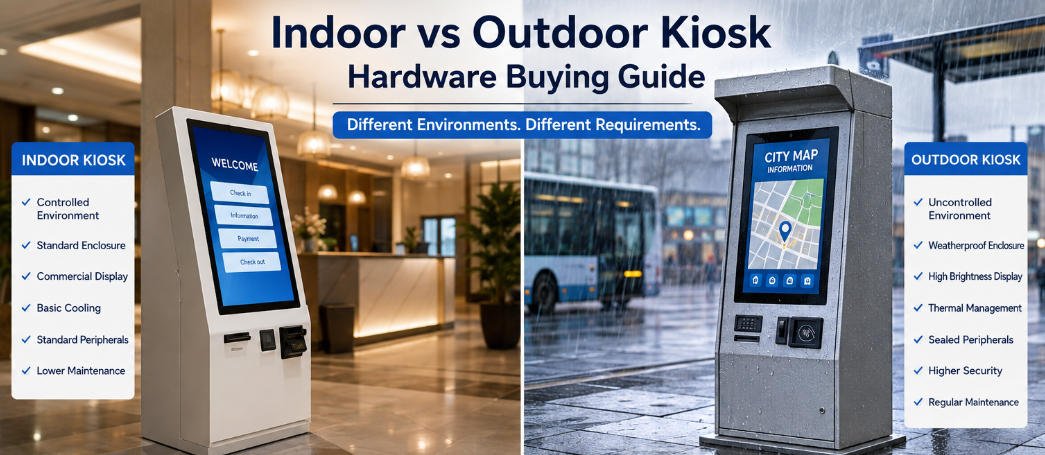
12. Indoor and Outdoor Wayfinding Are Different Projects
Do not assume an indoor kiosk can become an outdoor directory by installing a brighter display.
Outdoor installations introduce sunlight, rain, dust, temperature extremes, condensation, UV exposure, corrosion, and potentially greater vandalism risk.
These factors affect the enclosure, seals, display, touchscreen, thermal architecture, coating, ventilation, power system, network hardware, and installation method.
An outdoor project should therefore specify the actual environmental conditions rather than simply requesting an “outdoor information kiosk.”
For most malls, hotels, hospitals, office towers, museums, and indoor transportation facilities, an indoor commercial kiosk remains the more economical solution.
13. Decide How Much Customization Is Actually Necessary
Wayfinding projects are often highly visible, so buyers naturally want the hardware to match architectural and brand identities.
Customization can include:
- 인클로저 치수
- Cabinet shape
- 화면 방향
- 기업 색상
- Logo treatment
- 표면 마감
- LED lighting
- Computer configuration
- Peripheral openings
- 장착 구조
- 내부 부품 배치
But full mechanical customization is not always necessary.
A standard platform with custom branding and a project-specific hardware configuration usually offers lower engineering risk and faster production.
Full customization becomes more justified when the terminal must fit a specific architectural space, incorporate unusual hardware, follow a distinctive industrial design, or be deployed at sufficient scale to justify dedicated engineering.
AONKIOSK는 다음을 제공합니다 OEM 및 ODM 키오스크 제조 서비스는 covering industrial design, mechanical engineering, prototypes, small-batch manufacturing and mass production, which allows buyers to choose the level of customization appropriate to the project rather than redesigning every kiosk unnecessarily.
14. Build a Prototype Before Large Deployment
For a customized インタラクティブ・ディレクトリ・キオスク, a prototype is not simply a sales sample.
It is an engineering validation tool.
Install the real operating system and navigation software. Load realistic maps and directory data. Connect every required peripheral. Test the touch interface continuously. Check Wi-Fi or Ethernet performance. Evaluate screen visibility under actual lighting. Inspect thermal behavior after extended operation.
Then place the machine in front of people who were not involved in designing it.
Can they immediately understand where to touch?
Can they find a destination without assistance?
Is the touchscreen comfortable to reach?
Is the text readable?
Does the kiosk attract attention without blocking pedestrian movement?
These observations are often more useful than another round of CAD revisions.
Problems discovered in one prototype are relatively inexpensive to correct. The same problem discovered after several hundred units have been manufactured becomes a project-level issue.
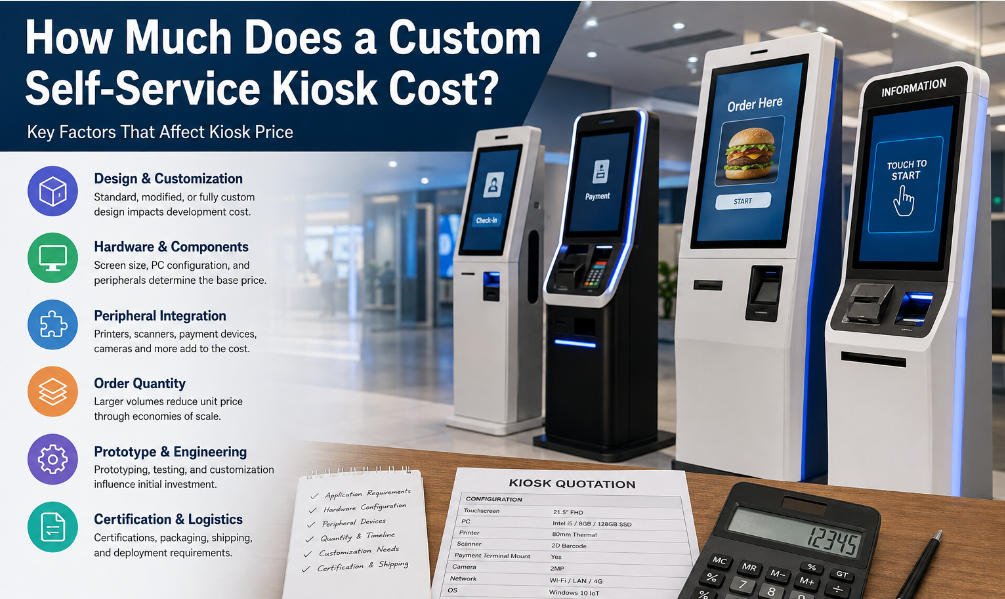
15. Compare Quotations Using Total Deployment Value
When comparing suppliers, do not reduce every proposal to the unit price.
Check whether each quotation uses the same:
- Display size and panel grade
- 터치스크린 기술
- Protective glass
- 프로세서
- 메모리 및 저장 용량
- 운영 체제
- 네트워크 구성
- Cabinet material
- 표면 처리
- Optional modules
- 포장
- 보증
- 예비 부품
- Testing procedure
Two kiosks that look almost identical in a rendering may use very different internal architectures.
Also compare engineering support.
Wayfinding deployments often involve cooperation between the building operator, software developer, installation contractor, network team, and kiosk manufacturer. A supplier that can review drawings, confirm interfaces, modify mounting structures, build prototypes, and provide consistent production documentation may reduce project risk far more than a small reduction in unit price.
Buyers evaluating available hardware configurations can review AONKIOSK’s 정보 및 길안내 키오스크 category before determining whether an existing platform or custom enclosure is more appropriate.
A Practical RFQ Checklist
Before sending an RFQ for a digital wayfinding kiosk, prepare at least the following information:
Application: mall directory, hospital navigation, airport guidance, corporate directory, museum information, campus navigation, exhibition directory, or another application.
Software: Windows, Android, Linux, browser-based application, locally installed software, or cloud-managed platform.
Display: required screen size, resolution, brightness, orientation, and single- or dual-screen architecture.
Touch: PCAP or other required technology, protective glass, multi-touch requirements, and accessibility considerations.
Computer: required processor, RAM, storage, interfaces, and network connectivity.
Peripherals: QR scanner, RFID, NFC, camera, printer, speaker, microphone, or other modules.
환경: indoor or outdoor, operating temperature, lighting conditions, expected daily use, and public-access risk.
Installation: floor-standing, wall-mounted, fixing method, cable entry, delivery access, and site constraints.
Customization: enclosure shape, dimensions, RAL color, logo, lighting, branding, and architectural requirements.
Project scale: prototype quantity, pilot quantity, estimated production volume, deployment locations, and rollout schedule.
Providing these details gives manufacturers enough information to quote comparable configurations instead of making assumptions.
실내 및 실외 무인 키오스크 하드웨어의 주요 차이점은 단일 부품에 있는 것이 아니라 모든 부품 간의 엔지니어링 상관관계에 있습니다. 실외 무인 키오스크는 다른 하우징, 코팅, 디스플레이, 컴퓨터, 냉각 시스템, 전원 아키텍처, 주변기기 장착 방법, 보안 구조 및 유지보수 전략이 필요할 수 있습니다.
The most effective wayfinding terminal is not necessarily the one with the largest screen, fastest processor, or most dramatic enclosure.
It is the kiosk whose physical design disappears into the visitor journey.
Users should be able to approach it, understand the interface, find a destination, obtain the information they need, and continue moving without thinking about the hardware underneath.
For procurement teams, that simplicity requires considerable preparation.
Define the navigation workflow first. Confirm software requirements. Select screens according to viewing and interaction distance. Engineer the touchscreen position around real users. Specify network architecture. Add only peripherals that serve a defined purpose. Design maintenance access before production. Validate the complete system through a working prototype.
A デジタル・ウェイファインディング・キオスク購入ガイド therefore becomes less about choosing a machine and more about coordinating software, hardware, architecture, installation, and long-term operation.
For AONKIOSK projects, the same principle applies whether the requirement is a conventional 정보 키오스크, a compact インタラクティブ・ディレクトリ・キオスク, or a large dual-screen wayfinding terminal: build the hardware around the deployment rather than forcing the deployment to adapt to an existing enclosure.
That distinction is what turns a touchscreen cabinet into infrastructure visitors can depend on.