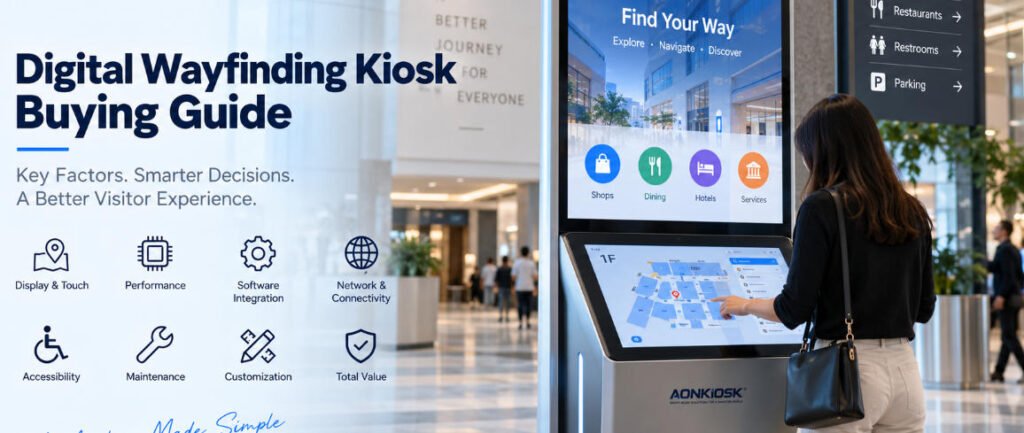
L’achat d’un kiosque d’orientation semble simple jusqu’à ce que le projet atteigne l’étape de la soumission.
Un fournisseur propose un écran tactile de 43 pouces. Un autre recommande un affichage de 55 pouces. Un troisième suggère une structure à double écran. Leurs soumissions peuvent toutes décrire un “ kiosque d’orientation interactif ”, mais les machines peuvent être très différentes en termes d’utilisabilité, de maintenabilité, de performance informatique, d’exigences d’installation et de coût d’exploitation à long terme.
C’est pourquoi un guide d’achat de kiosque d’orientation numérique devrait commencer par le déploiement lui-même plutôt que par la taille de l’écran ou l’apparence du boîtier.
Pour les centres commerciaux, les hôpitaux, les aéroports, les universités, les immeubles de bureaux, les musées, les centres d’exposition, les installations gouvernementales et les grands complexes commerciaux, un terminal d’orientation devient une interface physique entre les visiteurs et un système d’information numérique. Si le matériel est mal spécifié, même un excellent logiciel de navigation ne peut pas entièrement compenser le problème.
Ce guide explique les questions pratiques que les équipes d’approvisionnement, les sociétés de logiciels, les intégrateurs de systèmes, les exploitants immobiliers et les promoteurs de projets devraient évaluer avant de commander un kiosque d’orientation interactif.
1. Commencez par le parcours du visiteur, pas par la spécification du kiosque
Avant de demander une soumission, définissez précisément ce que les visiteurs devraient accomplir au kiosque.
Un simple répertoire peut uniquement nécessiter l’affichage des locataires, des départements, des informations d’étage ou des points d’intérêt. Un système plus avancé peut permettre aux utilisateurs de rechercher des destinations, d’afficher une carte interactive, de calculer un itinéraire, de scanner un code QR pour transférer les directions vers un téléphone, de parcourir les événements, d’accéder à des informations multilingues ou de visualiser du contenu publicitaire.
Ces flux de travail influencent la configuration matérielle.
Par exemple, un visiteur entrant dans un centre commercial peut avoir besoin de rechercher un magasin et de recevoir des directions piétonnes. Dans un hôpital, l’utilisateur peut avoir besoin de localiser un département, un laboratoire, une pharmacie ou une zone d’enregistrement. Sur un site d’exposition, le même terminal pourrait combiner la recherche d’exposants, la navigation dans les halls, les horaires d’événements et le contenu promotionnel.
Inscrivez ces tâches dans l’appel d’offres avant de discuter du matériel.
Une spécification utile pourrait indiquer :
“ Les utilisateurs doivent pouvoir rechercher environ 500 destinations, interagir avec un plan du bâtiment, sélectionner un itinéraire, changer de langue et, facultativement, scanner un code QR pour poursuivre la navigation sur un appareil mobile. ”
Cela fournit au fabricant des informations techniques beaucoup plus utiles que la simple demande d’un “ kiosque d’information de 55 pouces ”.”
2. Décidez entre une architecture à écran unique et à double écran
L’une des premières décisions matérielles concerne la répartition de l’information et de l’interaction.
Un kiosque répertoire interactif conventionnel utilise normalement un grand écran tactile pour la navigation et le contenu. Cette configuration fonctionne bien lorsque les utilisateurs s’approchent du terminal spécifiquement pour rechercher des informations.
Un kiosque à double écran sert un objectif légèrement différent.
Le grand écran supérieur peut diffuser en continu de la publicité, des annonces, de l’image de marque, des informations sur les événements, de la signalétique numérique ou des directions générales, tandis qu’un écran tactile plus petit en dessous devient la surface de contrôle interactive.
Cet agencement peut être précieux dans les centres commerciaux, les aéroports, les halls d’exposition, les hôtels et les grands bâtiments publics, car le terminal continue de communiquer avec les visiteurs de passage même lorsque personne n’utilise activement l’interface de navigation.
AONKIOSK Le APK868 Kiosque d’information et d’orientation à double écran illustre cette architecture avec un écran d’information 4K de 55 pouces combiné à un écran tactile capacitif de 21,5 pouces. La plateforme prend en charge la navigation dans les répertoires, l’orientation, l’interaction multimédia et la consultation d’informations.
Aucune architecture n’est automatiquement supérieure. Le bon choix dépend de la question de savoir si le kiosque sert principalement des recherches actives ou s’il doit à la fois remplir des fonctions de signalétique numérique et de navigation interactive.
3. Choisissez la taille de l’écran en fonction de la distance de visualisation et d’interaction
Un écran plus grand n’est pas toujours plus facile à utiliser.
Pour un kiosque purement interactif, des écrans extrêmement grands peuvent créer des problèmes ergonomiques, car les utilisateurs doivent atteindre plus loin sur l’interface. Les boutons importants peuvent également devenir difficiles d’accès lorsqu’ils sont positionnés trop haut.
Séparez plutôt deux questions :
À quelle distance les informations doivent-elles rester visibles ?
À quelle distance un utilisateur se tiendra-t-il en manipulant l’interface ?
Pour l’interaction avec le répertoire et la carte, l’écran tactile doit permettre une visualisation confortable des étiquettes, des plans d’étage, des listes de destinations et des claviers à l’écran à une distance de station debout normale.
Les grands écrans deviennent plus utiles lorsque le kiosque doit également attirer l’attention à plus grande distance.
Dans ces installations, une architecture à double affichage peut résoudre le conflit : l’écran supérieur gère la visibilité à longue distance, tandis que l’écran tactile inférieur reste positionné pour une interaction confortable.
Les équipes d’approvisionnement doivent donc évaluer les dimensions de l’écran conjointement avec la hauteur du kiosque, la position de l’écran tactile, l’angle de vision, la portée de l’utilisateur et la disposition du logiciel.
4. Adaptez la technologie tactile à l’environnement
La plupart des kiosques répertoires intérieurs modernes utilisent la technologie tactile capacitive projetée, car elle offre une réponse fluide et une interaction familière de type smartphone.
Mais spécifier uniquement un “ écran tactile capacitif ” ne suffit pas.
询问以下内容:
- Épaisseur du verre de protection
- Précision tactile
- Un support multi-touch
- Compatibilité du contrôleur
- Le traitement antireflet
- La résistance aux empreintes digitales
- Méthode de remplacement
- Performance tactile à travers le verre de protection
Les kiosques publics reçoivent des interactions beaucoup plus fréquentes que les écrans de bureau ordinaires. L’ensemble de l’écran tactile doit donc être sélectionné comme un composant commercial plutôt que simplement pour son apparence.
Pour les environnements à fort trafic, la relation entre l’écran LCD, le capteur tactile, le verre de protection, le cadre et le boîtier est particulièrement importante. Une installation mécaniquement défectueuse peut provoquer des points de pression, une instabilité tactile, des réparations difficiles ou des dommages prématurés, même lorsque l’écran tactile lui-même est un bon composant.
5. Ne surspécifiez pas le PC industriel
Les logiciels d’orientation varient considérablement en termes d’exigences informatiques.
Un répertoire relativement simple affichant des cartes stockées localement peut fonctionner confortablement sur une plateforme Android modeste. Une application basée sur Windows utilisant des cartes 3D complexes, des animations, des vidéos, une gestion à distance, des analyses ou plusieurs périphériques externes peut nécessiter une performance CPU et une mémoire nettement supérieures.
Demander au fournisseur du logiciel de définir :
- Le système d’exploitation
- Exigences en matière de processeur (CPU)
- Exigences en matière de mémoire vive (RAM)
- Exigences en matière de stockage
- Exigences en matière de processeur graphique (GPU)
- Ports USB et série requis
- Exigences réseau
- Exigences de sortie d'affichage
- Logiciel de gestion à distance
- Navigateur ou cadre applicatif
Choisir ensuite l'ordinateur en fonction de ces exigences.
Acheter le processeur le plus puissant disponible crée rarement une valeur significative si l'application n'en a pas besoin. Parallèlement, choisir la carte mère la moins chère peut engendrer des problèmes de performances lorsque le logiciel de navigation devient plus complexe ultérieurement.
La configuration optimale laisse une marge de performance raisonnable sans transformer l'équipement borne d'information en station de travail inutilement coûteuse.
6. Confirmer les responsabilités logicielles et matérielles dès le début
C'est l'un des problèmes d'approvisionnement les plus importants.
Le kiosque physique et la plateforme d'orientation sont souvent fournis par des entreprises différentes.
Le fabricant du kiosque peut fournir le boîtier, l'écran tactile, l'ordinateur industriel, le câblage, l'équipement réseau, les haut-parleurs, le scanner, la caméra et d'autres composants. L'entreprise de logiciels peut fournir les cartes, les bases de données d'annuaire, la gestion de contenu, la logique de navigation, l'analytique et l'administration à distance.
AONKIOSK se concentre sur la fabrication de matériel de kiosques libre-service et l'intégration matérielle plutôt que sur le développement de la plateforme d'orientation du client. Ses services OEM/ODM couvrent des domaines tels que l'ingénierie du boîtier, l'intégration de l'écran tactile, l'agencement des composants internes, la conception thermique, l'intégration des périphériques, le prototypage et la production.
Avant le début de la fabrication, établir les responsabilités concernant les pilotes, les images du système d'exploitation, la compatibilité des API, les applications de test, la configuration des appareils et la réception finale.
De nombreux retards d'intégration proviennent d'une attribution floue des responsabilités plutôt que de matériel défectueux.
7. Évaluer l'architecture réseau
Un kiosque d'annuaire peut dépendre fortement de la connectivité réseau.
Le contenu tel que les informations sur les locataires, les changements de salles, les événements, la publicité, les annonces d'urgence ou les annuaires des installations peut être mis à jour via une plateforme centrale de gestion de contenu.
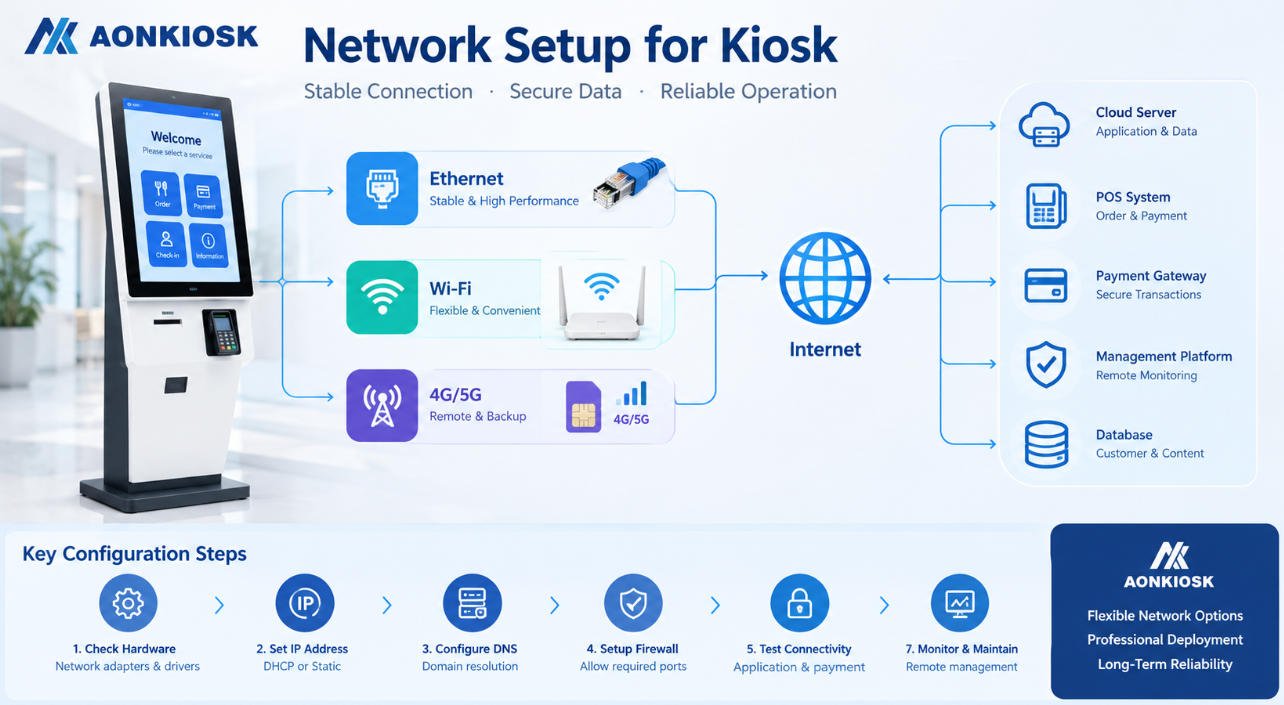
L'Ethernet est généralement préférable lorsqu'un câblage permanent est disponible, car il offre une connectivité prévisible.
Le Wi-Fi peut simplifier l'installation mais dépend davantage de la couverture du site et de la politique réseau.
La connectivité cellulaire 4G ou autre peut constituer une alternative pour les emplacements où un réseau fixe n'est pas disponible, ou comme connexion de secours.
La plateforme APK868, par exemple, prend en charge l'Ethernet, le Wi-Fi double bande et des configurations 4G en option.
La question d'approvisionnement importante n'est pas “ Le kiosque dispose-t-il du Wi-Fi ? ” mais plutôt de savoir si l'architecture réseau correspond à l'infrastructure informatique du bâtiment et aux exigences opérationnelles du logiciel.
8. Planifier le matériel optionnel en fonction des fonctions réelles
Les terminaux d'orientation deviennent fréquemment des points d'information polyvalents au fil du temps.
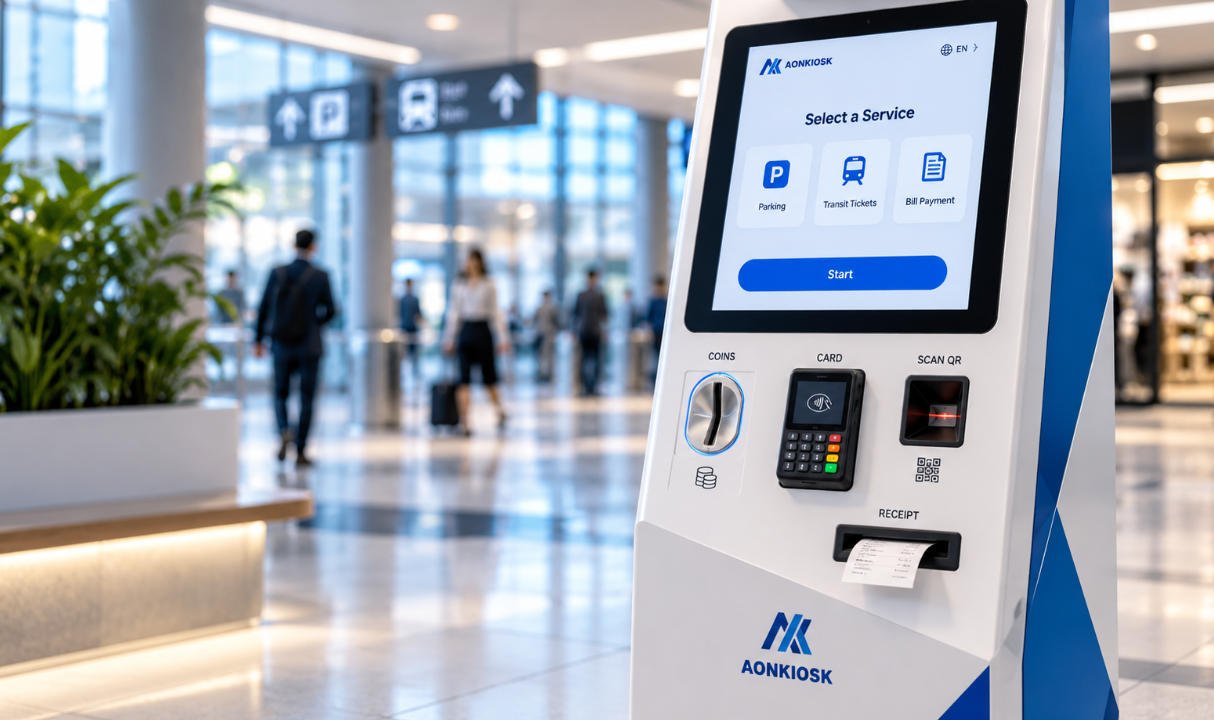
Les intégrations possibles incluent les scanners QR, les lecteurs RFID, les caméras, les haut-parleurs, les imprimantes, les lecteurs NFC, les microphones ou les dispositifs d'accessibilité.
Cependant, ajouter des modules simplement parce qu'ils sont disponibles augmente les coûts, la complexité du câblage, les exigences d'intégration logicielle et la maintenance future.
Chaque périphérique doit correspondre à un flux de travail utilisateur défini.
Un scanner QR est pertinent si les visiteurs doivent récupérer des réservations, des billets, des justificatifs de visite ou des itinéraires personnalisés.
Une imprimante peut être utile si l'application fournit des cartes papier, des badges visiteur, des numéros de file d'attente ou des informations sur les événements.
Une caméra peut prendre en charge l'assistance à distance, l'analytique des visiteurs ou une autre application définie par le client.
Si aucune de ces fonctions n'est requise, les omettre produit souvent un kiosque plus épuré et plus fiable.
9. Traiter l'accessibilité comme une exigence matérielle
L'accessibilité doit être prise en compte lors de la détermination des dimensions du kiosque, et non après la fabrication du boîtier.
La hauteur de l'écran tactile, l'angle de vision, la position des commandes, la portée physique, l'espace pour fauteuil roulant et l'emplacement des périphériques peuvent tous influencer la praticité du kiosque pour différents utilisateurs.
L'accessibilité logicielle est également importante. La taille du texte, le contraste, la sélection de la langue, les dimensions des boutons, le guidage audio et la complexité de l'interface doivent compléter la conception physique.
Les exigences varient selon le pays et le projet. Les équipes d'approvisionnement doivent donc fournir la norme d'accessibilité applicable au fabricant de matériel et au développeur de logiciels dès la phase de conception.
Tenter de résoudre l'accessibilité uniquement par le logiciel ne peut pas corriger un écran tactile installé mécaniquement hors d'une zone de portée appropriée.
10. Concevoir pour la maintenance dès le départ
La face avant attrayante d'un kiosque reçoit la majeure partie de l'attention lors des discussions d'achat. Les équipes techniques se préoccupent généralement davantage de la face arrière.
Demander comment les techniciens accèdent :
- Aux modules informatiques
- Les alimentations électriques
- Aux contrôleurs tactiles
- Des équipements réseau
- Aux connexions d'affichage
- Haut-parleurs
- Aux scanners ou imprimantes optionnels
- Composants de refroidissement
Un composant dont l’achat coûte peu peut devenir onéreux si son remplacement exige le démontage de l’ensemble de l’assemblage d’affichage.
Les portes de service doivent offrir un accès pratique sans compromettre la stabilité structurelle ni la sécurité publique. Les câbles internes doivent être organisés et identifiés. Les modules fréquemment remplacés devraient idéalement utiliser des connecteurs et des supports de montage accessibles.
Pour les projets impliquant des dizaines ou des centaines de terminaux, la maintenabilité peut avoir un impact financier plus important sur la durée de vie de l’équipement qu’une petite différence dans le prix d’achat initial.
11. Évaluer le lieu d’installation avant de finaliser le choix du meuble
Les bornes d’orientation sont souvent des structures hautes et visuellement proéminentes. Cela rend l’ingénierie d’installation essentielle.
Confirmer si le terminal sera :
- Autoportant
- Boulonné au sol
- Monté au mur
- Installé contre un mur
- Installé dans un hall ouvert
- Positionné à proximité des entrées
- Intégré dans du mobilier architectural
Vérifier l’emplacement des prises électriques, le cheminement Ethernet, la structure du sol, l’entrée des câbles, les dimensions de la base, la circulation piétonne, les sorties de secours, l’accès pour le nettoyage et les itinéraires de livraison.
Confirmer également si la borne assemblée peut passer par les ascenseurs, les quais de chargement, les portes et les couloirs avant d’atteindre sa position finale.
Une enceinte esthétique qui ne peut pas être transportée à travers le bâtiment reste un déploiement mal conçu sur le plan technique.
12. L’orientation en intérieur et en extérieur sont des projets différents
Ne pas supposer qu’une borne intérieure peut devenir un répertoire extérieur en installant un écran plus lumineux.
Les installations extérieures introduisent la lumière du soleil, la pluie, la poussière, les températures extrêmes, la condensation, l’exposition aux UV, la corrosion et un risque potentiellement plus élevé de vandalisme.
Ces facteurs affectent l’enceinte, les joints, l’écran, l’écran tactile, l’architecture thermique, le revêtement, la ventilation, le système d’alimentation, le matériel réseau et la méthode d’installation.
Un projet extérieur doit donc spécifier les conditions environnementales réelles plutôt que de simplement demander une “ borne d’information extérieure ”.”
Pour la plupart des centres commerciaux, hôtels, hôpitaux, tours de bureaux, musées et installations de transport intérieures, une borne commerciale intérieure reste la solution la plus économique.
13. Déterminer le niveau de personnalisation réellement nécessaire
Les projets d’orientation sont souvent très visibles, c’est pourquoi les acheteurs souhaitent naturellement que le matériel corresponde aux identités architecturales et de marque.
La personnalisation peut inclure :
- Les dimensions du boîtier
- La forme du meuble
- Orientation de l'écran
- Les couleurs de l'entreprise
- Le traitement du logo
- Finition de surface
- L’éclairage LED
- La configuration informatique
- Les ouvertures pour périphériques
- Structure de montage
- Disposition des composants internes
Mais une personnalisation mécanique complète n’est pas toujours nécessaire.
Une plateforme standard avec une image de marque personnalisée et une configuration matérielle spécifique au projet offre généralement un risque d’ingénierie plus faible et une production plus rapide.
La personnalisation complète devient plus justifiée lorsque le terminal doit s’intégrer dans un espace architectural spécifique, incorporer du matériel inhabituel, suivre un design industriel distinctif ou être déployé à une échelle suffisante pour justifier une ingénierie dédiée.
AONKIOSK fournit services de fabrication de bornes en OEM et ODM couvrant le design industriel, l’ingénierie mécanique, les prototypes, la fabrication en petite série et la production de masse, ce qui permet aux acheteurs de choisir le niveau de personnalisation adapté au projet plutôt que de reconcevoir chaque borne inutilement.
14. Construire un prototype avant un déploiement à grande échelle
Pour une borne personnalisée kiosque répertoire interactif, un prototype n’est pas simplement un échantillon commercial.
C’est un outil de validation technique.
Installer le véritable système d’exploitation et le logiciel de navigation. Charger des cartes réalistes et des données d’annuaire. Connecter chaque périphérique requis. Tester l’interface tactile en continu. Vérifier les performances Wi-Fi ou Ethernet. Évaluer la visibilité de l’écran sous un éclairage réel. Inspecter le comportement thermique après une utilisation prolongée.
Placer ensuite la machine devant des personnes n’ayant pas participé à sa conception.
Peuvent-elles comprendre immédiatement où toucher ?
Peuvent-elles trouver une destination sans assistance ?
L’écran tactile est-il confortable à atteindre ?
Le texte est-il lisible ?
La borne attire-t-elle l’attention sans bloquer la circulation piétonne ?
Ces observations sont souvent plus utiles qu’une nouvelle série de révisions CAO.
Les problèmes découverts sur un prototype sont relativement peu coûteux à corriger. Le même problème découvert après la fabrication de plusieurs centaines d’unités devient un problème au niveau du projet.
15. Comparer les devis en utilisant la valeur totale de déploiement
Lors de la comparaison des fournisseurs, ne pas réduire chaque proposition au prix unitaire.
Vérifier si chaque devis utilise les mêmes :
- Taille d'écran et qualité de dalle
- La technologie de l’écran tactile
- Verre de protection
- Processor
- Mémoire et stockage
- Le système d’exploitation
- Configuration réseau
- Matériau du caisson
- Traitement de surface
- Modules en option
- L'emballage
- 保修
- Les pièces de rechange
- Procédure de test
Deux bornes qui semblent presque identiques dans un rendu peuvent utiliser des architectures internes très différentes.
Comparez également le support technique.
Les déploiements de signalétique d'orientation impliquent souvent une coopération entre l'exploitant du bâtiment, le développeur logiciel, l'installateur, l'équipe réseau et le fabricant de bornes. Un fournisseur capable d'examiner les plans, de confirmer les interfaces, de modifier les structures de montage, de construire des prototypes et de fournir une documentation de production cohérente peut réduire les risques du projet bien davantage qu'une légère réduction du prix unitaire.
Les acheteurs évaluant les configurations matérielles disponibles peuvent consulter la Bornes d'information et d'orientation catégorie d'AONKIOSK avant de déterminer si une plateforme existante ou un boîtier sur mesure est plus approprié.
Liste de contrôle pratique pour la demande de prix
Avant d'envoyer une demande de prix pour une borne de signalétique d'orientation numérique, préparez au minimum les informations suivantes :
Application : annuaire de centre commercial, navigation hospitalière, orientation aéroportuaire, annuaire d'entreprise, information muséale, navigation de campus, annuaire d'exposition ou autre application.
Logiciel : Windows, Android, Linux, application basée navigateur, logiciel installé localement ou plateforme gérée dans le cloud.
Écran : taille d'écran requise, résolution, luminosité, orientation et architecture à simple ou double écran.
Tactile : PCAP ou autre technologie requise, verre de protection, exigences multi-touch et considérations d'accessibilité.
Ordinateur : processeur requis, RAM, stockage, interfaces et connectivité réseau.
Périphériques : lecteur de codes QR, RFID, NFC, caméra, imprimante, haut-parleur, microphone ou autres modules.
Environnement : intérieur ou extérieur, température de fonctionnement, conditions d'éclairage, utilisation quotidienne prévue et risque lié à l'accès public.
Installation : sur pied, mural, méthode de fixation, entrée de câbles, accès pour la livraison et contraintes du site.
Personnalisation : forme du boîtier, dimensions, couleur RAL, logo, éclairage, image de marque et exigences architecturales.
Échelle du projet : quantité de prototypes, quantité de pilotes, volume de production estimé, sites de déploiement et calendrier de déploiement.
Fournir ces détails donne aux fabricants suffisamment d'informations pour chiffrer des configurations comparables au lieu de faire des suppositions.
Recommandation d'achat finale
Le terminal de signalétique d'orientation le plus efficace n'est pas nécessairement celui qui possède le plus grand écran, le processeur le plus rapide ou le boîtier le plus spectaculaire.
C'est la borne dont le design physique disparaît dans le parcours du visiteur.
Les utilisateurs doivent pouvoir s'en approcher, comprendre l'interface, trouver une destination, obtenir les informations dont ils ont besoin et continuer leur chemin sans penser au matériel sous-jacent.
Pour les équipes d'approvisionnement, cette simplicité exige une préparation considérable.
Définissez d'abord le flux de navigation. Confirmez les exigences logicielles. Sélectionnez les écrans en fonction de la distance de visualisation et d'interaction. Concevez la position de l'écran tactile autour des utilisateurs réels. Spécifiez l'architecture réseau. Ajoutez uniquement les périphériques qui servent un objectif défini. Concevez l'accès de maintenance avant la production. Validez le système complet au moyen d'un prototype fonctionnel.
A guide d’achat de kiosque d’orientation numérique devient donc moins une question de choix d'une machine et davantage une question de coordination du logiciel, du matériel, de l'architecture, de l'installation et de l'exploitation à long terme.
Pour les projets AONKIOSK, le même principe s'applique, que l'exigence porte sur une borne d'information, une kiosque répertoire interactif, compacte ou un grand terminal de signalétique d'orientation à double écran : construisez le matériel autour du déploiement plutôt que de forcer le déploiement à s'adapter à un boîtier existant.
C'est cette distinction qui transforme une armoire à écran tactile en une infrastructure sur laquelle les visiteurs peuvent compter.