






Choosing the right operating system is one of the most important decisions when developing a self-service kiosk project. While kiosk hardware design, touchscreen size, and application software receive significant attention, the underlying kiosk operating system directly affects performance, maintenance, security, scalability, and long-term operational costs.
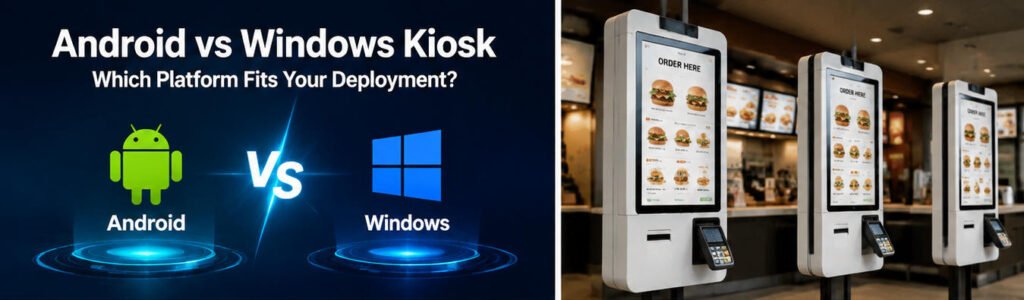
Today, most commercial kiosk deployments are built around two major platforms: Android and Windows. Both systems have strong advantages, but they are designed for different business requirements.
The question is not simply whether Android or Windows is better. The right choice depends on your application scenario, software environment, hardware requirements, deployment scale, and future expansion plans.
For businesses evaluating a custom kiosk solution, understanding the differences between android vs windows kiosk platforms can help avoid expensive redesigns and improve project reliability.
Understanding Kiosk Operating Systems
A kiosk operating system is the software foundation that controls how kiosk hardware operates. It manages system resources, touchscreen interaction, peripheral devices, security settings, and application execution.
Unlike traditional computers or tablets, commercial kiosks require a highly stable environment because they often operate continuously for long hours in public spaces.
A reliable kiosk operating system should provide:
- Stable 24/7 operation
- Touchscreen compatibility
- Peripheral device integration
- Remote management capability
- Security protection
- Easy maintenance and updates
- Compatibility with kiosk applications
Depending on the project requirements, companies typically choose between Android-based systems or Windows-based systems.
Android Kiosk: Advantages and Applications
Android has become one of the most popular platforms for commercial kiosks because of its flexibility, affordability, and hardware compatibility.
Modern android kiosk hardware combines industrial-grade displays, Android operating systems, touchscreens, and optional peripherals such as printers, scanners, NFC readers, and payment modules.
Android kiosks are widely used in:
- Restaurant self-ordering systems
- Retail information kiosks
- Digital signage terminals
- Hotel check-in kiosks
- Visitor management systems
- Ticketing machines
For businesses looking for scalable deployments with competitive pricing, Android is often an attractive option.
1. Lower Hardware and Deployment Costs
One of the biggest advantages of Android kiosk systems is cost efficiency.
Android hardware platforms usually require fewer computing resources compared with Windows-based solutions. This allows manufacturers to design more affordable kiosk terminals while maintaining reliable performance.
For large-scale deployments, such as hundreds or thousands of restaurant ordering kiosks, cost differences can significantly impact the overall project budget.
For example, a quick-service restaurant chain installing self-ordering terminals across multiple locations may prioritize:
- Lower unit cost
- Simple maintenance
- Easy replacement
- Fast deployment
In these scenarios, Android kiosk solutions often provide excellent value.
2. Simple User Experience and Easy Management
Android provides a familiar mobile-style user experience. Many customers already understand Android interfaces, which reduces user learning time.
For kiosk operators, Android systems also provide:
- Easy application installation
- Remote monitoring options
- Cloud-based management compatibility
- Fast system updates
This makes Android suitable for businesses that need to manage multiple kiosk locations efficiently.
3. Excellent Compatibility With Touch Applications
Most modern kiosk applications are designed with touch interaction in mind.
Android works particularly well for:
- Ordering interfaces
- Menu displays
- Product catalogs
- Appointment systems
- Interactive information terminals
For projects that mainly require touchscreen interaction rather than complex computing tasks, Android provides sufficient performance with lower energy consumption.
Windows Kiosk: Advantages and Applications
Windows remains a preferred choice for enterprise-level kiosk projects that require advanced software compatibility, higher processing capability, or integration with existing business systems.
Windows kiosk systems are commonly used in:
- Industrial applications
- Enterprise self-service terminals
- Transportation systems
- Complex retail environments
- Healthcare applications
- Government service terminals
For companies already using Windows-based software infrastructure, Windows kiosks can simplify deployment and integration.
1. Strong Software Compatibility
The biggest advantage of Windows kiosks is software compatibility.
Many enterprises already rely on Windows applications, databases, and management systems. A Windows kiosk can run:
- Custom desktop applications
- Enterprise software
- Legacy systems
- Advanced management tools
This is especially important for industries where kiosk software must connect with existing business platforms.
For example, a transportation company may require integration with ticketing databases, payment platforms, and internal management systems. Windows can provide broader compatibility for these complex environments.
2. Higher Computing Performance
Compared with many Android systems, Windows kiosks can support more powerful processors and hardware configurations.
This makes Windows suitable for applications requiring:
- Advanced graphics
- Real-time data processing
- Multiple peripheral connections
- Complex software environments
Industries such as manufacturing, healthcare, and enterprise services often prefer Windows because performance and compatibility are more important than initial hardware cost.
3. Enterprise Security and IT Management
Many large organizations already have Windows-based IT management systems.
Windows kiosks can integrate with enterprise tools for:
- User authentication
- Network management
- Security policies
- Device monitoring
- Software control
For companies with strict IT requirements, Windows can provide a familiar management environment.
Android vs Windows Kiosk: Key Differences Comparison
| Category | Android Kiosk | Windows Kiosk |
|---|---|---|
| Cost | Lower hardware cost | Higher investment |
| Performance | Suitable for standard kiosk applications | Better for complex applications |
| Maintenance | Simple and lightweight | Requires professional IT management |
| Software Compatibility | Android applications | Windows desktop applications |
| Power Consumption | Lower | Higher |
| Deployment Scale | Excellent for mass deployment | Better for enterprise projects |
| Customization | Flexible hardware options | Advanced computing customization |
How to Choose Between Android and Windows Kiosk?
Selecting between Android and Windows should be based on your actual deployment requirements rather than simply comparing specifications.
Before choosing a kiosk platform, businesses should evaluate several key factors:
- What type of application will the kiosk run?
- How many units will be deployed?
- What peripherals are required?
- Does the project require enterprise software compatibility?
- What is the expected lifecycle of the kiosk system?
- Who will manage maintenance and updates?
A kiosk designed for restaurant ordering has completely different requirements from a healthcare registration terminal or industrial information system.
Choose Android Kiosk When You Need Cost-Effective Large-Scale Deployment
Android is usually the better choice when the priority is scalability, affordability, and simple operation.
Typical applications include:
Restaurant Self-Ordering Kiosks
Restaurants and quick-service chains are among the biggest users of Android kiosks.
A restaurant ordering kiosk mainly requires:
- Fast touchscreen response
- Menu browsing
- Order confirmation
- Payment integration
- POS system connection
It does not usually require heavy computing power.
Therefore, Android kiosk hardware can provide an excellent balance between performance and cost.
For businesses planning multi-location deployments, Android can reduce the initial investment while maintaining a smooth customer experience.
You can explore more about restaurant deployment solutions through AONKIOSK’s restaurant self ordering kiosk solutions.
Retail Information and Digital Experience Terminals
Retail stores often use kiosks for:
- Product searches
- Customer information
- Inventory checking
- Loyalty programs
- Interactive promotions
Android systems are suitable because these applications are usually lightweight and focused on customer interaction.
Combined with customized enclosure design, touchscreen sizes, and optional accessories, Android kiosks can fit different retail environments.
Hospitality and Visitor Management Systems
Hotels, offices, and public facilities increasingly use self-service kiosks for:
- Guest registration
- Appointment check-in
- Digital guidance
- Service requests
Android provides a user-friendly interface that allows visitors to complete tasks quickly without staff assistance.
Choose Windows Kiosk When You Need Advanced Integration
Windows is usually preferred for projects requiring complex software environments or enterprise-level management.
Enterprise Applications
Large organizations often have existing Windows-based systems.
For example:
- Corporate visitor systems
- Government service terminals
- Industrial control stations
- Healthcare registration systems
Using Windows kiosks allows companies to maintain compatibility with their existing software infrastructure.
Advanced Peripheral Requirements
Some kiosk projects require multiple hardware devices working together, including:
- High-speed printers
- Industrial scanners
- Specialized sensors
- Multiple external devices
Windows systems generally provide broader driver support, making them suitable for more complicated hardware configurations.
Hardware Considerations: Android vs Windows Kiosk
The operating system is only one part of a successful kiosk deployment. Hardware selection is equally important.
A professional kiosk system requires cooperation between:
- Display quality
- Touch technology
- Processor performance
- Thermal management
- Structural design
- Peripheral integration
At AONKIOSK, we focus on providing customized kiosk hardware solutions, including different screen sizes, installation methods, and application-specific designs.
Whether customers need wall-mounted terminals, desktop kiosks, or floor-standing self-service machines, the hardware architecture can be customized according to project requirements.
Learn more about our manufacturing capabilities through our custom kiosk OEM ODM services.
The Role of Android Kiosk Hardware in Modern Deployments
The growth of Android kiosk hardware has changed how businesses approach self-service technology.
Previously, many commercial kiosks relied mainly on Windows because of software compatibility. However, improvements in Android processors, industrial displays, and kiosk management platforms have made Android a reliable alternative.
Modern Android kiosk solutions now support:
- High-resolution touch displays
- Multiple connectivity options
- Barcode scanners
- NFC readers
- Receipt printers
- Cameras
- Payment terminals
This makes Android suitable for many commercial environments that previously depended on Windows.
For manufacturers like AONKIOSK, Android-based kiosk platforms provide more flexibility when developing customized hardware solutions for global customers.
AONKIOSK Recommendation: Selecting the Right Platform
As a professional kiosk manufacturer, AONKIOSK believes there is no universal “best” kiosk operating system.
The correct platform depends on the business objective.
A general recommendation:
| Application Scenario | Recommended Platform |
|---|---|
| Restaurant ordering kiosk | Android |
| Retail self-service terminal | Android |
| Digital signage kiosk | Android |
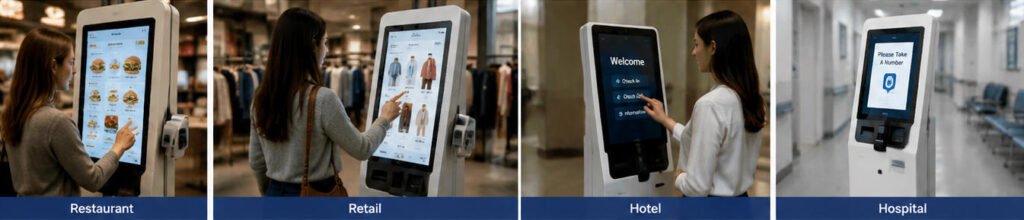
| Hotel check-in kiosk | Android / Windows |
| Enterprise service terminal | Windows |
| Industrial applications | Windows |
| Complex software integration | Windows |
| Large-scale commercial deployment | Android |
For most commercial self-service projects, Android provides excellent cost efficiency and easier deployment.
For enterprise projects requiring advanced software compatibility, Windows remains a strong choice.
Future Trend: Hybrid Kiosk Deployment
The future of kiosk technology is not about Android replacing Windows or Windows replacing Android.
Instead, both platforms will continue serving different markets.
Android will continue growing because of:
- Lower costs
- Mobile-based development ecosystem
- Flexible hardware options
- Easy deployment
Windows will remain important because of:
- Enterprise compatibility
- Powerful computing capability
- Advanced software support
Many businesses may even use both platforms within different departments.
For example:
A restaurant chain may use Android kiosks for customer ordering while using Windows terminals for internal management systems.
Choosing the right kiosk operating system is ultimately about matching technology with business goals.
Frequently Asked Questions About Android vs
Final Thoughts
When comparing android vs windows kiosk, the best choice depends on your project goals.
Android kiosks provide an excellent solution for businesses looking for affordable, scalable, and easy-to-manage self-service terminals.
Windows kiosks are better suited for advanced applications requiring powerful computing capability and enterprise software compatibility.
Before starting a kiosk project, businesses should carefully evaluate application requirements, deployment scale, maintenance plans, and future expansion.
As kiosk technology continues evolving, selecting the right platform will help companies build reliable self-service experiences and achieve better long-term value.
AONKIOSK helps global businesses develop customized kiosk hardware solutions by combining manufacturing experience, flexible customization, and industry-focused designs.






