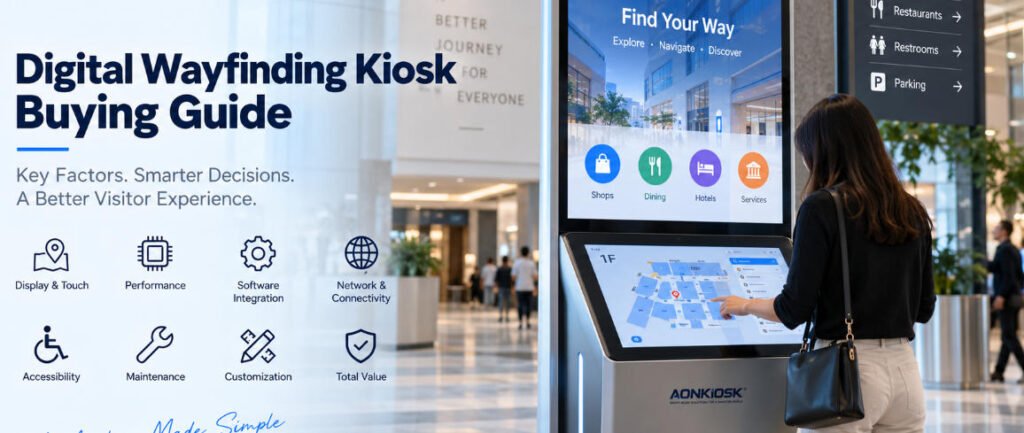
Покупка интерактивного киоска для навигации выглядит простой задачей до тех пор, пока проект не доходит до этапа составления коммерческого предложения.
Один поставщик предлагает 43-дюймовый сенсорный экран. Другой рекомендует 55-дюймовый дисплей. Третий предлагает двухэкранную конструкцию. Их коммерческие предложения могут одинаково описывать “интерактивный навигационный киоск”, однако сами устройства могут существенно различаться по удобству использования, ремонтопригодности, вычислительной производительности, требованиям к установке и долгосрочным эксплуатационным расходам.
Именно поэтому руководство по покупке цифрового навигационного киоска должно начинаться с вопроса развертывания, а не с размера экрана или внешнего вида корпуса.
Для торговых центров, больниц, аэропортов, университетов, офисных зданий, музеев, выставочных центров, государственных учреждений и крупных коммерческих комплексов навигационный терминал становится физическим интерфейсом между посетителями и цифровой информационной системой. Если аппаратное обеспечение выбрано некорректно, даже отличное навигационное программное обеспечение не сможет полностью компенсировать эту проблему.
Данное руководство разъясняет практические вопросы, которые закупочные группы, компании-разработчики программного обеспечения, системные интеграторы, операторы недвижимости и девелоперы проектов должны оценить перед заказом интерактивного навигационного киоска.
1. Начните с пути посетителя, а не с технических характеристик киоска
Прежде чем запрашивать коммерческое предложение, четко определите, какие задачи посетители должны выполнять у киоска.
Простой справочный указатель может отображать только арендаторов, отделы, информацию об этажах или точки интереса. Более продвинутая система может позволять пользователям искать пункты назначения, отображать интерактивную карту, рассчитывать маршрут, сканировать QR-код для передачи маршрута на телефон, просматривать события, получать доступ к многоязычной информации или просматривать рекламный контент.
Эти сценарии использования влияют на конфигурацию аппаратного обеспечения.
Например, посетитель торгового центра может нуждаться в поиске магазина и получении пешеходного маршрута. В больнице пользователю может потребоваться найти отделение, лабораторию, аптеку или зону регистрации. На выставочной площадке один и тот же терминал может сочетать поиск экспонентов, навигацию по залам, расписание мероприятий и рекламный контент.
Зафиксируйте эти задачи в запросе котировок до обсуждения аппаратного обеспечения.
Полезная спецификация может выглядеть следующим образом:
“Пользователи должны иметь возможность искать приблизительно 500 пунктов назначения, взаимодействовать с картой здания, выбирать маршрут, менять язык и при желании сканировать QR-код для продолжения навигации на мобильном устройстве”.”
Это предоставит производителю гораздо более полезную инженерную информацию, чем простой запрос на “55-дюймовый информационный киоск”.”
2. Определитесь между одноэкранной и двухэкранной архитектурой
Одно из первых аппаратных решений — как будут разделены информация и взаимодействие.
Обычный интерактивный справочный киоск обычно использует один большой сенсорный экран как для навигации, так и для контента. Такая конфигурация хорошо работает в местах, где пользователи подходят к терминалу специально для поиска информации.
Двухэкранный киоск служит несколько иной цели.
Большой верхний дисплей может непрерывно демонстрировать рекламу, объявления, брендинг, информацию о событиях, цифровые вывески или общие указания, в то время как меньший сенсорный экран внизу становится интерактивной панелью управления.
Такая компоновка может быть ценной в торговых центрах, аэропортах, выставочных залах, отелях и крупных общественных зданиях, поскольку терминал продолжает коммуницировать с проходящими посетителями, даже когда никто активно не использует навигационный интерфейс.
AONKIOSK APK868 Двухэкранный информационный и навигационный киоск иллюстрирует эту архитектуру с 55-дюймовым 4K информационным дисплеем в сочетании с 21,5-дюймовым емкостным сенсорным экраном. Платформа поддерживает просмотр справочника, навигацию, мультимедийное взаимодействие и информационные запросы.
Ни одна из архитектур не является автоматически лучшей. Правильный выбор зависит от того, служит ли киоск преимущественно для активного поиска или должен выполнять как функции цифровых вывесок, так и интерактивной навигации.
3. Выбирайте размер экрана в соответствии с дистанцией просмотра и взаимодействия
Больший экран не всегда проще в использовании.
Для чисто интерактивного киоска чрезмерно большие экраны могут создавать эргономические проблемы, поскольку пользователям приходится дотягиваться дальше через интерфейс. Важные кнопки также могут стать труднодоступными при слишком высоком расположении.
Вместо этого разделите два вопроса:
На каком расстоянии информация должна оставаться видимой?
Насколько близко пользователь будет стоять при работе с интерфейсом?
Для работы со справочником и картой сенсорный экран должен обеспечивать комфортный просмотр надписей, поэтажных планов, списков пунктов назначения и экранных клавиатур с обычного расстояния стоящего пользователя.
Большие дисплеи становятся более полезными, когда киоск должен также привлекать внимание с большего расстояния.
В таких установках двухэкранная архитектура может разрешить конфликт: верхний экран обеспечивает видимость на большом расстоянии, а нижний сенсорный экран остается расположенным для комфортного взаимодействия.
Поэтому закупочным группам следует оценивать размеры экрана в совокупности с высотой киоска, положением сенсорного экрана, углом обзора, досягаемостью пользователя и компоновкой программного обеспечения.
4. Согласуйте сенсорную технологию с условиями эксплуатации
Большинство современных внутренних справочных киосков используют проекционно-емкостный сенсорный ввод, поскольку он обеспечивает плавный отклик и привычное взаимодействие, подобное смартфону.
Но указания только “емкостный сенсорный экран” недостаточно.
Уточните:
- Толщина защитного стекла
- Точность касания
- Поддержка мультитач
- Совместимость контроллера
- Антибликовую обработку
- Устойчивость к отпечаткам пальцев
- Способ замены
- Работа сенсора через защитное стекло
Публичные киоски получают гораздо более частое взаимодействие, чем обычные настольные дисплеи. Поэтому сенсорный узел следует выбирать как коммерческий компонент, а не просто по внешнему виду.
Для сред с высокой проходимостью особенно важна взаимосвязь между ЖК-панелью, сенсорным датчиком, защитным стеклом, рамой и корпусом. Механически некачественная установка может вызвать точки давления, нестабильность сенсорного ввода, сложности ремонта или преждевременное повреждение, даже если сам сенсорный экран является качественным компонентом.
5. Не завышайте требования к промышленному компьютеру
Навигационное программное обеспечение существенно различается по вычислительным требованиям.
Относительно простой справочник с локально хранимыми картами может стабильно работать на скромной платформе Android. Приложение на базе Windows, использующее сложные 3D-карты, анимацию, видео, удаленное управление, аналитику или несколько внешних устройств, может требовать значительно большей производительности процессора и объема памяти.
Попросите поставщика программного обеспечения определить:
- Операционная система
- Требования к процессору
- Требования к оперативной памяти
- Требования к объему хранилища
- Требования к графическому процессору
- Требуемые порты USB и последовательные порты
- Сетевые требования
- Требования к выводу изображения
- Программное обеспечение для удаленного управления
- Браузер или прикладная платформа
Затем выберите компьютер в соответствии с этими требованиями.
Приобретение самого мощного из доступных процессоров редко создает значимую ценность, если приложение в нем не нуждается. В то же время выбор самой дешевой материнской платы может привести к проблемам с производительностью, когда навигационное программное обеспечение в дальнейшем усложнится.
Оптимальная конфигурация обеспечивает разумный запас производительности, не превращая информационный киоск устройство в неоправданно дорогую рабочую станцию.
6. Своевременно определите зоны ответственности за программное и аппаратное обеспечение
Это один из наиболее важных вопросов при закупке.
Физический киоск и платформа навигации часто поставляются разными компаниями.
Производитель киоска может предоставлять корпус, сенсорный экран, промышленный компьютер, проводку, сетевое оборудование, динамики, сканер, камеру и другие компоненты. Компания-разработчик программного обеспечения может предоставлять карты, базы данных справочников, управление контентом, навигационную логику, аналитику и удаленное администрирование.
AONKIOSK специализируется на производстве аппаратного обеспечения киосков самообслуживания и аппаратной интеграции, а не на разработке самой платформы навигации для заказчика. Услуги OEM/ODM охватывают такие области, как проектирование корпуса, интеграция сенсорного экрана, компоновка внутренних компонентов, термопроектирование, интеграция периферийных устройств, прототипирование и производство.
До начала производства необходимо установить ответственность за драйверы, образы операционных систем, совместимость API, тестирование приложений, конфигурацию устройств и окончательную приемку.
Многие задержки интеграции возникают из-за нечеткого распределения ответственности, а не из-за неисправного оборудования.
7. Оцените сетевую архитектуру
Справочный киоск может в значительной степени зависеть от сетевого подключения.
Такой контент, как информация об арендаторах, изменения помещений, события, реклама, экстренные объявления или справочники объектов, может обновляться через центральную платформу управления контентом.
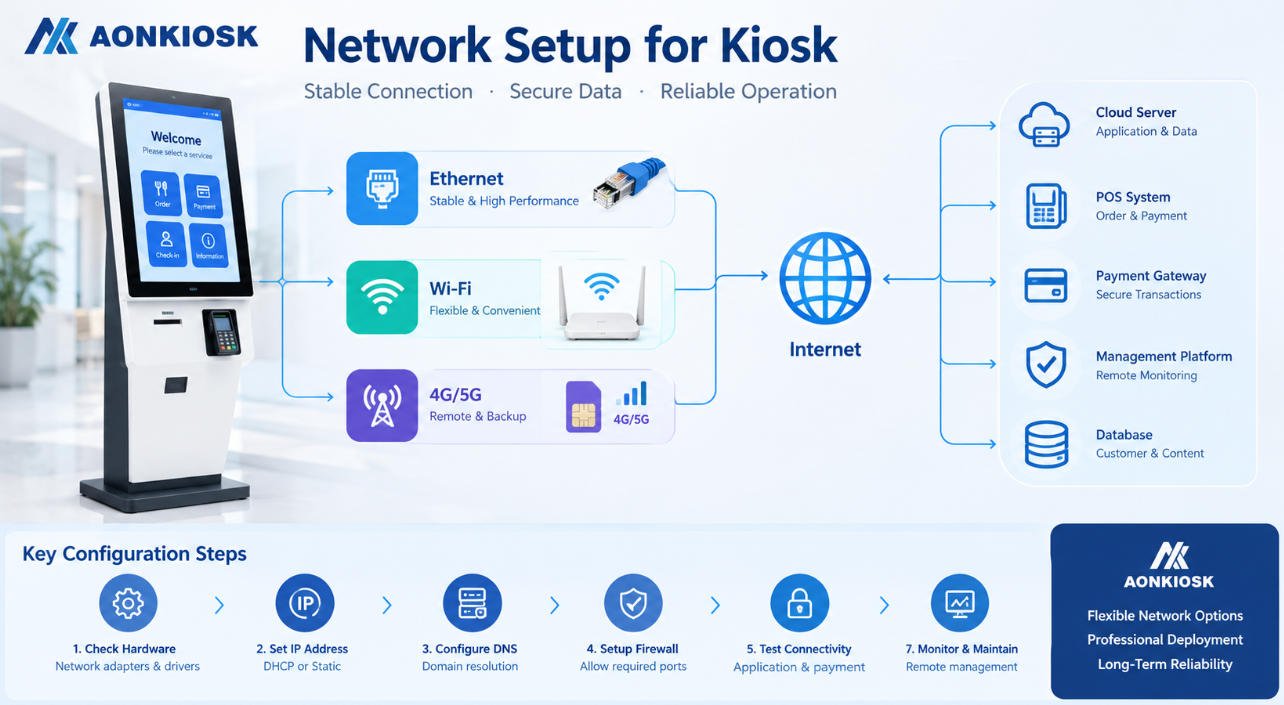
Ethernet, как правило, предпочтительнее при наличии стационарной кабельной инфраструктуры, поскольку обеспечивает предсказуемое подключение.
Wi-Fi может упростить установку, но в большей степени зависит от зоны покрытия объекта и сетевой политики.
Сотовая связь 4G или другие варианты могут служить альтернативой для мест, где стационарная сеть недоступна, или в качестве резервного подключения.
Платформа APK868, например, поддерживает Ethernet, двухдиапазонный Wi-Fi и опциональные конфигурации с 4G.
Ключевой вопрос при закупке — не “Есть ли у киоска Wi-Fi?”, а соответствует ли сетевая архитектура ИТ-инфраструктуре здания и эксплуатационным требованиям программного обеспечения.
8. Планируйте дополнительное оборудование на основе реальных функций
Навигационные терминалы со временем часто становятся многофункциональными информационными точками.
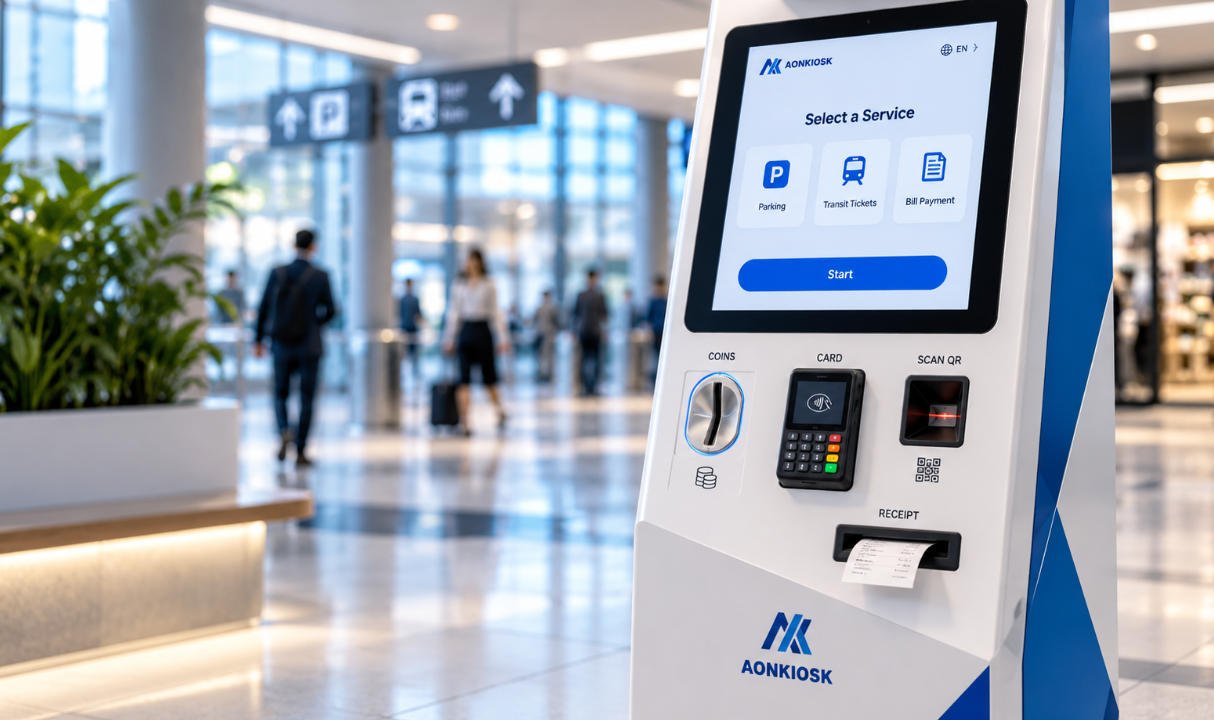
Возможные варианты интеграции включают QR-сканеры, считыватели RFID, камеры, динамики, принтеры, считыватели NFC, микрофоны или устройства для обеспечения доступности.
Однако добавление модулей только потому, что они доступны, увеличивает стоимость, сложность проводки, требования к интеграции программного обеспечения и будущее обслуживание.
Каждое периферийное устройство должно соответствовать определенному пользовательскому сценарию.
QR-сканер имеет смысл, если посетителям необходимо получать бронирования, билеты, удостоверения посетителя или персонализированные маршруты.
Принтер может быть полезен, если приложение предоставляет физические карты, пропуска посетителей, номера очереди или информацию о мероприятиях.
Камера может поддерживать удаленную помощь, аналитику посетителей или другое приложение, определенное заказчиком.
Если ни одна из этих функций не требуется, их исключение часто приводит к созданию более простого и надежного киоска.
9. Рассматривайте доступность как аппаратное требование
Доступность следует учитывать при определении габаритов киоска, а не после того, как корпус уже изготовлен.
Высота сенсорного экрана, угол обзора, расположение органов управления, физическая досягаемость, пространство для инвалидной коляски и размещение периферийных устройств — все это может влиять на то, насколько киоск практичен для различных пользователей.
Доступность программного обеспечения также имеет значение. Размер текста, контрастность, выбор языка, размеры кнопок, аудиосопровождение и сложность интерфейса должны дополнять физическую конструкцию.
Требования различаются в зависимости от страны и проекта, поэтому закупочные группы должны предоставить применимый стандарт доступности как производителю оборудования, так и разработчику программного обеспечения на этапе проектирования.
Попытка решить вопросы доступности только средствами программного обеспечения не может исправить сенсорный экран, который был механически установлен вне допустимого диапазона досягаемости.
10. Проектируйте с учетом обслуживания с самого начала
Привлекательная лицевая сторона киоска получает наибольшее внимание в ходе переговоров о закупке. Эксплуатационные службы обычно больше заботятся о задней стороне.
Уточните, как технические специалисты получают доступ к:
- Компьютерным модулям
- Блоки питания
- Контроллерам сенсорного экрана
- Сетевое оборудование
- Подключениям дисплея
- Динамики
- Опциональным сканерам или принтерам
- Компонентам охлаждения
Компонент, который стоит недорого при покупке, может стать дорогостоящим, если для его замены требуется демонтаж всего дисплейного узла.
Сервисные дверцы должны обеспечивать практический доступ без ущерба для конструкционной стабильности или общественной безопасности. Внутренние кабели должны быть организованы и маркированы. Для часто заменяемых модулей желательно использовать доступные разъёмы и монтажные кронштейны.
Для проектов, включающих десятки или сотни терминалов, ремонтопригодность может оказать большее финансовое влияние на протяжении срока службы оборудования, чем небольшая разница в первоначальной закупочной цене.
11. Оцените место установки до финализации корпуса
Информационные киоски для навигации часто представляют собой высокие, визуально заметные конструкции. Это делает монтажную инженерию важной.
Подтвердите, будет ли терминал:
- Отдельно стоящим
- Закреплённым к полу
- Настенным
- Установленным у стены
- Установленным в открытом вестибюле
- Расположенным вблизи входов
- Интегрированным в архитектурную мебель
Проверьте расположение розеток, прокладку Ethernet, конструкцию пола, ввод кабелей, габариты основания, пешеходный трафик, аварийные выходы, доступ для уборки и маршруты доставки.
Также подтвердите, может ли собранный киоск пройти через лифты, погрузочные доки, двери и коридоры до достижения конечного местоположения.
Красивый корпус, который невозможно транспортировать через здание, всё равно является плохо спроектированным развёртыванием.
12. Внутренняя и наружная навигация — это разные проекты
Не предполагайте, что внутренний киоск может стать наружным указателем путём установки более яркого дисплея.
Наружные установки влекут за собой воздействие солнечного света, дождя, пыли, экстремальных температур, конденсата, ультрафиолетового излучения, коррозии и потенциально более высокий риск вандализма.
Эти факторы влияют на корпус, уплотнения, дисплей, сенсорный экран, тепловую архитектуру, покрытие, вентиляцию, систему электропитания, сетевое оборудование и метод монтажа.
Поэтому наружный проект должен указывать фактические условия окружающей среды, а не просто запрашивать “наружный информационный киоск”.”
Для большинства торговых центров, отелей, больниц, офисных башен, музеев и внутренних транспортных объектов внутренний коммерческий киоск остаётся более экономичным решением.
13. Определите, какая степень кастомизации действительно необходима
Проекты навигации часто хорошо заметны, поэтому покупатели естественно хотят, чтобы оборудование соответствовало архитектурной и брендовой идентичности.
Кастомизация может включать:
- Габариты корпуса
- Форму корпуса
- Ориентацию экрана
- Фирменных цветов
- Обработку логотипа
- Финишная обработка поверхности
- Светодиодное освещение
- Конфигурацию компьютера
- Отверстия для периферийных устройств
- Крепёжная конструкция
- Компоновка внутренних компонентов
Но полная механическая кастомизация не всегда необходима.
Стандартная платформа с индивидуальным брендированием и проектной конфигурацией оборудования обычно обеспечивает более низкий инженерный риск и более быстрое производство.
Полная кастомизация становится более оправданной, когда терминал должен соответствовать конкретному архитектурному пространству, включать нестандартное оборудование, следовать отличительному промышленному дизайну или развёртываться в масштабе, достаточном для оправдания специализированной инженерии.
Компания AONKIOSK предоставляет OEM- и ODM-производства киосков AONKIOSK охватывающий промышленный дизайн, механическую инженерию, прототипы, мелкосерийное производство и массовое производство, что позволяет покупателям выбирать уровень кастомизации, соответствующий проекту, а не перепроектировать каждый киоск без необходимости.
14. Создайте прототип перед крупномасштабным развёртыванием
Для кастомизированного интерактивный справочный киоск, прототип — это не просто образец для продажи.
Это инструмент инженерной валидации.
Установите реальную операционную систему и навигационное программное обеспечение. Загрузите реалистичные карты и справочные данные. Подключите всё необходимое периферийное оборудование. Непрерывно тестируйте сенсорный интерфейс. Проверьте производительность Wi-Fi или Ethernet. Оцените видимость экрана при фактическом освещении. Проверьте тепловое поведение после длительной работы.
Затем поместите машину перед людьми, которые не участвовали в её проектировании.
Могут ли они сразу понять, куда нажимать?
Могут ли они найти пункт назначения без помощи?
Удобно ли дотягиваться до сенсорного экрана?
Читаем ли текст?
Привлекает ли киоск внимание, не блокируя пешеходное движение?
Эти наблюдения часто более полезны, чем ещё один раунд правок в САПР.
Проблемы, обнаруженные в одном прототипе, относительно недорого исправить. Та же проблема, обнаруженная после изготовления нескольких сотен единиц, становится проблемой уровня проекта.
15. Сравнивайте котировки, используя совокупную ценность развёртывания
При сравнении поставщиков не сводите каждое предложение к цене за единицу.
Проверьте, использует ли каждая котировка одинаковые:
- Размер дисплея и класс панели
- Технология сенсорного экрана
- Защитное стекло
- Процессор
- Объём памяти и хранилища
- Операционная система
- Конфигурация сети
- Материал корпуса
- Обработку поверхности
- Опциональные модули
- Упаковка
- Гарантию
- Запасные части
- Процедура тестирования
Два киоска, которые выглядят почти идентично на рендере, могут использовать совершенно разные внутренние архитектуры.
Также сравните инженерную поддержку.
Проекты навигации часто предполагают сотрудничество между оператором здания, разработчиком программного обеспечения, монтажным подрядчиком, сетевой командой и производителем киосков. Поставщик, способный проверить чертежи, подтвердить интерфейсы, изменить монтажные конструкции, создать прототипы и предоставить согласованную производственную документацию, может снизить риск проекта гораздо больше, чем небольшое снижение цены за единицу.
Покупатели, оценивающие доступные конфигурации оборудования, могут ознакомиться с Информационные киоски и киоски навигации категорией AONKIOSK, прежде чем определять, что более целесообразно — существующая платформа или индивидуальный корпус.
Практический контрольный список для запроса предложений
Перед отправкой запроса предложений на цифровой навигационный киоск подготовьте как минимум следующую информацию:
Применение: навигация по торговому центру, навигация в больнице, навигация в аэропорту, корпоративный справочник, музейная информация, навигация по кампусу, справочник выставки или другое применение.
Программное обеспечение: Windows, Android, Linux, браузерное приложение, локально установленное программное обеспечение или облачная платформа управления.
Дисплей: требуемый размер экрана, разрешение, яркость, ориентация и одно- или двухэкранная архитектура.
Сенсорный ввод: PCAP или другая требуемая технология, защитное стекло, требования к мультитач и соображения доступности.
Компьютер: требуемый процессор, ОЗУ, хранилище, интерфейсы и сетевое подключение.
Периферийные устройства: сканер QR-кодов, RFID, NFC, камера, принтер, динамик, микрофон или другие модули.
Окружающая среда: внутреннее или наружное размещение, рабочая температура, условия освещения, ожидаемое ежедневное использование и риск публичного доступа.
Установка: напольный, настенный, способ крепления, ввод кабелей, доступ для доставки и ограничения площадки.
Кастомизация: форма корпуса, размеры, цвет RAL, логотип, освещение, брендирование и архитектурные требования.
Масштаб проекта: количество прототипов, количество пилотных образцов, предполагаемый объём производства, места развёртывания и график внедрения.
Предоставление этих деталей даёт производителям достаточно информации для расчёта сопоставимых конфигураций вместо того, чтобы делать предположения.
Итоговые рекомендации по закупке
Наиболее эффективный навигационный терминал — не обязательно тот, у которого самый большой экран, самый быстрый процессор или самый эффектный корпус.
Это киоск, физический дизайн которого растворяется в пути посетителя.
Пользователи должны иметь возможность подойти к нему, понять интерфейс, найти пункт назначения, получить необходимую информацию и продолжить движение, не задумываясь об оборудовании внутри.
Для закупочных команд такая простота требует значительной подготовки.
Сначала определите навигационный рабочий процесс. Подтвердите требования к программному обеспечению. Выберите экраны в соответствии с расстоянием просмотра и взаимодействия. Спроектируйте положение сенсорного экрана с учётом реальных пользователей. Определите сетевую архитектуру. Добавляйте только те периферийные устройства, которые служат определённой цели. Продумайте доступ для обслуживания до начала производства. Проверьте complete систему с помощью рабочего прототипа.
A руководство по покупке цифрового навигационного киоска таким образом, становится не столько выбором машины, сколько координацией программного обеспечения, аппаратных средств, архитектуры, установки и долгосрочной эксплуатации.
Для проектов AONKIOSK применяется тот же принцип, независимо от того, требуется ли стандартный информационный киоск, компактный интерактивный справочный киоск, или большой двухэкранный навигационный терминал: создавайте оборудование вокруг развёртывания, а не заставляйте развёртывание адаптироваться к существующему корпусу.
Именно это различие превращает сенсорный шкаф в инфраструктуру, на которую посетители могут положиться.