Buying ticket booths for movie theaters, theme parks, museums, tourist attractions, stadiums, or entertainment venues may seem simple, but things get complicated when the project moves from product brochure to actual deployment.
The touch screen, printer, scanner, and payment terminal seem to cover all functions. However, in actual operation, whether or not it is successful depends on how well these components work together during busy periods. The speed at which the staff replaces the ticket paper, whether the mobile QR code scanning is reliable, whether the payment equipment meets the market demand, and whether the casing can be maintained without disassembling the entire machine.
That is why a practical ticketing kiosk buying guide should begin with the operating workflow rather than the kiosk appearance.
For cinema operators and attraction technology providers, the right kiosk is not necessarily the model with the largest display or the longest specification sheet. It is the machine that fits the actual ticketing process, customer flow, software platform, payment environment, maintenance routine, and expected deployment scale.
This guide explains the hardware decisions that should be made before ordering a cinema or attraction ticketing kiosk.
1. Start With the Ticketing Workflow Before Selecting Hardware
Before asking a manufacturer for a quotation, map the exact sequence a visitor will follow.
A cinema installation might require a customer to:
- Choose a movie.
- Select a session time.
- Choose seats.
- Apply a membership account or promotional code.
- Pay by card or mobile wallet.
- Receive a printed or digital ticket.
An attraction ticket machine may follow a different process:
- Select admission type.
- Choose a date or time slot.
- Enter the number of adults and children.
- Scan a membership or discount QR code.
- Complete payment.
- Print admission tickets or generate QR credentials.
Other installations may primarily serve customers who have already purchased tickets online. In that situation, the kiosk may need only a barcode scanner and ticket printer rather than a full payment system.
These workflows create completely different hardware configurations.
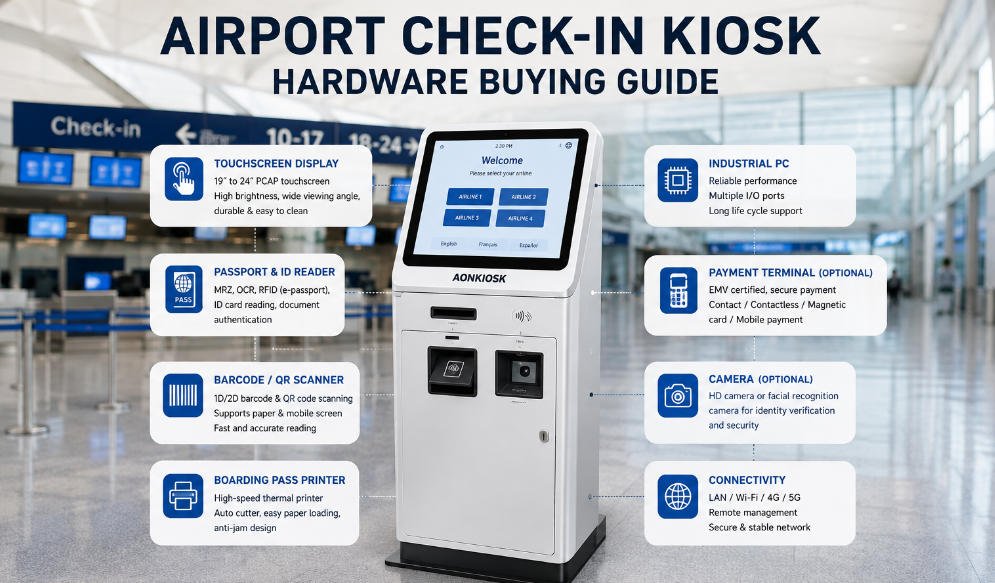
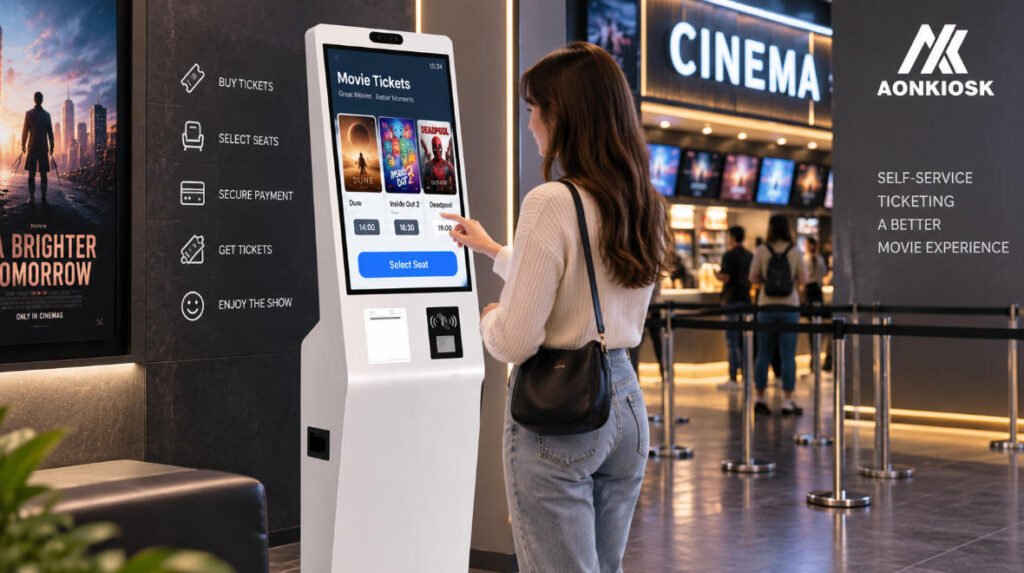
A kiosk used mainly for ticket collection may be compact and simple. A full-service cinema ticket kiosk may require a larger touchscreen, integrated payment terminal, receipt or ticket printer, QR scanner, speakers, and potentially an NFC reader.
Documenting the transaction workflow first prevents unnecessary modules from being added simply because they are available.
2. Decide Whether You Actually Need Printed Tickets
One of the most important decisions is whether the kiosk needs to print a physical ticket.
Many venues now use mobile QR codes, but physical printing remains useful in cinemas, museums, theme parks, tourist attractions, event venues, and environments serving a broad demographic.
If printing is required, do not treat the printer as a minor accessory.
The printer directly affects enclosure design, maintenance frequency, paper capacity, operating cost, and transaction reliability.
Thermal receipt printer
An 80 mm thermal printer can be suitable when the ticket format resembles a standard receipt or confirmation slip. These printers are widely available and relatively easy to integrate.
Dedicated ticket printer
Some projects require thicker ticket stock, fanfold media, preprinted ticket material, wristbands, or other specialized output. These applications normally require a dedicated printing mechanism.
Before finalizing the printer, confirm:
- Ticket dimensions
- Paper or media thickness
- Required print resolution
- Cutter requirements
- Expected tickets per day
- Paper-roll or media capacity
- Loading method
- Printer communication interface
- Software driver or SDK availability
A printer capable of producing the correct ticket is only half the solution. Staff also need to replace the media quickly.
During hardware design, the printer should therefore be positioned where service personnel can reach the paper roll, cutter, print head, and sensors without removing unrelated components.
For additional component-layout considerations, AONKIOSK’s kiosk hardware structure guidance explains how printer clearance, paper paths, scanners, service access, and internal component positioning influence the enclosure design.
3. Choose a Screen Size Based on the Interface, Not Appearance
Larger displays can look impressive, but a larger screen does not automatically improve ticket purchasing.
For most ticketing applications, the display size should be determined by the amount of information customers must view at one time.
A cinema interface may show movie posters, session times, seat maps, promotions, ticket quantities, and payment instructions. Seat selection in particular can benefit from additional display area.
A museum or attraction interface may have a simpler workflow with a smaller number of ticket types and may not require such a large screen.
Common kiosk sizes include 15.6, 21.5, 23.8, 27, and 32 inches, although custom configurations are possible.
When comparing displays, also consider:
- Portrait versus landscape orientation
- Projected capacitive touch
- Brightness
- Viewing angle
- Touch response
- Cover-glass thickness
- Operating temperature
- Expected daily usage
Do not select the screen independently of the user interface. Ideally, the ticketing software should be tested at the actual physical screen size during prototype development.
4. Pay Special Attention to QR and Barcode Scanning
QR scanning has become one of the most important functions of modern ticketing systems.
Visitors may present:
- Mobile tickets
- Booking confirmation codes
- Membership QR codes
- Discount vouchers
- Promotional coupons
- Digital payment codes
- Printed reservation documents
An attraction ticket machine may also use QR scanning to retrieve an existing online reservation before printing tickets or validating admission.
Scanner selection should therefore consider more than whether the specification says “2D scanner.”
The scanner must be tested against realistic conditions.
Visitors frequently present codes from smartphones with cracked screens, low brightness, protective glass, dark mode, or reflective screen protectors. Printed tickets may be folded or slightly damaged.
Scanner placement matters as well.
A scanner installed too deeply behind the cabinet or positioned at an awkward angle can make an otherwise capable device frustrating to use.
During prototype testing, evaluate reading distance, scanning angle, ambient lighting, smartphone displays, printed QR codes, and the smallest code size expected in the application.
5. Match the Payment Terminal to the Target Market
Payment integration is often one of the biggest differences between a prototype that works in a showroom and a kiosk that can actually be deployed.
Payment devices vary significantly between countries, acquiring banks, payment service providers, and certification environments.
For that reason, the kiosk manufacturer should not arbitrarily select a payment terminal simply because it fits the enclosure.
The project owner should first determine which payment terminal or payment service provider will be used.
Typical options include:
- EMV chip cards
- Contactless cards
- NFC payments
- Mobile wallets
- QR payments
- PIN entry
Once the payment device is confirmed, the kiosk enclosure can be engineered around its dimensions, mounting bracket, cable connections, security requirements, viewing angle, and customer accessibility.
For international projects, this becomes particularly important because the payment terminal commonly used in one region may not be supported by the acquiring environment in another.
AONKIOSK’s OEM/ODM kiosk manufacturing capabilities include integration of payment terminals, NFC devices, QR and barcode scanners, thermal printers and other commercial peripherals, allowing the enclosure to be designed around project-specific hardware rather than forcing every customer into one fixed configuration.
6. Cinema Ticket Kiosks and Attraction Kiosks Have Different Priorities
Although both systems sell tickets, their operating conditions are not identical.
Cinema ticket kiosk priorities
Cinema traffic tends to arrive in waves shortly before popular screening times.
That means transaction speed and intuitive navigation become especially important during a narrow peak period.
Useful hardware considerations include:
- Responsive touchscreen
- Clear seat-map display
- Fast payment processing
- Reliable ticket printing
- QR or membership scanning
- Compact footprint
- Easy printer servicing
- Network recovery after temporary connection loss
Multiple kiosks may also be installed together near the cinema entrance, making cabinet width and pedestrian flow important considerations.
Attraction ticket machine priorities
Theme parks, museums, observation decks, zoos, exhibitions, and visitor attractions may operate under different conditions.
The kiosk may need to support multiple admission categories, timed entry, family tickets, membership validation, online booking retrieval, promotional codes, and several languages.
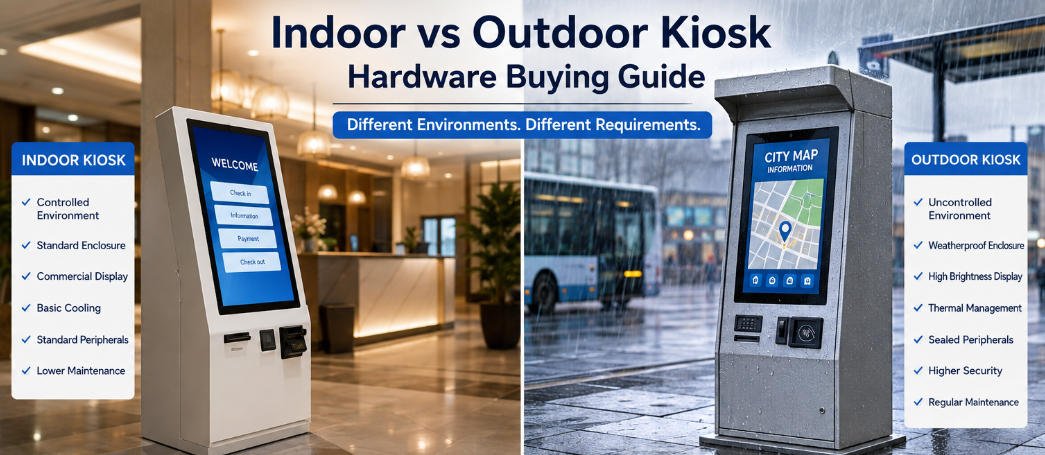
Some machines may also operate in semi-outdoor or outdoor environments.
In those cases, buyers may additionally need to consider:
- Higher display brightness
- Weather protection
- Temperature management
- Water and dust resistance
- Anti-corrosion treatment
- Stronger locks
- More robust enclosure construction
- Sunlight readability
Do not assume that an indoor cinema kiosk can simply be moved outside an attraction entrance without redesign.
7. Think About Maintenance Before Approving the Enclosure
Maintenance accessibility is one of the easiest details to overlook during purchasing.
A kiosk that looks clean externally may be extremely inconvenient internally.
Ask how staff will access:
- Ticket or receipt paper
- Printer cutter
- Scanner
- Payment device
- Industrial PC
- Power supply
- Network equipment
- Cooling fans
- Cable connections
Frequently serviced components should be accessible without disturbing unrelated hardware.
Lockable front or rear service doors are normally preferable to removing large decorative panels.
Cable routing also matters. Power, USB, serial, network, and peripheral cables should be secured and organized so that replacing one component does not accidentally disconnect another.
If twenty kiosks are deployed, an extra five minutes required for routine servicing becomes an operational issue rather than a minor inconvenience.
8. Select the Computer According to the Software Platform
Do not automatically specify the most powerful industrial PC available.
The appropriate computing platform depends on the ticketing application.
Common options include Windows-based x86 PCs and ARM/Android platforms.
Before choosing a motherboard or industrial PC, verify:
- Operating system
- CPU requirements
- RAM
- Storage
- Number of USB ports
- Serial ports
- Ethernet
- Wi-Fi requirements
- Display output
- Peripheral drivers
- Payment-device compatibility
- Printer SDK compatibility
Ticketing software companies should provide their hardware requirements before the kiosk architecture is finalized.
Peripheral compatibility should also be confirmed early. A printer, scanner, or payment terminal may function perfectly as an independent device but become unsuitable if the required driver or API is unavailable for the chosen operating system.
9. Determine Whether Floor-Standing, Wall-Mounted, or Countertop Is Best
Ticketing kiosks do not always need to be floor-standing.
A wall-mounted unit can save valuable floor area in compact cinema lobbies. A countertop model may work well for ticket collection, membership services, or lower-volume installations.
Floor-standing kiosks usually provide more internal volume for printers, payment terminals, computers, larger displays, and additional peripherals.
Evaluate the installation location before choosing the format.
Measure:
- Available floor space
- Customer approach direction
- Nearby queue barriers
- Doorways
- Power outlets
- Network connections
- Accessibility routes
- Maintenance clearance
Where several kiosks will operate together, evaluate the entire queue layout rather than considering each machine independently.
10. Do Not Ignore Accessibility and Ergonomics
A ticket machine may be technically functional while still being difficult for some customers to use.
Screen height, payment-terminal position, printer output, scanner location, and reach distance should all be considered during mechanical design.
This becomes particularly important for public attractions and venues serving users of different ages and physical abilities.
Accessibility regulations vary between markets, so project owners should identify applicable requirements before enclosure dimensions are frozen.
Ergonomic decisions are far easier to change in CAD than after several hundred cabinets have been manufactured.
11. Prototype With Real Peripherals
A rendered 3D model cannot verify whether a QR scanner reads a phone correctly or whether a printer feeds ticket stock reliably.
For custom projects, a functional prototype should therefore use the same or equivalent peripherals intended for production.
Prototype testing should include:
- Repeated ticket printing
- Cutter operation
- Paper replacement
- QR-code scanning
- Payment-terminal mounting
- Touchscreen operation
- Thermal performance
- Cable access
- Door and lock operation
- Software/peripheral communication
- Extended power-on testing
For a cinema project, run the actual cinema ticketing software.
For an attraction project, test real reservation codes, ticket templates, payment hardware, and admission workflows.
A prototype should answer operational questions—not simply demonstrate that the cabinet can be manufactured.
12. Plan for Pilot Deployment Before Mass Production
One common purchasing mistake is moving directly from prototype approval to a large production order.
A small pilot deployment can reveal problems that are difficult to reproduce in a factory.
For example, real customers may:
- Stand farther from the scanner than expected.
- Have difficulty locating the ticket output.
- Take longer to complete payment.
- Accidentally pull ticket paper.
- Struggle with screen glare.
- Create queues in an unexpected direction.
Venue staff may also discover that paper replacement or internal servicing takes longer than expected.
Pilot feedback can then be used to improve the final production version.
For custom ticketing programs, this makes support for prototypes and small-batch manufacturing particularly valuable before a multi-location rollout.
13. Evaluate the Manufacturer as an Engineering Partner
Price is important, but quotation comparison should go beyond the cabinet cost.
Ask prospective suppliers whether they can support:
- Mechanical design
- Industrial design
- Custom sheet-metal fabrication
- Touchscreen integration
- Industrial PC integration
- Payment-terminal mounting
- Barcode and QR scanners
- Ticket and thermal printers
- Internal cable management
- Thermal management
- Prototype production
- Small-batch production
- OEM branding
- Quality inspection
- Production scaling
A supplier that only manufactures the metal enclosure may leave the system integrator responsible for solving every compatibility problem.
A specialized kiosk manufacturer should instead understand how the enclosure, electronics, peripherals, maintenance structure, and production process interact.
AONKIOSK manufactures configurable ticketing kiosks for applications including cinemas, theme parks, stadiums, museums, exhibitions, transportation and event-ticketing environments, with options for payment, printing, scanning and different enclosure formats.
14. Prepare a Better RFQ
A detailed request for quotation produces a much more useful quotation.
Instead of sending:
“We need 100 ticket kiosks. Please quote.”
prepare specifications covering:
- Application: cinema, museum, attraction, stadium, etc.
- Installation environment
- Quantity
- Pilot quantity
- Touchscreen size
- Operating system
- Industrial PC requirements
- Payment terminal model
- QR/barcode scanner
- Printer model or ticket format
- NFC requirements
- Camera or speaker requirements
- Network configuration
- Mounting method
- Branding and color
- Certification requirements
- Target market
- Packaging requirements
- Expected delivery schedule
If the exact peripheral model has not yet been selected, provide the intended function and software requirements so the manufacturer can evaluate alternatives.
The more accurately the RFQ reflects the final operating environment, the fewer engineering changes are likely to appear later.
Final Thoughts
The best ticketing kiosk is rarely the machine with the longest list of optional modules.
It is the one designed around the actual transaction.
For cinema operators, that may mean fast seat selection, reliable payment, membership scanning, and rapid ticket printing during a short rush before showtime.
For attractions, it may mean flexible ticket types, online booking retrieval, multilingual interaction, QR scanning, high-volume printing, or weather-resistant construction.
A useful ticketing kiosk buying guide therefore comes down to a relatively simple principle: define the customer journey first and engineer the hardware around it.
Before placing an order, evaluate the ticket workflow, printer format, scanning conditions, payment platform, software environment, installation location, service requirements, accessibility, and rollout plan. Then validate the configuration with real peripherals and a functional prototype.
That approach may require more preparation before procurement begins, but it substantially reduces the risk of discovering fundamental hardware problems after the kiosks have already reached the venue.
For projects that require a customized cinema ticket kiosk, attraction ticket machine, or other self-service ticketing hardware, AONKIOSK can support hardware engineering, peripheral integration, prototyping, OEM/ODM manufacturing, and production according to the requirements of the customer’s ticketing software and deployment environment.